MCP server · Security
AgentRadar MCP server
by Bichev
Check whether an AI agent or crypto wallet is trustworthy, or a known scam, right inside your chat.

AgentRadar is a helper that lets your AI look up the trust score of an AI agent or a crypto wallet. It checks a public service that keeps track of which agents and wallets are safe and which are known scams. It is handy if you work with crypto, AI agents, or payments and want a quick second opinion before you trust someone.
What is an MCP server? The 30-second version
On its own, your AI can only chat with you. It cannot look things up on the internet or check a database by itself. An MCP server is a small helper program that gives your AI a new skill. This one connects your AI to AgentRadar, a service that scores how trustworthy an AI agent or wallet is, so your AI can ask AgentRadar for you and tell you the answer.
What this MCP server does
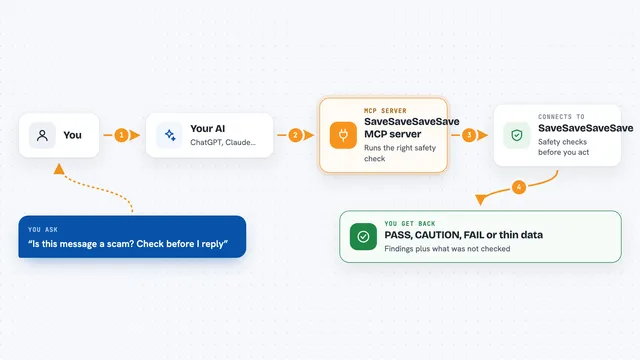
You ask your AI something like whether a certain wallet is a scam. Your AI sends that question to this helper. The helper talks to the AgentRadar service online, which looks up the wallet or agent in its database and checks several trust signals. The service sends back a score, a short explanation, and any warnings. Your AI then shows you the result in plain words in the chat.
 Click to zoom
What you can do with it
- Check the trust score of an AI agent by its address
- Compare two agents side by side to see which looks safer
- Check whether a wallet address is in a scam database
- Look up an agent's on-chain identity and reputation
- Get a plain explanation of why an agent scored a certain number
- Report a wallet you believe is malicious
- Write an on-chain attestation for an agent you have verified
Try asking your AI
- “Verify this agent: 0x742d35Cc6634C0532925a3b844Bc9e7595f2bD28”
- “Is 0xdeadbeef a known scam wallet?”
- “Compare these two agents and tell me which is more trustworthy”
- “Explain why this agent scored 45 out of 100”
What it gives back to you
You get back a trust score, usually a number out of 100, plus a short explanation of what pushed the score up or down. For scam checks, you get a yes or no with any matching reports. For comparisons, you get both agents side by side. For attestations, you get a confirmation that something was written on the blockchain, along with a transaction reference.
Before you start
What you need
- The Claude desktop app or Cursor, or another app that supports MCP servers
- Node.js installed on your computer (the free program that runs npx)
- An AgentRadar operator key if you want to skip the small per-use payments (optional)
Good to know
Some actions cost money (a few cents for a check, five dollars to write a public record on the blockchain), and reporting a wallet as a scam or writing an attestation changes public data, so be sure before you do it.
Install it with your AI
Add AgentRadar MCP server to your AI, no technical skills needed
You don't install anything by hand. You copy one prompt, paste it into an AI that can work on your computer, and it checks, installs and connects the server for you, asking you when it needs something.
Sign in to get the install prompt
Members get a ready-made prompt that lets the Claude desktop app check AgentRadar MCP server, install it and connect it for them, step by step. You don't need any technical skills: you copy, paste and answer a few questions. Your connected AI can also find and install any of the 4,361 MCP servers here for you.
Who it's for
People who work with crypto, AI agents, or online payments and want a quick trust check before dealing with an agent or wallet.