MCP server · Health and learning
MyFitnessPal MCP server
by Mason-Levyy
Log meals, weight, water and exercise in your real MyFitnessPal diary by talking to your AI.
This is a free helper that connects your MyFitnessPal diary to an AI assistant like Claude. Once it is set up, you can just say what you ate and the AI writes it into your real diary for you. It is handy if you track food every day but find the tapping and searching a bit of a chore.
What is an MCP server? The 30-second version
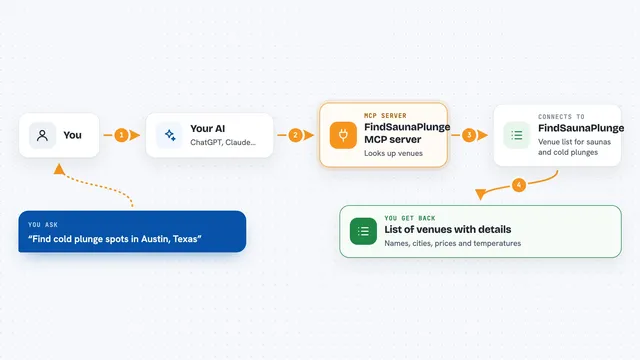
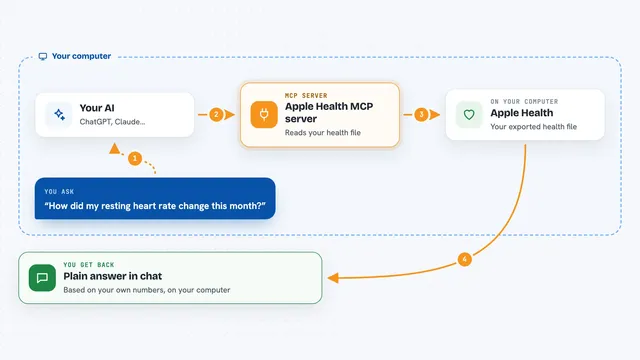
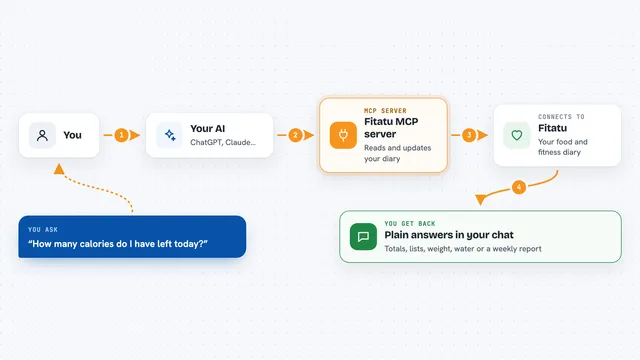
On its own, your AI can only chat. It cannot see your MyFitnessPal account or change anything there. An MCP server is a small helper program that gives your AI one new skill, and here that skill is talking to MyFitnessPal. You ask in normal words, the AI passes the request to this helper, and the helper does the work in your diary.
What this MCP server does
You tell your AI something like "log a banana as a snack" or "what did I eat yesterday?". The AI sends that to this helper, which signs in to MyFitnessPal using your own browser session and makes the same requests the website makes. For food, it first shows you numbered options with calories and macros, then logs the exact one you pick. It can also read your day back, log weight and water, and pull trends over a date range.
What you can do with it
- Log a meal or snack to your real diary
- Search foods and see calories and macros before logging
- Read back what you ate on any day
- Log your weight and water for the day
- Chart weight, calories, protein, carbs or fat over time
- Change or delete a diary entry you logged by mistake
- Export a whole date range of your nutrition history
Try asking your AI
- “Log a banana as a snack”
- “What did I eat yesterday?”
- “Chart my weight this month”
- “Find a greek yogurt under 150 calories with at least 15g protein and log one”
What it gives back to you
You get answers in the chat: your day's totals, goals and remaining macros, a list of what you ate, or a table of numbers for a trend. When it logs something, it tells you what it added and where. Food searches come back as numbered options with calories and macros so you can choose.
Before you start
What you need
- A MyFitnessPal account
- The uv tool installed on your computer (a small free program that runs this server)
- Your MyFitnessPal session cookie, which you copy once from your browser (the setup walks you through it)
Good to know
It can change and delete entries in your real MyFitnessPal diary, so check what it logged before you trust it, and remember it is an unofficial tool that may stop working if MyFitnessPal changes their site.
Install it with your AI
Add MyFitnessPal MCP server to your AI, no technical skills needed
You don't install anything by hand. You copy one prompt, paste it into an AI that can work on your computer, and it checks, installs and connects the server for you, asking you when it needs something.
Sign in to get the install prompt
Members get a ready-made prompt that lets the Claude desktop app check MyFitnessPal MCP server, install it and connect it for them, step by step. You don't need any technical skills: you copy, paste and answer a few questions. Your connected AI can also find and install any of the 4,960 MCP servers here for you.
Who it's for
People who track food, weight or water in MyFitnessPal every day and would rather type or talk than tap through the app.