MCP server · Health and learning
Apple Health MCP server
by PhilipAD
Lets your AI read your Apple Health numbers, like HRV, sleep, steps and workouts, and answer questions about them.

This is a small helper program that connects your Apple Health data to an AI assistant like Claude or Cursor. You ask a question in normal words, and the AI looks up your real numbers instead of guessing. It is handy if you track your sleep, heart rate, or workouts and want your AI to talk about your own data.
What is an MCP server? The 30-second version
On its own, your AI can only chat. It has no way to see your Apple Health numbers. An MCP server is a small helper program that gives your AI a new skill or a connection to something. This one connects your AI to your exported Apple Health data, so when you ask about your sleep or heart rate, the AI can actually look it up and answer from your real numbers.
What this MCP server does
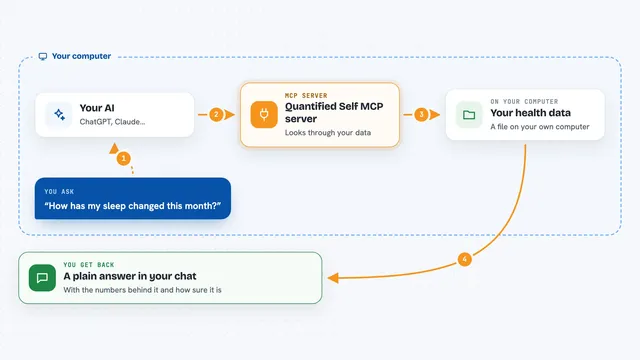
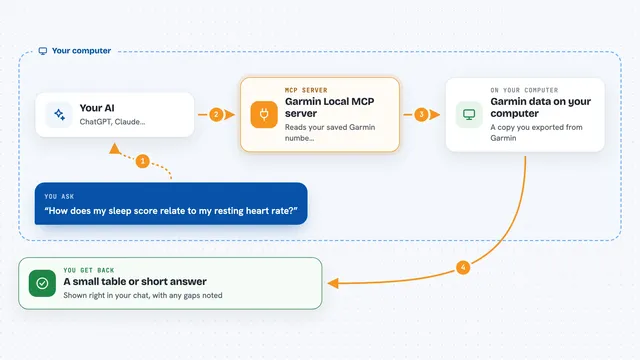
You ask your AI a question, like how your resting heart rate changed this month. The AI sends that question to this helper program running on your own computer. The helper reads the Apple Health file you exported and finds the numbers you asked about. It sends those numbers back to the AI, which then explains them to you in plain words. Nothing goes to a company server; everything stays on your machine.
 Click to zoom
What you can do with it
- Compare your HRV this week against last week
- Check how your resting heart rate changed over the last 30 days
- Look at your deep sleep this week versus last week
- See whether your VO2 max is trending up or down this quarter
- Pull your workouts with heart rate and running details
- Correlate your step count with your sleep duration
- Get a clean list of your health numbers for any date range
Try asking your AI
- “What has my resting heart rate done over the last 30 days?”
- “Compare my deep sleep this week vs last week.”
- “Is my VO2 max trending up or down this quarter?”
- “Correlate my step count with my sleep duration this month.”
What it gives back to you
You get answers in the chat, written in normal language, based on your actual numbers. It can also give you lists of metrics, trends with the change and direction, comparisons between two periods, and clean data you can copy into a spreadsheet. When something is missing or only partly covered, it tells you that instead of pretending.
Before you start
What you need
- Node.js version 18 or newer on your computer
- The MetricBridge iPhone app to export your Apple Health data
- A folder with your exported health file, or run the test command to make a sample one
- An AI app that supports MCP, like Claude Desktop or Cursor
Good to know
It only reads your exported health file and never changes or deletes anything, but that file holds private health information, so keep it somewhere you trust and only connect AI apps you are comfortable with.
Install it with your AI
Add Apple Health MCP server to your AI, no technical skills needed
You don't install anything by hand. You copy one prompt, paste it into an AI that can work on your computer, and it checks, installs and connects the server for you, asking you when it needs something.
Sign in to get the install prompt
Members get a ready-made prompt that lets the Claude desktop app check Apple Health MCP server, install it and connect it for them, step by step. You don't need any technical skills: you copy, paste and answer a few questions. Your connected AI can also find and install any of the 4,609 MCP servers here for you.
Who it's for
People who track their health and fitness closely and want their AI to reason over their real Apple Health numbers.