MCP server · API · official
Metorial MCP server
by metorial · official
Connect your AI to over 1200 work tools through one shared, secure connection.

Metorial is a service that sits between your AI and the many apps your team uses, like Slack, GitHub, or Google Calendar. Instead of setting up each app one by one, you connect it once and Metorial handles the sign-in and permissions. It is handy if your team wants AI to reach real work systems without losing track of who did what.
What is an MCP server? The 30-second version
On its own, your AI can only chat with you. An MCP server is a small helper program that gives your AI a new skill or a connection to an app or service. This one connects your AI to Metorial, which in turn reaches many other services. So when you ask your AI to look something up or do something in one of those tools, it can go through Metorial to get it done.
What this MCP server does
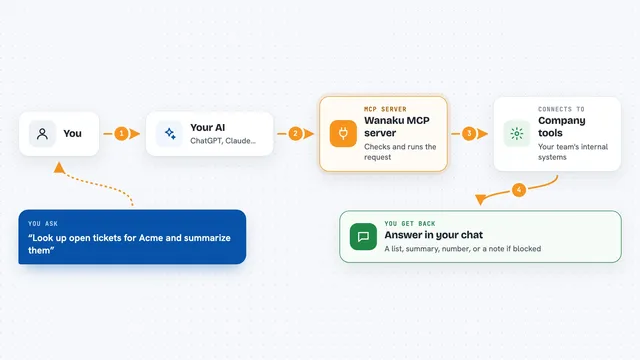
You ask your AI something that involves a work tool, like checking a Slack channel or reading a GitHub issue. Your AI uses this helper to talk to Metorial. Metorial then talks to the actual service, using the sign-in details your team already set up. The answer or the change comes back to your AI, and your AI shows it to you in the chat. Metorial also keeps a record of what happened and which account was used.
 Click to zoom
What you can do with it
- Connect your AI to over 1200 work tools through one place
- Sign in to services like Slack or GitHub with a shared login flow
- Limit what each AI helper is allowed to see or change
- Keep a record of which AI did what and with whose account
- Reuse the same connections across different projects and teams
- Add web search with no extra sign-in needed
Try asking your AI
- “Search the web for the latest news about AI agents and summarize the top 3 stories”
- “Check the latest messages in our team Slack channel and tell me what needs a reply”
- “Look at the open issues in our GitHub project and list the ones marked urgent”
- “Add a note to our shared calendar for the project review next Tuesday”
What it gives back to you
You get answers in plain chat, like a summary of search results or a list of messages and issues. When it changes something, like adding a calendar note, it tells you it did it. Metorial also keeps a behind-the-scenes record of the action, which your team can review later.
Before you start
What you need
- A Metorial account (the hosted platform is free to start)
- An API key from Metorial (a kind of password for apps; the site gives you one)
- Sign-in details for each service you want to connect, like Slack or GitHub
Good to know
This can let your AI read and change things in real work tools, so check the permissions you give it and review the audit logs.
Install it with your AI
Add Metorial MCP server to your AI, no technical skills needed
You don't install anything by hand. You copy one prompt, paste it into an AI that can work on your computer, and it checks, installs and connects the server for you, asking you when it needs something.
Sign in to get the install prompt
Members get a ready-made prompt that lets the Claude desktop app check Metorial MCP server, install it and connect it for them, step by step. You don't need any technical skills: you copy, paste and answer a few questions. Your connected AI can also find and install any of the 4,609 MCP servers here for you.
Who it's for
Teams and developers who want their AI helpers to reach real work tools in a controlled, trackable way.