
MCP server · Research
Dutch Railways (NS) MCP server
by r-huijts
Ask your AI about Dutch train times, delays, prices and stations, and get live answers.
This is a small helper that connects your AI assistant to the Dutch railway company NS. Once it is set up, you can just ask about trains in the Netherlands in normal words, and your AI will look up the live information for you. It is handy if you travel by train in the Netherlands, or if you plan trips there for work.
What is an MCP server? The 30-second version
On its own, your AI can only chat with you using what it already knows. An MCP server is a small helper program that gives your AI a new skill or a connection to an app or service. This one connects your AI to NS, the Dutch railway company, so it can look up real train times, delays, prices and station details. You ask in plain words, and the helper fetches the information from NS for you.
What this MCP server does
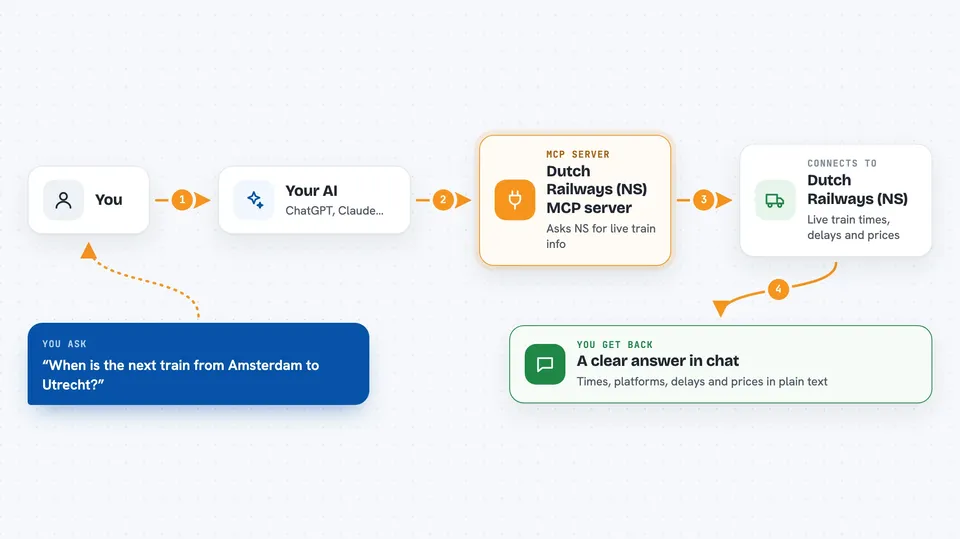
You ask your AI something like when the next train from Amsterdam to Utrecht leaves. Your AI passes that question to this helper program. The helper talks to the NS systems using a special key you set up once. NS sends back the live details, and your AI turns them into a clear answer in the chat. You never have to open a website or read a timetable yourself.
 Click to zoom
What you can do with it
- Check live departure and arrival times for a station
- See delays, platform changes and travel notes for a route
- Plan a journey with transfers between two stations
- Look up ticket prices for first or second class
- Find out if a station is wheelchair accessible
- Check if OV-fiets rental bikes are available at a station
- Ask about planned maintenance or disruptions on a line
Try asking your AI
- “Is my usual 8:15 train from Almere to Amsterdam running on time?”
- “What is the best route to Utrecht if there is maintenance on the direct line?”
- “How much does a first class ticket from Amsterdam to Rotterdam cost?”
- “Are there OV-fiets bikes available at Utrecht Centraal this afternoon?”
What it gives back to you
You get answers in normal chat text: times, platforms, delays, prices and short notes from NS. For a journey plan, your AI can list the steps with transfers and which train to take. For station questions, it can describe facilities, platforms and accessibility. Everything appears as a friendly reply, not as a raw data dump.
Before you start
What you need
- An NS API key from the NS API Portal (a kind of password for apps; you request one for free on their site)
- The Claude desktop app or another AI app that supports MCP servers
- Node.js installed on your computer if you use the npx or source install
Good to know
It only reads information from NS, so it cannot book or change tickets for you.
Install it with your AI
Add Dutch Railways (NS) MCP server to your AI, no technical skills needed
You don't install anything by hand. You copy one prompt, paste it into an AI that can work on your computer, and it checks, installs and connects the server for you, asking you when it needs something.
Sign in to get the install prompt
Members get a ready-made prompt that lets the Claude desktop app check Dutch Railways (NS) MCP server, install it and connect it for them, step by step. You don't need any technical skills: you copy, paste and answer a few questions. Your connected AI can also find and install any of the 4,609 MCP servers here for you.
Who it's for
Anyone who travels by train in the Netherlands, plus commuters, students and people who plan Dutch trips for work.




