MCP server · Security
DeadBolt MCP proxy
Adds a policy checkpoint in front of a trusted MCP server so risky tool calls can be blocked, paused, or approved first.
DeadBolt is a small local gate that sits between your AI assistant and another MCP server. Before a tool call is allowed to run, DeadBolt checks your rules and can ask an operator to approve it, pause it, or block it. It is handy for people who let an AI assistant do real actions on their computer and want a record of what was allowed and what was not.
What is an MCP server? The 30-second version
On its own, your AI assistant can only chat. An MCP server is a small helper program that gives the assistant a new skill, like reaching a particular app or service. DeadBolt is a special kind of helper: it wraps another MCP server and checks your policy before letting each tool call through. So instead of the assistant talking straight to the other server, it talks to DeadBolt first, and DeadBolt decides whether the call should proceed.
What this MCP server does
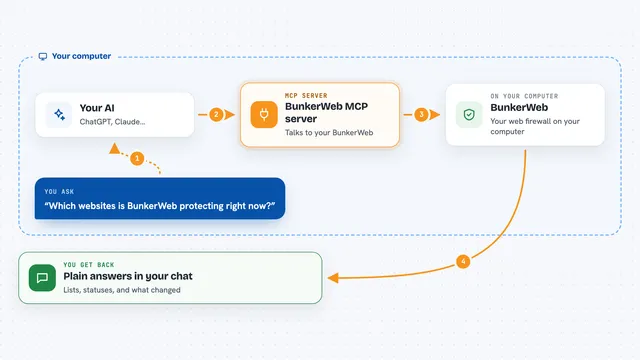
You ask your AI assistant to do something, and the assistant turns that into a tool call. That call goes to DeadBolt instead of going straight to the trusted MCP server behind it. DeadBolt looks at your policy, checks whether the tool and destination are allowed, and either forwards the call, asks an operator for approval, or blocks it. If the call is allowed, the trusted server runs it and the result comes back to you in the chat. DeadBolt also writes down what happened so you can look back later.
What you can do with it
- Block tool calls that do not match your policy
- Require an operator to approve a one-shot tool use
- Pause or kill further admissions with operator controls
- Set a spend cap so reported costs stay under a limit
- Keep a record of decisions in a local SQLite store
- Export incident notes per agent
- Apply ancestor rules to child runs so a child cannot widen its parent
Try asking your AI
- “Ask my assistant to write a file, but check with DeadBolt first”
- “Show me the last decisions DeadBolt blocked”
- “Pause new tool calls until I say so”
- “Approve this one file write, then stop approving more”
What it gives back to you
You get a decision back in the chat: allowed, blocked, or waiting for approval. When a call is allowed, you also get whatever the trusted server returned, like a file written or a short answer. DeadBolt keeps a local record of each decision, and you can ask for a summary or an export of recent activity. If something is blocked, you see a short reason code instead of the action happening.
Before you start
What you need
- A trusted MCP server you want to put behind the gate
- A local install of DeadBolt (a downloaded archive, or Rust 1.89+ if you build from source)
- Python 3.9+ if you want to run the example evaluation script
- An operator setup for the sidecar if you use Unix or TCP sidecars in version 2
Good to know
DeadBolt only protects the tool calls that go through it; the trusted server behind it still has full access to your computer, and it does not sandbox arbitrary code.
Install it with your AI
Add DeadBolt MCP proxy to your AI, no technical skills needed
You don't install anything by hand. You copy one prompt, paste it into an AI that can work on your computer, and it checks, installs and connects the server for you, asking you when it needs something.
Sign in to get the install prompt
Members get a ready-made prompt that lets the Claude desktop app check DeadBolt MCP proxy, install it and connect it for them, step by step. You don't need any technical skills: you copy, paste and answer a few questions. Your connected AI can also find and install any of the 4,960 MCP servers here for you.
Who it's for
People who let an AI assistant take real actions on their computer and want a simple checkpoint, approval step, and record before those actions run.