MCP server · Productivity
Telugu Panchangam MCP server
Ask your AI for today's Telugu Panchangam, festival lists, muhurta timings and daily rasi readings.
This is a small helper program that connects your AI assistant to a Telugu Panchangam calculator. Once set up, you can just ask questions in normal words instead of hunting through websites. It is handy if you follow Hindu calendar dates for poojas, functions, travel or family planning.
What is an MCP server? The 30-second version
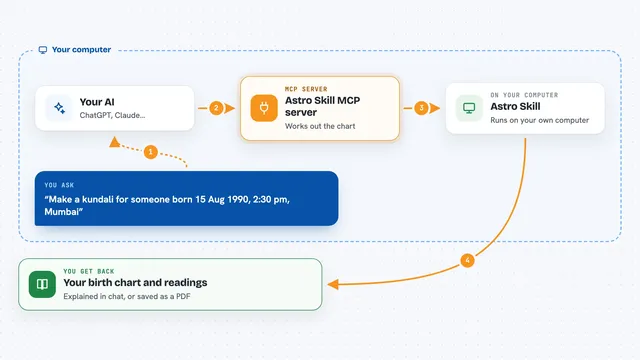
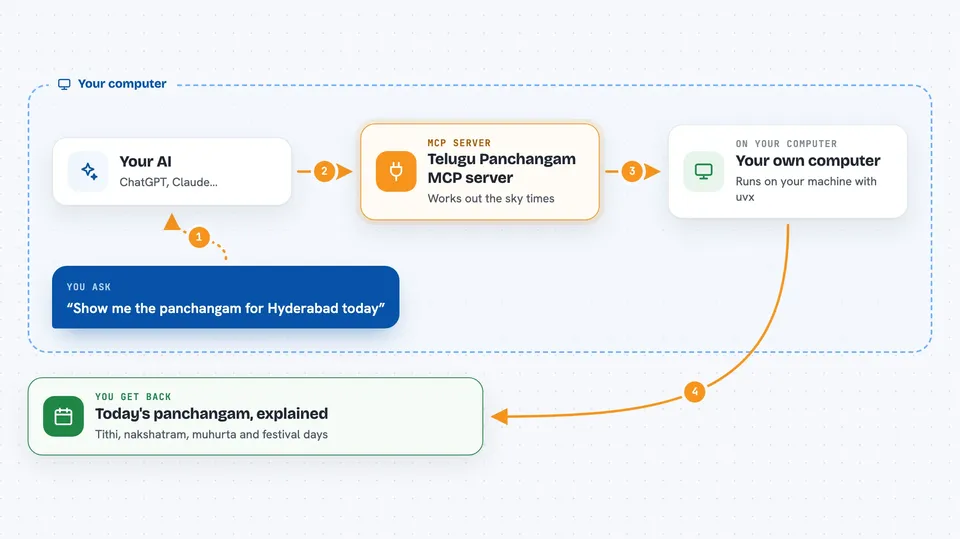
On its own, your AI can only talk. An MCP server is a little bridge between your AI and some outside knowledge or tool. This particular bridge leads to a Telugu Panchangam engine running quietly inside your computer. When you ask something like 'tithi tomorrow', your AI sends the question down this bridge and gets real calculations back.
What this MCP server does
When you ask a calendar-related question, your AI passes it to this helper along with the city and date. The helper computes the answer using proper astronomical formulas and returns clean results. Your AI then explains those results to you in simple chat form. Nothing goes out to a website except optional address lookup for unknown cities.
 Click to zoom
What you can do with it
- Get the full Panchangam for any date and city
- See auspicious and inauspicious time windows such as Abhijit Muhurta and Rahu Kalam
- Find upcoming festivals, Ekadashis and Pradoshams for a whole month
- Search several days for a good muhurta matching a specific activity
- Check tarabalam-friendly days for yourself or family members
- Read today's rasi phalalu for a given moon sign
Try asking your AI
- “Show me the panchangam for Hyderabad on April 14th”
- “Which days in October have Ekadashi? I am in Dallas”
- “I want to book a housewarming function sometime in November near Chennai. Which mornings work well?”
- “Give me my rasi phalalu for Simha rasi today”
What it gives back to you
For a single day you usually get structured lines listing samvatsara, maasam, paksham, vaaram, tithi, nakshatram, yoga and karanam with start and end times plus sunrise, sunset and choghadiya blocks. For multi-day queries you receive compact rows summarising each day. Planning calls return named festivals or ranked time slots together with short reasons why each was chosen.
Before you start
What you need
- Python installed on your machine (version 3.10 or higher)
- uv, a small installer tool used to fetch and run Python programs
- Internet access only when asking about a non-preset city, since addresses are looked up online
Install it with your AI
Add Telugu Panchangam MCP server to your AI, no technical skills needed
You don't install anything by hand. You copy one prompt, paste it into an AI that can work on your computer, and it checks, installs and connects the server for you, asking you when it needs something.
Sign in to get the install prompt
Members get a ready-made prompt that lets the Claude desktop app check Telugu Panchangam MCP server, install it and connect it for them, step by step. You don't need any technical skills: you copy, paste and answer a few questions. Your connected AI can also find and install any of the 4,361 MCP servers here for you.
Who it's for
Anyone following the Telugu/Hindu ritual calendar, including families scheduling ceremonies, travellers checking auspicious days, temple volunteers preparing monthly calendars, and diaspora households wanting quick panchangam answers right inside their AI chat.