MCP server · Security
NowSecure MCP server
Lets your AI list your mobile apps, pull security findings, and make remediation PDFs from NowSecure.

This is a small helper that connects your AI assistant to NowSecure Platform, a service that tests mobile apps for security problems. It is handy if you work with app security and want to look up findings or make reports without clicking through the NowSecure website. It was built because the PDF export button in the NowSecure screen sometimes fails.
What is an MCP server? The 30-second version
On its own, your AI can only chat with you. An MCP server is a small helper program that gives your AI a new skill or a connection to an app or service. This one connects your AI to NowSecure Platform, so the AI can look up your apps and their security findings for you when you ask. You stay in the chat, and the helper does the talking to NowSecure behind the scenes.
What this MCP server does
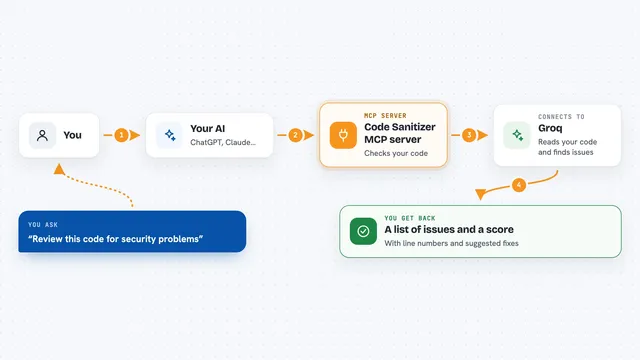
You ask your AI something like list my apps or make a remediation report for this app. The AI uses this helper, and the helper talks to NowSecure Platform using your personal access token. NowSecure sends back your app list or your security findings, and the helper hands them to the AI. The AI then shows you a clean list, a summary, or saves a PDF file on your computer. If you ask for a PDF, it can build that file locally, so it still works even when NowSecure's own report tool is broken.
 Click to zoom
What you can do with it
- List all the mobile apps in your NowSecure portfolio
- Find the latest security assessment for a specific app
- Pull the findings that still need fixing, as structured data
- Generate a clean remediation PDF saved on your own computer
- Try downloading an assessment PDF from NowSecure directly
- Feed findings into your AI so it can help you plan fixes
Try asking your AI
- “List my NowSecure applications.”
- “Show me the remediation findings for app 1234abcd-5678-90ef-ghij-klmnopqrstuv.”
- “Generate a remediation PDF for app 1234abcd-5678-90ef-ghij-klmnopqrstuv and save it to ./remediation.pdf.”
- “Download the latest assessment PDF for my top app.”
What it gives back to you
You get answers right in the chat: a list of your apps, a list of findings that need fixing, or a short summary of what is wrong. When you ask for a PDF, it saves a file on your computer at the path you chose, and the AI tells you where it went. The findings come back as structured data, so your AI can sort, group, or explain them for you.
Before you start
What you need
- Node.js version 18 or newer on your computer
- A NowSecure Platform account
- Your own NowSecure API token (a kind of password for apps; you create it in your NowSecure profile under Tokens)
Good to know
Your token gives access to your NowSecure data, so keep it private and only add this server on a computer you trust.
Install it with your AI
Add NowSecure MCP server to your AI, no technical skills needed
You don't install anything by hand. You copy one prompt, paste it into an AI that can work on your computer, and it checks, installs and connects the server for you, asking you when it needs something.
Sign in to get the install prompt
Members get a ready-made prompt that lets the Claude desktop app check NowSecure MCP server, install it and connect it for them, step by step. You don't need any technical skills: you copy, paste and answer a few questions. Your connected AI can also find and install any of the 4,609 MCP servers here for you.
Who it's for
Mobile app security testers, developers, and anyone who works with NowSecure Platform reports and wants to skip the broken PDF export.