MCP server · Developer tools
MCP Blast-Radius Auditor
by aos-standard
Check what an MCP server can actually touch, like files, network, and commands, before you trust it.

This is a small tool that looks inside another MCP server and tells you what it is able to reach: files, the internet, other programs, and settings. It is handy if you are thinking about adding a third-party MCP server to your AI and want to know what it might do behind the scenes. You do not need to be a programmer to read the report, though someone on your team usually runs the scan.
What is an MCP server? The 30-second version
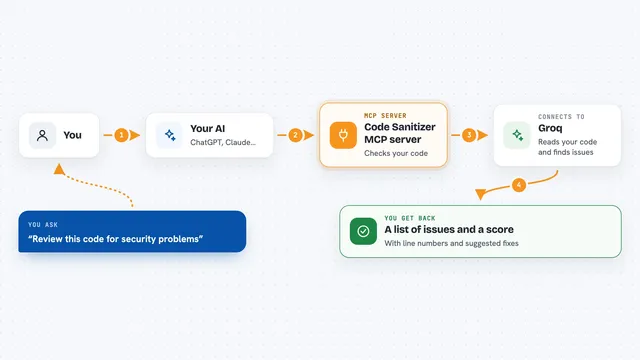
On its own, your AI can only chat. An MCP server is a small helper program that gives your AI a new skill or a connection to an app or service. This particular MCP server is a helper that inspects other MCP servers, so your AI can look at one and tell you what it can touch. You ask your AI to check a server, and this helper does the digging for you.
What this MCP server does
You point it at the folder where an MCP server lives. It reads the code without running it and notes things like file access, network calls, subprocess calls, and environment settings. If that server also ships a manifest (a file saying what it is allowed to do), this tool compares the two and flags anything that goes beyond what was declared. You get a report back with a pass or fail, plus a list of reasons. If you use it in CI, it can stop a merge when something does not match.
 Click to zoom
What you can do with it
- Scan an MCP server folder and list what it can reach
- Compare a server's code against its declared permissions
- Flag divergences where code touches things it said it would not
- Run as a blocking check in CI so bad merges do not go through
- Skip tests, docs, and scripts by default and scan only the shipping package
- Apply for a signed audit badge if your scan comes back clean
Try asking your AI
- “Scan this MCP server folder and tell me what it can touch”
- “Check whether this server stays within its declared permissions”
- “Run a blocking gate on this repo and show me any divergences”
- “Give me the blast radius report as JSON for this package”
What it gives back to you
You get a JSON report with a gate_pass field, a blast_radius section listing network, subprocess, environment, and filesystem capabilities, and a blocking_reasons list. If there is a manifest, any mismatch shows up as a line starting with DIVERGENCE. Each finding carries a confidence label so you know how sure the tool is. In chat, your AI can summarize this into plain sentences or show you the raw JSON.
Before you start
What you need
- Python 3 installed on your computer
- The folder path to the MCP server you want to scan
- A manifest file if you also want the divergence check (optional)
Good to know
It only reads code and cannot see everything, so hidden tricks like dynamic imports or obfuscation may slip past, and network or subprocess counts are upper bounds, not proof of actual activity.
Install it with your AI
Add MCP Blast-Radius Auditor to your AI, no technical skills needed
You don't install anything by hand. You copy one prompt, paste it into an AI that can work on your computer, and it checks, installs and connects the server for you, asking you when it needs something.
Sign in to get the install prompt
Members get a ready-made prompt that lets the Claude desktop app check MCP Blast-Radius Auditor, install it and connect it for them, step by step. You don't need any technical skills: you copy, paste and answer a few questions. Your connected AI can also find and install any of the 4,361 MCP servers here for you.
Who it's for
Developers, security reviewers, and anyone on a team who vets third-party MCP servers before adding them to an AI agent.