MCP server · Finance and crypto
satring MCP server
Let your AI search and compare paid API services listed on satring.com, sorted by price or rating.

This is a small helper that connects your AI assistant to satring.com, a directory of paid online services you can pay for with Lightning or USDC. It is handy if you are curious about these services and want your AI to look them up and compare them for you instead of browsing the site yourself.
What is an MCP server? The 30-second version
On its own, your AI can only chat with you using what it already knows. An MCP server is a small helper program that gives your AI a new skill or a connection to an app or service. This one connects your AI to satring.com, the directory of paid API services. Once it is set up, your AI can search that directory and pull back details for you when you ask.
What this MCP server does
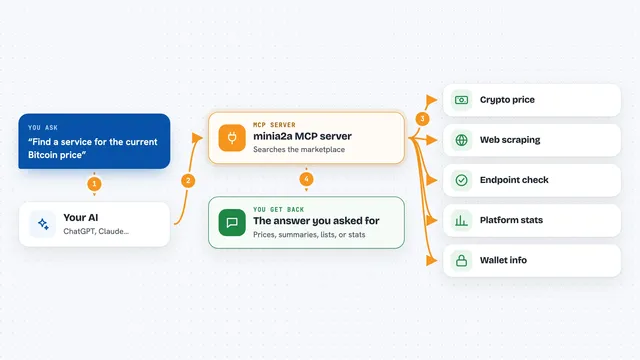
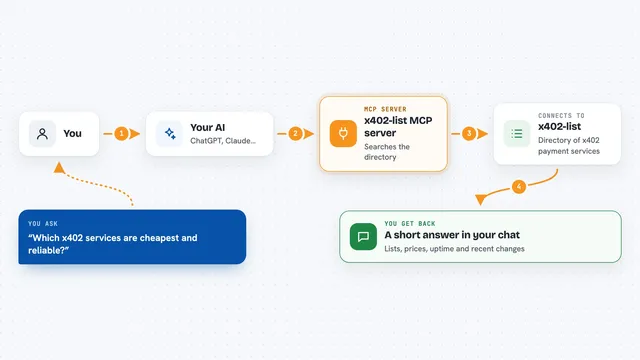
You ask your AI something like which paid services exist for a certain topic. The AI passes your question to this helper, which talks to the satring.com directory. The directory sends back a list of matching services with their prices, ratings, and categories. Your AI then reads that list and explains it to you in the chat. You can also ask it to compare two services or pick the cheapest or best rated one.
 Click to zoom
What you can do with it
- Search the satring.com directory for services by keyword
- List services filtered by category, status, or protocol
- Sort results by cheapest, top rated, or most reviewed
- Get full details for one service
- Read ratings and reviews for a service
- Compare two services side by side
- Ask for the best service for your needs
Try asking your AI
- “Find paid API services on satring.com related to weather data”
- “List the cheapest services in the directory”
- “Compare these two satring services for me”
- “What is the top rated service in the AI category on satring?”
What it gives back to you
You get back lists of services with their names, categories, prices, and ratings, plus short summaries your AI writes from that data. For a single service you get its full details, and for comparisons you get the two services shown side by side. Ratings and reviews come back as a list of scores and comments. Everything appears as normal text in your chat.
Before you start
What you need
- Python installed on your computer
- The pipx or pip tool to install the satring-mcp package
- An AI app that supports MCP servers, like Claude Desktop, Cline, or Claude Code
Good to know
The directory limits how many requests you can make per minute, so asking too fast may cause a short pause or an error.
Install it with your AI
Add satring MCP server to your AI, no technical skills needed
You don't install anything by hand. You copy one prompt, paste it into an AI that can work on your computer, and it checks, installs and connects the server for you, asking you when it needs something.
Sign in to get the install prompt
Members get a ready-made prompt that lets the Claude desktop app check satring MCP server, install it and connect it for them, step by step. You don't need any technical skills: you copy, paste and answer a few questions. Your connected AI can also find and install any of the 4,361 MCP servers here for you.
Who it's for
People who are curious about paid Lightning and USDC API services and want their AI to search and compare them without browsing the site by hand.