MCP server · Developer tools
Codemagic MCP server
by todah-zg
Lets your AI build, sign, and publish your iOS and Android apps through Codemagic, App Store Connect, and Google Play.

This is a helper that connects your AI assistant to Codemagic, the service that builds mobile apps for you, plus the App Store and Google Play where apps get published. It is handy if you make iPhone or Android apps and want to move from "I have some code" to "my app is live" by just talking to your AI. You do not need to click around five different websites yourself.
What is an MCP server? The 30-second version
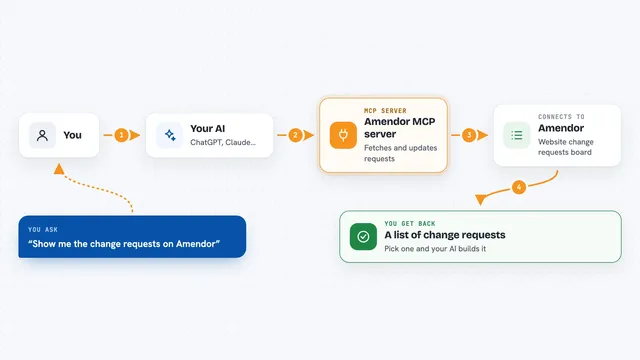
On its own, your AI can only chat. An MCP server is a small helper program that gives your AI a new skill or a connection to an app or service. This one connects your AI to Codemagic, App Store Connect, and Google Play, so it can look things up and do things there for you when you ask. Think of it as giving your assistant a set of keys to your app publishing accounts, but only the keys you hand over.
What this MCP server does
You tell your AI what you want, like "build my app and put it on TestFlight." The AI uses this helper to talk to Codemagic, which runs the build on its servers. When the build finishes, the helper grabs the finished app file and sends it to Apple or Google. Then it can set your store text, submit for review, and tell you what happened, all in the same chat.
 Click to zoom
What you can do with it
- Trigger a build of your app on Codemagic and wait for it to finish
- Upload a finished iPhone app to TestFlight or the App Store
- Publish an Android app to Google Play and promote it between tracks
- Read and reply to user reviews on Google Play
- Update your App Store and Google Play listing text and screenshots
- Check test results from a build and see which tests failed
- Validate your release notes and check if you are ready to publish
Try asking your AI
- “I have a Flutter app at github.com/example/myapp. Set it up on Codemagic and get a first build running.”
- “Trigger a release build for my Android app, version 2.1.0. The last build number on Google Play was 41.”
- “What is the current App Store review status for my iOS app?”
- “Show me the 1-star reviews on Google Play and draft a reply to the latest one.”
What it gives back to you
You get answers in the chat: build statuses, lists of your apps and builds, test pass and fail summaries, review text, and confirmation of changes it made, like "uploaded to TestFlight" or "listing updated." It can also give you download links for finished app files. Everything shows up as normal conversation, so you can ask follow-up questions right away.
Before you start
What you need
- A Codemagic account and an API token from Codemagic account settings
- Node.js 20 or 22 installed on your computer
- For iOS: an App Store Connect API key (key ID, issuer ID, and a private key file)
- For Android: a Google Play service account key file
Good to know
This helper can change live things in your app stores, like publishing releases, updating listings, and replying to reviews, so review what your AI is about to do before you say yes.
Install it with your AI
Add Codemagic MCP server to your AI, no technical skills needed
You don't install anything by hand. You copy one prompt, paste it into an AI that can work on your computer, and it checks, installs and connects the server for you, asking you when it needs something.
Sign in to get the install prompt
Members get a ready-made prompt that lets the Claude desktop app check Codemagic MCP server, install it and connect it for them, step by step. You don't need any technical skills: you copy, paste and answer a few questions. Your connected AI can also find and install any of the 4,361 MCP servers here for you.
Who it's for
Mobile app developers and small teams who publish iPhone or Android apps and want to handle builds and store releases by chatting instead of clicking through dashboards.