MCP server · Coding
ReactUse MCP server
by childrentime
Lets your AI look up ReactUse React hooks, their signatures, demos and usage patterns for you.

This is a small helper that connects your AI assistant to ReactUse, a library of over 100 ready-made building blocks for React apps. It is handy if you write React code and want quick answers about which hook to use and how to write it, without digging through the docs yourself.
What is an MCP server? The 30-second version
On its own, your AI can only chat with you. An MCP server is a small helper program that gives your AI a new skill or a connection to something outside the chat. This one connects your AI to the ReactUse library and its documentation. So when you ask about a hook, the AI can go look it up and answer with real details instead of guessing.
What this MCP server does
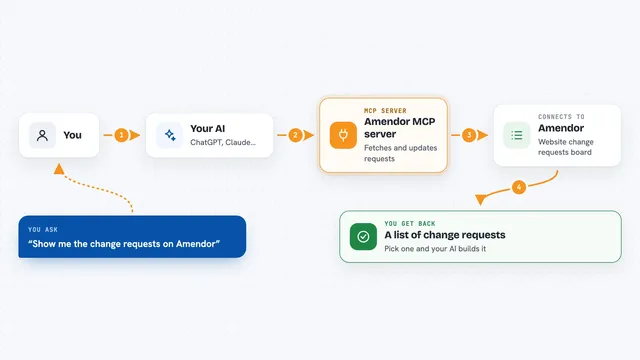
You ask your AI a question about ReactUse, like which hook handles a certain job or how a specific hook is written. Your AI passes that question to this helper. The helper looks through the ReactUse docs and hook information. Then your AI brings the answer back to you in the chat, with the hook name, its signature and how it is used.
 Click to zoom
What you can do with it
- Find the right ReactUse hook for a task you describe
- Show the signature and parameters of a specific hook
- Explain what a hook does and when to use it
- Show a usage example or demo for a hook
- List hooks by category, like browser or state hooks
- Compare a few hooks to help you pick one
Try asking your AI
- “Which ReactUse hook should I use to detect when the user goes offline?”
- “Show me how useToggle works and give me a quick example”
- “What state hooks does ReactUse have for storing values in local storage?”
- “Explain the difference between useDebounce and useThrottle in ReactUse”
What it gives back to you
You get answers in plain chat text: the hook name, what it does, its signature, and often a short code example you can copy. If you ask for a list, you get a list of matching hooks with one-line explanations. Nothing in your own project is changed; it only reads and reports back.
Before you start
What you need
- Node.js installed on your computer (the free program that runs npx)
- An AI app that supports MCP servers, like the Claude desktop app
Install it with your AI
Add ReactUse MCP server to your AI, no technical skills needed
You don't install anything by hand. You copy one prompt, paste it into an AI that can work on your computer, and it checks, installs and connects the server for you, asking you when it needs something.
Sign in to get the install prompt
Members get a ready-made prompt that lets the Claude desktop app check ReactUse MCP server, install it and connect it for them, step by step. You don't need any technical skills: you copy, paste and answer a few questions. Your connected AI can also find and install any of the 4,361 MCP servers here for you.
Who it's for
React developers and anyone writing React code who wants fast, accurate answers about ReactUse hooks.