MCP server · Music
Serato DJ MCP server
Ask your AI to search your Serato DJ library by BPM and key, browse crates, and audit for problems.
This is a small helper that connects an AI assistant like Claude to your Serato DJ music library on your own computer. You ask questions in plain English, and it looks things up in your Serato library for you. It is handy if you DJ with Serato and want to find tracks, check crates, or spot problems without clicking around.
What is an MCP server? The 30-second version
On its own, your AI can only chat with you. An MCP server is a small helper program that gives your AI a new skill or a connection to an app, and here it connects your AI to your Serato DJ library. Once it is running, your AI can look things up in your library and, if you allow it, build new crates for you. It is unofficial and not made by Serato.
What this MCP server does
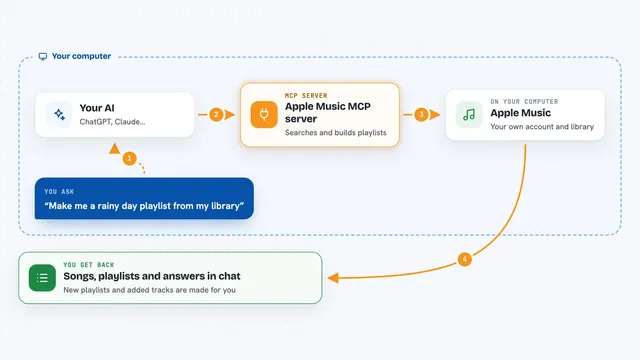
You ask your AI a question in normal words, like which tracks sit near a certain speed and key. Your AI passes that question to this helper program. The helper reads a copy of your Serato library database on your computer and finds the matching tracks. Your AI then shows you the results in the chat. By default it only reads, so nothing in your library changes unless you switch writing on.
What you can do with it
- Find tracks between two BPM values in a certain key
- List what is inside a crate, in the crate's own order
- Audit your library for duplicates, missing files, and tracks in no crate
- Spot tracks with no BPM or no key at all
- Stage a new crate from tracks you picked, and preview the list before anything is written
- Apply a staged crate once you have closed Serato
Try asking your AI
- “Find tracks between 122 and 126 BPM in 8A or 9A that I added this year.”
- “Give me tracks that mix harmonically out of 8A, around 124 BPM.”
- “Show me what's in my Warm Up crate, in order.”
- “Audit my library: duplicates, missing files, tracks that aren't in any crate.”
What it gives back to you
You get answers in your chat: lists of tracks with titles, artists, BPM, key, and other details. Searches come back a page at a time, about 25 tracks by default. Crate lists show the crate name and how many tracks it holds. Audits give you a count for each problem plus up to ten example tracks, and duplicate groups. When you stage a crate, you see the full staged list before you decide to apply it.
Before you start
What you need
- Serato DJ 4.x on macOS (developed and tested with Serato DJ Lite 4.0.9)
- Node.js 22.16 or newer, unless you use the Claude Desktop extension which needs no Node.js
- The Claude desktop app, Claude Code, Cursor, or VS Code
Good to know
With crate writing switched on it creates new crates in your Serato library, there is no undo tool, and you must close Serato before changes are applied.
Install it with your AI
Add Serato DJ MCP server to your AI, no technical skills needed
You don't install anything by hand. You copy one prompt, paste it into an AI that can work on your computer, and it checks, installs and connects the server for you, asking you when it needs something.
Sign in to get the install prompt
Members get a ready-made prompt that lets the Claude desktop app check Serato DJ MCP server, install it and connect it for them, step by step. You don't need any technical skills: you copy, paste and answer a few questions. Your connected AI can also find and install any of the 4,609 MCP servers here for you.
Who it's for
Serato DJ users on macOS who want to search their library and keep it tidy using plain questions to their AI.