MCP server · Video editing
Remove AI Watermarks MCP server
by wiltodelta
Clean AI watermarks and hidden provenance metadata from images, video, and audio you made yourself.
This is a small helper that lets your AI clean up the files you generated with tools like Gemini, Veo, or Sora. It removes visible logos, hidden pixel marks, and the extra information files carry about where they came from. It is handy if you make your own images or videos and want them to look plain before you share them.
What is an MCP server? The 30-second version
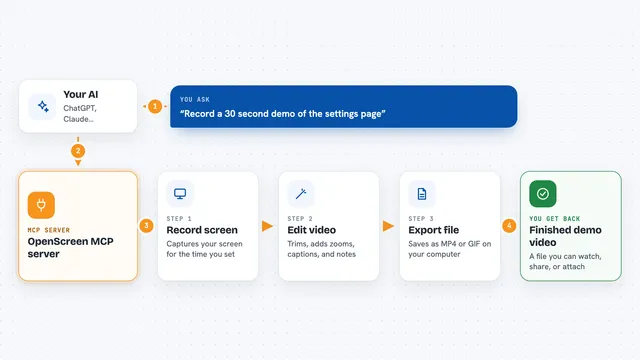
On its own, your AI can only chat. An MCP server is a small helper program that gives your AI a new skill or a connection to another tool. This one connects your AI to a watermark-removal tool that runs on your own computer. When you ask, your AI passes the file to this helper, the helper cleans it, and you get the result back.
What this MCP server does
You tell your AI which image or video you want cleaned. The AI hands that file to this helper program running on your machine. The helper looks for known AI marks, like the Gemini sparkle or the Veo diamond, and removes them. It can also strip hidden details such as C2PA, EXIF, and XMP metadata. When it is done, it gives you back a cleaned copy of the file.
What you can do with it
- Remove a visible Gemini or Veo watermark from an image
- Strip AI metadata like C2PA and EXIF from a photo
- Clean visible marks and metadata from a video in one go
- Check a file to see what provenance signals it contains
- Erase a specific region you select in an image
- Process a whole folder of videos at once
- Regenerate an image to disrupt invisible watermarks (needs an NVIDIA GPU)
Try asking your AI
- “Remove the Gemini watermark from this image and save it as clean.png”
- “Check what AI metadata is inside my video file”
- “Clean all the AI marks and metadata from this Veo clip”
- “Strip the hidden provenance information from this photo”
What it gives back to you
You get back a cleaned file, usually saved where you choose or next to the original. In the chat, your AI will tell you what it found, what it removed, and where the new file is. For checks, it gives you a list of the marks and metadata it detected. If nothing was found, it tells you that too.
Before you start
What you need
- The uv tool installed on your computer (a free program that runs Python tools)
- An NVIDIA GPU for invisible watermark removal (not needed for visible marks or metadata)
- Files you generated yourself, since this is meant for your own content
Good to know
This tool can permanently change or delete files, so always work on copies and keep your originals safe.
Install it with your AI
Add Remove AI Watermarks MCP server to your AI, no technical skills needed
You don't install anything by hand. You copy one prompt, paste it into an AI that can work on your computer, and it checks, installs and connects the server for you, asking you when it needs something.
Sign in to get the install prompt
Members get a ready-made prompt that lets the Claude desktop app check Remove AI Watermarks MCP server, install it and connect it for them, step by step. You don't need any technical skills: you copy, paste and answer a few questions. Your connected AI can also find and install any of the 4,611 MCP servers here for you.
Who it's for
People who create images or videos with AI tools and want to remove the built-in labels and hidden data before sharing them.