MCP server · Video editing · official
OpenShorts MCP server
by mutonby · official
Turn long videos into vertical shorts with captions, dubbing and posting, straight from your AI chat.

OpenShorts is a free, open-source video tool that cuts long videos into short vertical clips for TikTok, Instagram and YouTube. It also makes AI marketing videos and YouTube thumbnails and titles. This MCP server lets your AI assistant drive all of that for you, so you can ask in plain words instead of clicking around a dashboard.
What is an MCP server? The 30-second version
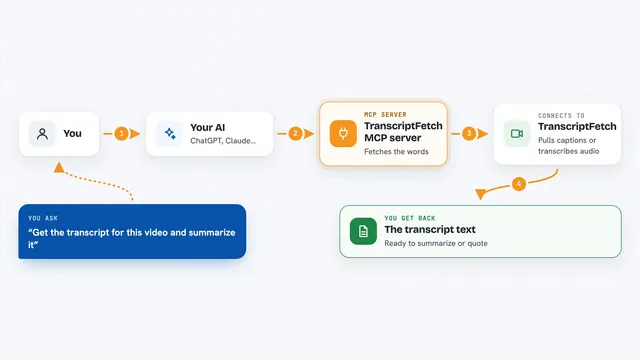
On its own, your AI can only chat. An MCP server is a small helper program that gives your AI a new skill or a connection to an app. This one connects your AI to OpenShorts, so when you ask for a short clip or a thumbnail, the AI passes the job to OpenShorts and brings the result back to your chat. You still need OpenShorts running somewhere, either on your own machine or on their hosted service.
What this MCP server does
You tell your AI what you want, for example to turn a long video into shorts or to write YouTube titles. The AI sends that request to this helper, which talks to your OpenShorts installation. OpenShorts then does the heavy work: it finds the interesting moments, reframes the video to vertical, adds captions and can dub the voice. When it is done, the result comes back to your chat as a link, a list or a finished file.
 Click to zoom
What you can do with it
- Turn a long video into several vertical shorts
- Find the most interesting moments in a video
- Add captions and hook text to your clips
- Dub a clip into another language
- Generate AI marketing videos with virtual actors
- Create YouTube thumbnails, titles and descriptions
- Post or schedule clips to TikTok, Instagram and YouTube
Try asking your AI
- “Turn this podcast episode into five short clips for TikTok”
- “Find the best moments in this webinar recording”
- “Make a thumbnail and three title ideas for my YouTube video”
- “Create a 30 second marketing video for my coffee shop”
What it gives back to you
You get back a list of clips with links, or a finished video file, or text like titles and descriptions. For a clipping job you usually see the chosen moments and their timestamps. For publishing, you get a confirmation that the post was scheduled or sent.
Before you start
What you need
- OpenShorts running, either on your own computer with Docker or on openshorts.app
- A Google Gemini API key for the AI features (free to get)
- A fal.ai API key for AI actor videos (pay per use)
- An ElevenLabs API key for voiceover and dubbing (free tier available)
Good to know
It can post videos to your social accounts and spend money on paid AI services like fal.ai and ElevenLabs, so check what you ask it to do before you confirm.
Install it with your AI
Add OpenShorts MCP server to your AI, no technical skills needed
You don't install anything by hand. You copy one prompt, paste it into an AI that can work on your computer, and it checks, installs and connects the server for you, asking you when it needs something.
Sign in to get the install prompt
Members get a ready-made prompt that lets the Claude desktop app check OpenShorts MCP server, install it and connect it for them, step by step. You don't need any technical skills: you copy, paste and answer a few questions. Your connected AI can also find and install any of the 4,361 MCP servers here for you.
Who it's for
Content creators, marketing agencies, small business owners and anyone who wants to turn long videos into shorts without learning video editing software.