MCP server · Developer tools
Go package docs MCP server
by yikakia
Lets your AI look up Go packages and their documentation on pkg.go.dev for you.

This is a small helper that connects your AI assistant to pkg.go.dev, the public website where Go programmers look up packages and their documentation. It is handy if you work with Go code, or if you just want your AI to check what a Go package does without you opening a browser. You ask in plain words, and the AI fetches the details for you.
What is an MCP server? The 30-second version
On its own, your AI can only chat with you using what it already learned. An MCP server is a small helper program that gives your AI one extra skill or one extra connection. This one connects your AI to pkg.go.dev, the Go package website. Once it is connected, your AI can search packages there and read their documentation when you ask, instead of guessing.
What this MCP server does
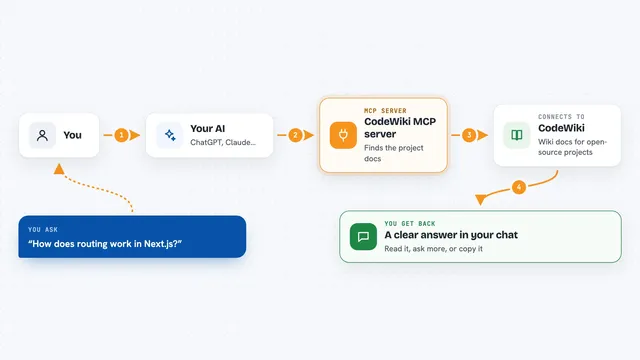
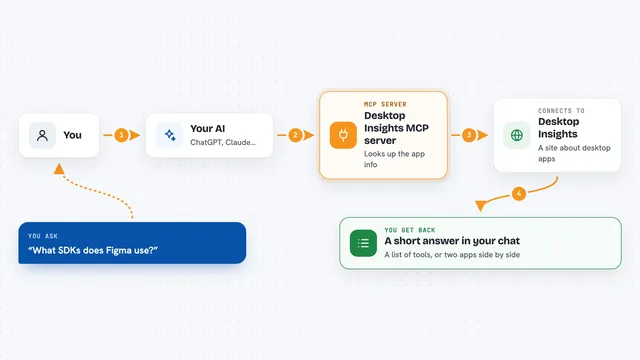
You ask your AI something like which Go package handles this, or what functions a certain package offers. The AI sends that request to this helper program. The helper talks to pkg.go.dev, searches for matching packages, and pulls back the package details and documentation. The AI then reads that and answers you in the chat. If you want, you can also ask it to dig into a subpackage, and it will combine the names for you.
 Click to zoom
What you can do with it
- Search pkg.go.dev for Go packages by name or keyword
- Read the documentation of a specific Go package
- See how many other packages import a given package
- Look up example code shown on a package page
- Drill into a subpackage of a package you found
- Ask follow-up questions about a package without leaving the chat
Try asking your AI
- “Search pkg.go.dev for a Go package for reading YAML files”
- “What functions does the mcp package in github.com/mark3labs/mcp-go offer?”
- “How many packages import this Go package?”
- “Show me the examples for that subpackage you just mentioned”
What it gives back to you
You get answers in the chat, not files. Usually that means a list of matching packages with short descriptions, or a summary of a package's documentation and its functions. It can also give you example code snippets and a number for how many packages import it. The AI writes all of this out for you in normal sentences.
Before you start
What you need
- An AI app that supports MCP servers, such as the Claude desktop app
- The godoc-mcp-server program installed on your computer
Good to know
It only reads public information from pkg.go.dev, so it does not change anything or touch your private files.
Install it with your AI
Add Go package docs MCP server to your AI, no technical skills needed
You don't install anything by hand. You copy one prompt, paste it into an AI that can work on your computer, and it checks, installs and connects the server for you, asking you when it needs something.
Sign in to get the install prompt
Members get a ready-made prompt that lets the Claude desktop app check Go package docs MCP server, install it and connect it for them, step by step. You don't need any technical skills: you copy, paste and answer a few questions. Your connected AI can also find and install any of the 4,609 MCP servers here for you.
Who it's for
Go developers and anyone who works with Go code and wants quick package lookups without leaving their AI chat.