
MCP server · Finance and crypto
Yolfi Payments MCP server
by yolfinance
Lets your AI set up crypto payment links and check whether a payment went through.
Yolfi Agent Kit is a helper that connects your AI to Yolfi, a service for taking crypto payments. It lets your AI create payment links, set up payment notifications, and check the status of a payment. It is handy if you sell digital products, run a small shop, or want to accept stablecoin payments without clicking around a dashboard.
What is an MCP server? The 30-second version
On its own, your AI can only chat with you. An MCP server is a small helper program that gives your AI a new skill or a connection to an app or service. This one connects your AI to Yolfi, so it can look up your payment setup and do things there for you when you ask. You stay in the chat, and the helper does the back-and-forth with Yolfi.
What this MCP server does
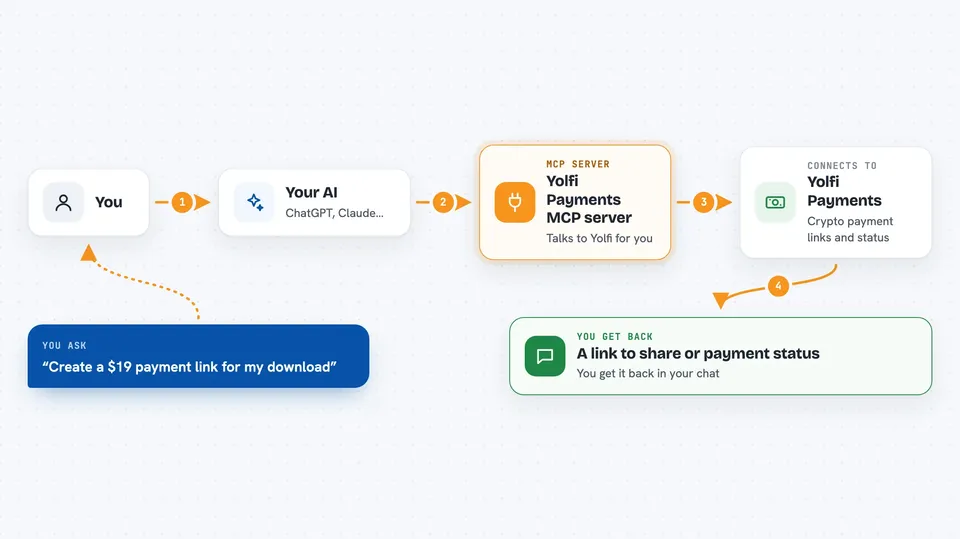
You ask your AI to set up a payment link or check a payment. The AI uses this helper, and the helper talks to Yolfi for you. Yolfi creates the link, sends payment notifications, or reports the payment status. You get the result back in your chat, like a link to share or a note that a payment is confirmed.
 Click to zoom
What you can do with it
- Create a one-time crypto payment link for a product or download
- List your existing payment links so you do not make duplicates
- Check whether a specific payment has gone through
- Set up a webhook so your app hears about payments automatically
- Verify that a payment notification really came from Yolfi
- Turn off a payment link you no longer want
- Set the wallet where your money should be sent
Try asking your AI
- “Create a 19 dollar one-time payment link for my premium download”
- “Show me my existing payment links”
- “Check the status of payment id abc123”
- “Set up a webhook at https://example.com/api/yolfi/webhook”
What it gives back to you
You get answers in plain chat: a new payment link you can share, a list of your links, or the status of a payment. When it changes something, like creating a link or turning one off, it tells you what it did. Webhook signing secrets are kept in a protected local file and are not printed in the chat.
Before you start
What you need
- A Yolfi account (you can sign up through the setup flow)
- Node.js installed on your computer to run the local helper
- A wallet address and a price, which you provide yourself
Good to know
It can create and turn off payment links and change your payment settings, so only approve changes you actually want, and never share your Yolfi key with anyone.
Install it with your AI
Add Yolfi Payments MCP server to your AI, no technical skills needed
You don't install anything by hand. You copy one prompt, paste it into an AI that can work on your computer, and it checks, installs and connects the server for you, asking you when it needs something.
Sign in to get the install prompt
Members get a ready-made prompt that lets the Claude desktop app check Yolfi Payments MCP server, install it and connect it for them, step by step. You don't need any technical skills: you copy, paste and answer a few questions. Your connected AI can also find and install any of the 4,066 MCP servers here for you.
Who it's for
Small business owners, creators, and developers who sell digital products or downloads and want to accept crypto payments.




