MCP server · Developer tools
STM32 GDB MCP server
by Zeraissh
Let your AI flash and debug STM32 firmware on a real board, then explain what went wrong in plain words.
This is a helper for people who work with STM32 microcontroller boards and want their AI assistant to actually talk to the hardware. Instead of you typing GDB commands by hand, you describe what you want and the AI drives the debugger for you. It is handy for firmware developers, students, and anyone testing small embedded devices.
What is an MCP server? The 30-second version
On its own, your AI can only chat with you. An MCP server is a small helper program that gives your AI a new skill or a connection to something outside the chat. This one connects your AI to your STM32 board through the debugger tools already on your computer, so the AI can flash code, pause the chip, and read what is inside it. You ask in normal words, and the helper does the technical steps behind the scenes.
What this MCP server does
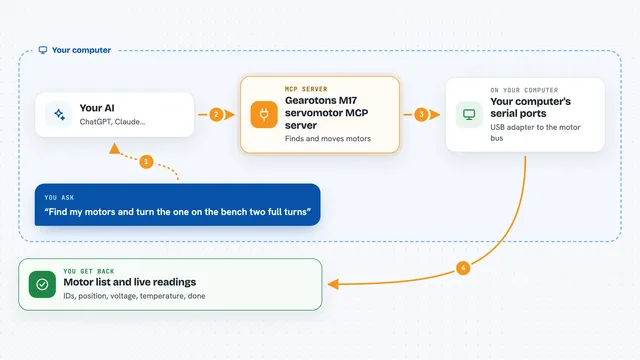
You tell your AI what you want, for example to flash your firmware and stop at a certain function. The AI passes that request to this helper program. The helper talks to the debugger software on your machine, which talks to the physical board over the USB debug probe. The board responds, and the helper turns the raw debugger output into decoded, structured results. You get back a clear answer in the chat instead of a wall of cryptic text.
What you can do with it
- Flash your firmware onto the board and run it
- Set breakpoints and pause when your code reaches them
- Read memory, variables, and CPU registers
- Find where a crash happened and point to the source line
- See FreeRTOS tasks, stacks, and queues
- Collect logs over RTT, SWO, or UART
- Run the same debug scenario again to reproduce a bug
Try asking your AI
- “Flash build/app.elf and stop at main”
- “Set a breakpoint in my_func that only triggers when state equals BAD”
- “The board crashed, find where the fault happened in my source code”
- “Run for 30 seconds and tell me the value of rx_count at the end”
What it gives back to you
You get decoded answers in the chat, not raw debugger text. That can be a list of registers with their values, a source file and line number for a crash, a snapshot of FreeRTOS tasks, or a short summary of what happened during a run. Many replies also include suggested next steps you can just accept. When you ask for a report, it can save a debug report file for you.
Before you start
What you need
- The arm-none-eabi-gdb program on your computer (or gdb-multiarch)
- A debugger server program such as OpenOCD, J-Link GDB Server, or st-util
- An STM32 board connected with a debug probe like ST-Link, J-Link, or CMSIS-DAP
- Python installed, since the server is a Python program
Good to know
It can write to your board and change how it runs, and some write operations are blocked by default for safety, so be careful when you allow them.
Install it with your AI
Add STM32 GDB MCP server to your AI, no technical skills needed
You don't install anything by hand. You copy one prompt, paste it into an AI that can work on your computer, and it checks, installs and connects the server for you, asking you when it needs something.
Sign in to get the install prompt
Members get a ready-made prompt that lets the Claude desktop app check STM32 GDB MCP server, install it and connect it for them, step by step. You don't need any technical skills: you copy, paste and answer a few questions. Your connected AI can also find and install any of the 4,609 MCP servers here for you.
Who it's for
Firmware and embedded developers, electronics students, and hardware testers who debug STM32 boards and want their AI to handle the debugger commands.