AI PCs are here. The biggest gains come from people and process, not hardware
Australian enterprises are moving fast on AI-ready PCs. IDC forecasts suggest AI PCs will make up more than half of shipments within two years. The belief is simple: smarter endpoints drive Productivity and lighten IT workloads. The catch is that the real return shows up when you prepare the workforce and workflows alongside the hardware.
More than a spec bump
AI PCs can shift how work gets done, how data is processed, and where intelligence lives across the organisation. Roll them out as a standard refresh and you'll see incremental gains. Pair them with clear use cases, training, and lifecycle management and you lay a foundation for sustained productivity improvements.
The real gains sit with the workforce
There's a clear awareness gap. Around 60% of IT decision-makers say they understand AI PCs, but only 35% of employees feel the same. Closing that gap is the fastest way to realise ROI.
Employees are already experimenting: 72% use ChatGPT for work tasks and 54% use Microsoft Copilot. That appetite is useful, but pasting company data into public tools creates risk. Guide that energy into approved, safer options and you'll improve outcomes while protecting sensitive information.
Teach what runs locally, what data stays on-device, and how to use AI tools responsibly. Once people see that on-device AI can speed up everyday tasks without sending sensitive data to the cloud, adoption climbs and benefits compound.
What on-device AI enables that cloud alone can't
Devices like the Lenovo ThinkPad X1 Carbon with Intel Core Ultra include a dedicated Neural Processing Unit (NPU). That means language tasks, image enhancement, and workflow automation can run on the device without fighting your main apps for resources-or relying entirely on the cloud.
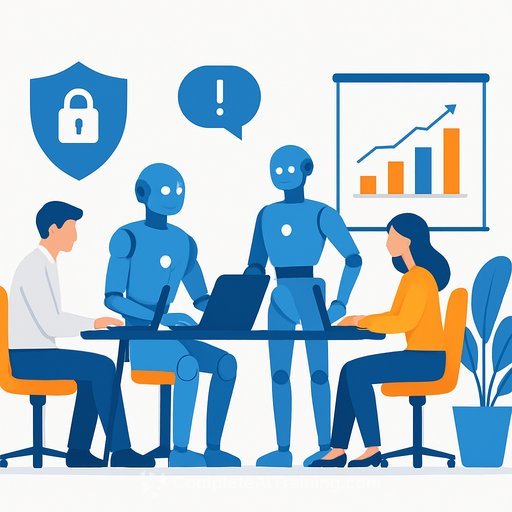
For users, performance stays smooth and battery life is preserved even with AI features active. For IT, local processing cuts latency and reduces unnecessary data movement. Security also improves: Intel vPro configurations add protection below the OS, and AI-driven monitoring can flag unusual behaviour so the endpoint becomes an active part of your security posture.
Where AI PCs pay off first
- Meetings: on-device transcription and summarisation for sensitive projects.
- Sales and marketing: first-draft proposals, decks, and email responses built locally with approved data.
- Field work: image cleanup, background blur, and noise suppression without cloud round-trips.
- Operations: document classification, form filling, and approvals with policy checks before anything leaves the device.
- Finance and HR: reconciliation, expense checks, and policy compliance reviews run locally to protect personal and financial data.
Why the gains grow after rollout
The value goes beyond user productivity. AI-enabled fleet analytics are simplifying IT operations. Lenovo Device Intelligence uses predictive models to spot early signs of common issues, reporting up to 85% accuracy on battery and storage faults. Organisations using predictive support tools see 10-40% reductions in maintenance costs, shifting effort from firefighting to strategic work.
Procurement is evolving too. Device-as-a-Service options like Lenovo TruScale turn devices into an operating expense and keep fleets current. Lenovo's data indicates device-related IT costs can drop by up to 35%, which strengthens the business case alongside productivity gains.
A simple playbook for managers and HR
- Set clear guardrails: define when to use on-device AI, enterprise models, and when public tools are off-limits. Map this to data classifications.
- Run fast, practical training: short onboarding sessions and role-based refreshers. If you need ready-made programs, explore the AI Learning Path for Training & Development Managers.
- Pick 3 "lighthouse" workflows: measure a baseline, deploy on-device AI, and track time saved, quality, and error rates.
- Equip champions: one per team to coach peers, collect feedback, and keep use cases moving.
- Update SOPs and job aids: bake AI steps into how work is done so improvements stick.
- Instrument the fleet: enable predictive support, standardise images, and lock in privacy settings for local processing. For IT owners, consider the AI Learning Path for Systems Administrators.
- Align procurement: pilot DaaS, define refresh cadence, and budget for ongoing skills development-not just devices.
- Report outcomes: time saved per task, support tickets avoided, employee confidence, and cost per device over time.
Security and compliance checklist
- Device configuration: enable vPro security features, full-disk encryption, BIOS/firmware protections, and MFA.
- Model selection: prefer on-device for sensitive data; define when cloud inference is allowed and how it's logged.
- Data handling: clarify what stays local, what can be shared, and how prompts/results are retained in line with policy.
- Change management: communicate benefits, risks, and the "right way to use AI" with an FAQ and quick reference guides.
The bottom line
AI PCs are a clear opportunity, but impact depends on deliberate deployment. Recent Australian research shows 68% of workers already use AI at work, yet only 35% receive formal training. Close that gap and you convert device capability into measurable results.
Prepare employees, align on-device capability to everyday workflows, and manage devices across their lifecycle. Do that, and an AI PC refresh turns from a routine upgrade into a lasting productivity and efficiency advantage.
If you're building a training plan to match your rollout, explore Complete AI Training for role-based learning paths and certifications.
Your membership also unlocks: