The hidden tax of AI is hitting HR the hardest
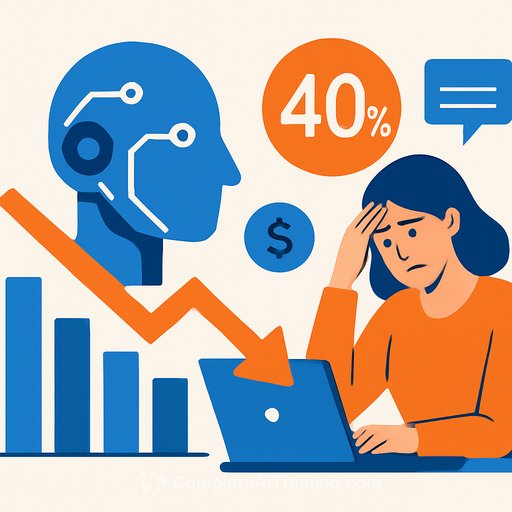
New research from Workday shows a simple truth: nearly 40% of the productivity AI gives us gets clawed back by rework and low-quality output. Only 14% of workers say they consistently see net-positive results from AI. HR feels the pain most, with the highest AI-related rework rate at 38% and as much as 1.5 weeks a year lost to fixing AI mistakes.
The study, run by Hanover Research in November 2025, surveyed 3,200 leaders and employees across global companies with $100M+ in revenue and 150+ employees. AI use is high - 87% use it weekly and 46% daily. Most say they're more productive and save 1-7 hours per week, but those gains are uneven and erode for heavy users who spend more time checking and correcting outputs.
Why the rework tax shows up
Low-quality outputs appear when AI adoption outpaces role design, skills, and support. The issue isn't limited to a single industry or region - it shows up wherever AI is dropped into existing workflows without structure.
- Unclear prompts and loose acceptance criteria produce vague, error-prone drafts.
- Poor context: the model lacks the right data, policies, or examples to be specific.
- No standard QA steps, so errors slip through and rework piles up.
- Roles weren't updated, so people bolt AI onto old processes instead of rethinking the workflow.
- Training gaps: among the heaviest AI users, only 37% had greater access to training, and nearly 9 in 10 organizations said fewer than half of roles were updated with AI skills.
What this means for HR leaders
Most companies reinvest AI productivity into technology (39%) more than people (30%). That's backward. If the bottleneck is skills, clarity, and process, more tools won't fix it - better role design and training will.
There's also a people cost. Gartner recently flagged negative psychological effects tied to AI at work. Confidence is up for daily users, but so is the grind: 77% audit AI work with the same or more rigor than human work. That's a signal to rebalance expectations and support.
A practical plan to cut AI rework in 90 days
1) Measure net productivity, not just time saved
- Track time saved minus time spent verifying, correcting, and rewriting.
- Report "rework rate" per task: minutes of fixes per AI-generated hour.
- Add first-pass acceptance rate: what percent clears review without edits.
2) Redesign roles and workflows
- Define where AI is used, what "good" looks like, and who signs off.
- Set a "kill switch" for tasks that demand high accuracy or carry risk (e.g., legal memos, sensitive employee comms).
- Make rework visible: require brief reason codes for edits.
Consider role- and project-focused learning to inform governance and workflow changes, for example the AI Learning Path for Project Managers.
3) Build a prompt and template library
- Create standard prompts with role-specific context (policies, tone, audience, format).
- Attach acceptance criteria to each use case (facts required, sources cited, tone rules, compliance checks).
- Keep a small set of high-utility templates instead of dozens no one maintains.
4) Put the right context into the model
- Feed approved sources: policies, job architecture, competencies, benefit summaries, past "gold standard" outputs.
- Ban unvetted sources and require citations for factual claims.
- Use access controls and follow a recognized risk framework like the NIST AI Risk Management Framework.
5) Train the heavy users first
- Focus on daily users - they carry the highest rework burden and fastest ROI.
- Deliver short, scenario-based practice: prompt design, fact-checking, bias checks, and editing for clarity.
- If you need structured options, browse role-focused programs like the AI Learning Path for Training & Development Managers.
6) Add lightweight QA and peer review
- Second-check for sensitive outputs (policy updates, DEI comms, comp guidance).
- Use checklists: source verification, bias scan, tone compliance, and risk notes.
- Route exceptions to specialists (legal, compliance, comms) before publish.
7) Govern the toolset
- Score tools monthly on net hours saved, error severity, and user satisfaction.
- Retire underperformers and double down on the few that consistently beat human baselines.
- Commit a portion of AI "savings" to ongoing training and role updates.
HR use cases with clear quality bars
- Job descriptions: align with competencies, required screening criteria, and inclusive language. Human review mandatory.
- Interview guides: role-specific questions mapped to skills and rating scales. No candidate data in prompts.
- Policy drafts: cite sources and mark uncertainties. Legal/compliance sign-off required.
- Employee comms: verify facts, dates, and links; enforce tone and clarity guidelines.
- People analytics summaries: show source tables and assumptions; include confidence notes.
Metrics that prove it's working
- Net hours saved per task and per role (saves minus rework).
- Rework rate trending down week over week.
- First-pass acceptance rate trending up.
- Error severity: fewer high-risk corrections.
- Time-to-publish from draft to approved.
Bottom line
AI is useful, but the net is what matters. HR can cut the rework tax by pairing tools with clearer roles, better prompts, stronger context, and fast, focused training.
If your teams are already using AI daily, start here, measure net productivity, and tune weekly. For curated learning paths that match roles and skills, explore the AI Learning Path for Administrative Assistants.
Your membership also unlocks: