Oracle's AI-Enhanced Support Portal Is Causing Real-World Headaches for Support Teams
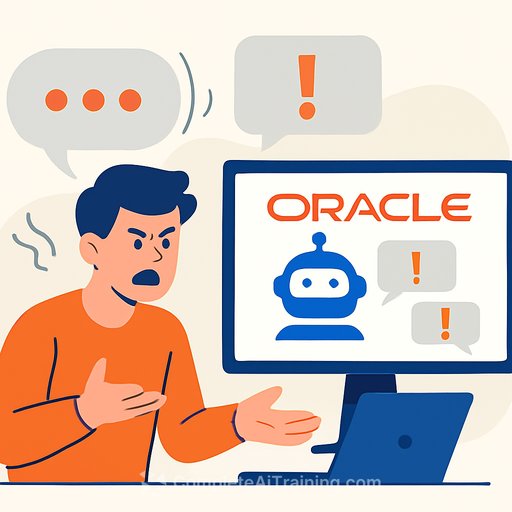
Oracle's revamped My Oracle Support (MOS) portal went live in early December with promises of AI-driven interactions, streamlined navigation, improved search, and better knowledge access. Instead, customers and support engineers say the basics are slipping through the cracks.
Users report trouble finding old tickets, critical patch notes, and release schedules. Search feels unreliable. IDs changed. Favorites and personalization vanished. Oracle has not publicly addressed the issues.
What changed - and why people are frustrated
According to Oracle's own messaging, the portal is more guided and minimal. That sounds neat in a demo. But for support practitioners who live in MOS, it's getting in the way of core work.
As one support pro put it: "Oracle is using this new AI to cover all customer needs, which is not working that well." Another advisory firm noted the portal now feels tightly controlled and chatbot-first. People used to "all access" are asking where everything went.
Reported issues (from the field)
- Support note numbers often return no useful result.
- Automatic Service Requests (SRs) can't be created by customers.
- Patches and fixes are hard to find; some indices appear to be missing.
- Key notes no longer show in search (e.g., the Exadata Master Note, previously Doc-ID 888828.1).
- Document IDs changed; legacy links break or return KA912 errors.
- Favorites and personalization were lost in the migration.
- Broken/internal links and limited patch search/downloads slow engineers down.
- Prospective customers are worried about doing business in MOS during onboarding.
Operational impact on support teams
Longer time to resolution. More rework. Higher handoff friction between support and engineering. SLAs under stress. And extra context-switching to recover info that used to be one click away.
If your team supports Oracle workloads, expect more "where did that note go?" moments and plan accordingly.
Short-term workarounds
- Create a quick internal index: keep a spreadsheet mapping your highest-traffic Doc IDs (e.g., 888.1, 555.1, 888828.1) to any new references you can confirm. Share it in your runbooks.
- Cache critical knowledge locally (PDFs/screenshots of key notes and patch matrices) within your license and security policies. Version and timestamp them.
- Escalate through your Oracle TAM/CSM or account team to retrieve links for mission-critical notes (e.g., Database Proactive Patch Program, 19c one-off recommendations).
- Use exact-phrase queries for known titles. If search is flaky, try variations and filter by product/version where possible.
- Join user communities to surface working links and workarounds from peers (e.g., the German-speaking Oracle user group at DOAG).
- Document portal quirks your team hits (error codes like KA912, broken navigation paths) and attach evidence to SRs for faster triage.
- For patching, align with DBAs on a conservative policy: stick to known quarterly bundles while MOS search is unreliable, and validate hashes/signatures for anything you download.
Medium-term steps
- File concise, reproducible feedback: note what you searched, what you expected, what you got, timestamps, and screenshots. Track the ticket IDs internally.
- Audit CSIs, roles, and permissions. Some access issues look like policy changes masked as "UX."
- Revise your support runbooks: add a fallback flow (who to call, what to cache, how to escalate) until stability returns.
- Communicate upstream: reset expectations with stakeholders on MTTR for Oracle-related incidents; adjust SLAs if needed.
- Evaluate risk: if MOS remains unreliable for weeks, assess contingency options to protect uptime and compliance.
The bigger picture
This rollout lands while Oracle doubles down on AI investments, including a widely reported multiyear compute deal with OpenAI and large-scale datacenter plans. Analysts have raised questions about cost, debt, and execution risk. The MOS experience shows the pitfall of shipping AI-first experiences without preserving foundational elements: stable IDs, redirects, and predictable search.
For support leaders, the lesson is clear: if you add AI to your own support stack, keep the essentials intact. Maintain legacy URLs, build redirect maps, test top tasks end-to-end, preserve power-user workflows, and provide a human failover. Ship gradually. Measure findability, not just clicks.
If you manage Oracle environments
- Define a "critical docs" list and keep it current. Assign ownership for weekly validation.
- Stand up a lightweight internal knowledge base so your team doesn't start from zero when MOS search fails.
- Set up a regular check-in with your Oracle reps until stability improves.
Helpful resources
- My Oracle Support portal: support.oracle.com
- Upskill your team on practical AI for support workflows: AI courses by job
Bottom line: MOS will likely settle, but support teams can't wait. Put temporary guardrails in place, protect your SLAs, and keep receipts on everything that breaks. That's how you stay effective while the platform catches up.
Your membership also unlocks: