SLMs for HR: faster answers, lower costs, and fewer tickets
Large models get the headlines, but small language models (SLMs) are delivering the outcomes HR leaders care about: faster resolutions, satisfied employees, and real cost savings. With fewer parameters and lower compute needs, SLMs can match larger models on focused tasks while keeping budgets in check.
For HR and IT, SLMs can automate ticket handling, routing, and approvals. They reduce repetitive work, improve response times, and keep your team focused on strategic initiatives instead of routine requests.
Why HR should care
- Automate high-volume requests: benefits, leave, PTO balance, policy questions, equipment refresh, and verification letters.
- Personalize responses by role, location, or tenure while protecting sensitive data.
- Cut latency and cloud costs with lighter models that run efficiently in your stack.
- Give employees a "chat with HR" experience directly in Slack or Microsoft Teams.
What counts as a small language model?
An SLM typically ranges from 1B-40B parameters. That smaller footprint means faster responses and less infrastructure cost compared to 70B+ LLMs. Many SLMs are open source or "open-weight," which lets you fine-tune them on internal data to improve accuracy on HR-specific queries.
Think policy docs, past tickets, knowledge articles, and anonymized Slack threads. Fine-tune on that data and your agent will answer in your company's tone, with your rules, and your exceptions. If you're exploring model options, Hugging Face is a useful starting point.
Agentic AI that blends SLMs and LLMs
Use SLMs for the bulk of operational work: calling tools, hitting APIs, routing requests, and resolving straightforward cases. Keep an LLM on standby for complex, multi-step issues or ambiguous scenarios. That hybrid setup optimizes speed and cost without sacrificing quality.
Many teams use evaluations and observability to decide when to escalate: if the SLM lacks confidence or the task exceeds a threshold (jurisdictional policy nuance, manager-level action, edge cases), hand off to an LLM.
Everyday HR use cases that work now
- Onboarding concierge: account provisioning, training assignments, equipment requests, day-one FAQs.
- Benefits and leave: eligibility, enrollment windows, plan comparisons, leave calculations, policy summaries.
- Payroll and verification: pay stub explanations, tax forms, employment verification letters for loans or rentals.
- Policy guidance: travel, expenses, remote work rules, compliance reminders-tailored by country or role.
- IT-adjacent support inside HR channels: "I can't connect to VPN," "I need a laptop refresh," routed and resolved automatically.
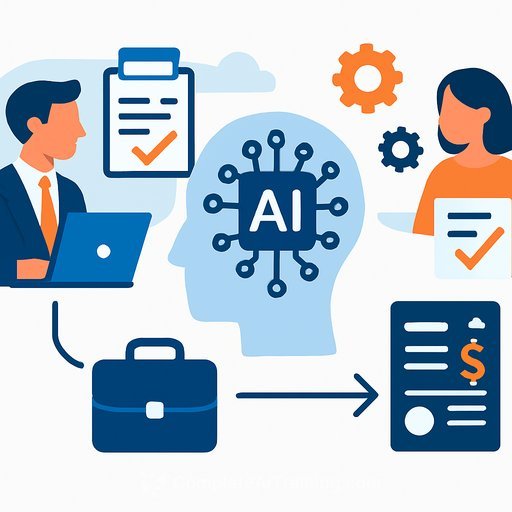
Employees can message the agent in Slack or Teams ("I need proof of employment for a mortgage"). The agent pulls the right template, fills details from the HRIS, routes for approval if needed, and delivers the document-no ticket hopping.
Privacy and risk
- Keep PII safe with role-based access, audit trails, and PII redaction in logs.
- Host SLMs in your VPC or on approved cloud services; restrict external calls for sensitive workflows.
- Use retrieval over long prompts to minimize data exposure and reduce token costs.
When to bring in an LLM
- Multi-step or high-stakes decisions (complex leave cases, cross-border policy conflicts, delicate employee relations).
- Open-ended synthesis that requires broader reasoning or nuanced interpretation.
- SLM low confidence or repeated failure to resolve.
Implementation playbook for HR leaders
- Start with 3-5 repeatable use cases with clear rules and data sources.
- Ground the model: connect HRIS, knowledge bases, policy docs, and past tickets via retrieval; fine-tune if needed.
- Wire actions: Workday/SuccessFactors, ServiceNow/Jira, Okta/Identity, Slack/Teams for end-to-end resolution.
- Add guardrails: RBAC, content filters, approval flows for sensitive actions.
- Set an escalation path: SLM first, LLM on fallback or for advanced cases.
- Ship a pilot to 1-2 departments before scaling.
Metrics that prove ROI
- Auto-resolution rate (tickets closed with no human touch).
- Median handle time and first response time.
- Deflection rate and volume reduction for HR inbox/portal.
- Employee CSAT/ESAT and new-hire time-to-productive.
- Cost per resolved request and model cost per 1,000 interactions.
Cost and performance tips
- Prefer SLMs for routine flows; keep prompts tight and use retrieval for context.
- Cache frequent answers and verification letters; use short context windows.
- Quantize models where possible; schedule heavy jobs off-peak.
- Continuously evaluate with real tickets; retrain on misses and update policies as they change.
A practical note on feasibility
Reports suggest many agentic AI projects get cancelled due to complexity and shifting requirements. SLM-first architectures reduce that risk: smaller models are faster to deploy, easier to govern, and cheaper to iterate. Pair them with selective LLM use, and you get scale without runaway spend.
Get started this quarter
- Pick one: onboarding concierge, verification letters, or benefits Q&A.
- Stand up an SLM agent in Slack/Teams, connect your HRIS, and define approvals.
- Track the metrics above for 4-6 weeks and expand based on what works.
Upskill your team
If you want your HR ops team to move faster with agentic workflows and automation, explore hands-on training and curated learning paths here:
Less model, more impact. SLMs give HR the speed and efficiency employees feel-and finance appreciates.
Your membership also unlocks: