AI agent for physicians
Antipsychotic Metabolic Monitoring Agent
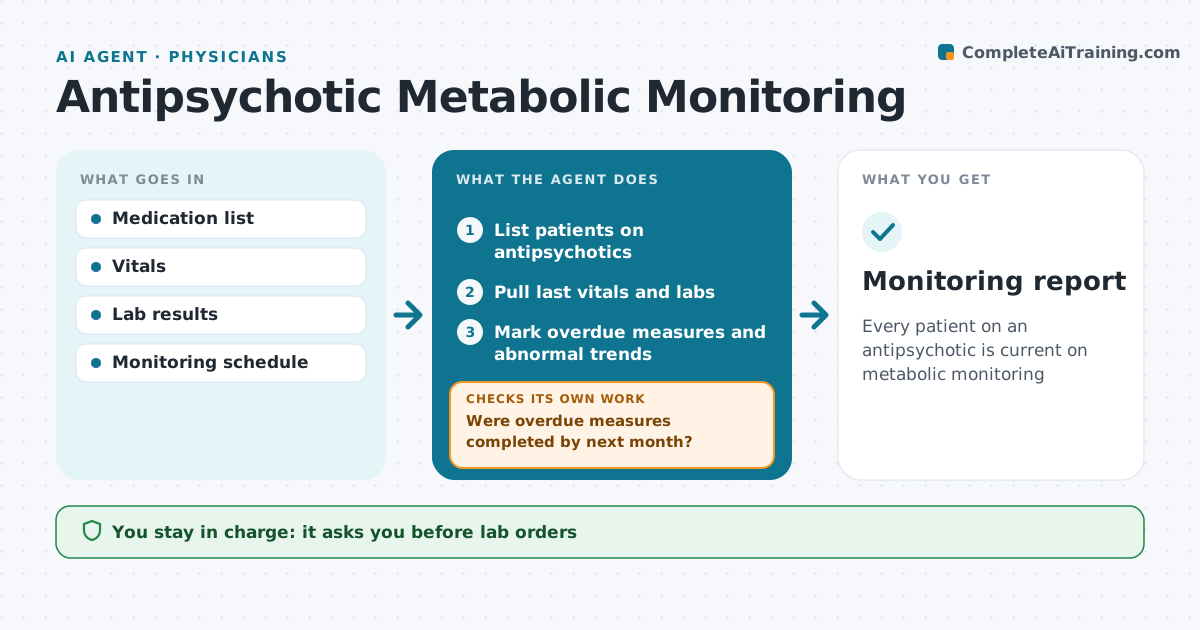
Every patient on an antipsychotic is current on metabolic monitoring
What it does
Patients on many antipsychotics need regular checks of weight, waist, blood pressure, glucose and lipids, and these are often missed between visits. This agent lists every patient on these drugs, checks when each measure was last done, and compares that with the monitoring schedule. For overdue patients, it drafts lab orders for the psychiatrist to sign and a reminder to the patient. When results come back, it trends them and flags changes such as weight up more than 7% from baseline or a rising A1c, and lists options the psychiatrist might weigh. The next month it checks that overdue items were completed. If not, it reminds again or requests outside results. The psychiatrist signs every order and makes every treatment change. Edge case: labs done by the primary care doctor are requested rather than repeated.
How it works
Follow the arrows from top to bottom. The orange dashed arrow is the loop: when a check fails, the agent goes back and tries again.
Read the steps as a list
- Monthly sweep
- List patients on antipsychotics
- Pull last vitals and labs
- Mark overdue measures and abnormal trends
- Psychiatrist signs lab orders and reviews flagsThe agent waits here for your OK.
- Send patient reminders
- Were overdue measures completed by next month?If not: request outside results or remind again. Back to step 3.
- Monitoring report
How it decides
Each measure is compared with its schedule. Overdue items get an order draft; abnormal trends are flagged for review.
- Baseline, 12 weeks, then yearly for labs
- Weight gain over 7% is flagged
- Outside results are requested before ordering repeats
Make it yours
Every agent is a starting point. You choose these settings for your own situation.
- Monitoring schedule
- Flag thresholds
- Reminder wording
- Sweep day
What keeps you in control
It always asks you first
- Lab orders
- Any treatment change
Hard limits
- No orders without signature
- No treatment changes suggested as decisions
It stops when
- Done: all patients current
- Stop: patient declines labs, document
Set it up
We guide you through the set-up, step by step
Members get the full set-up guide for this agent. No technical skills needed: you copy, paste and upload.
- One set of instructions to paste into your AI, with the clicks for ChatGPT, Claude, Microsoft 365 Copilot, Gemini and Grok
- The agent then walks you through connecting your own data, one source at a time
- A downloadable copy with the flow chart, the rules and the full guide