
Learning path
Learning AI as a Psychiatrist
A step-by-step path for psychiatrists who want to use AI in daily practice. Set up your tools, learn job-specific skills, and work through prompts for notes, patient handouts, and care coordination.
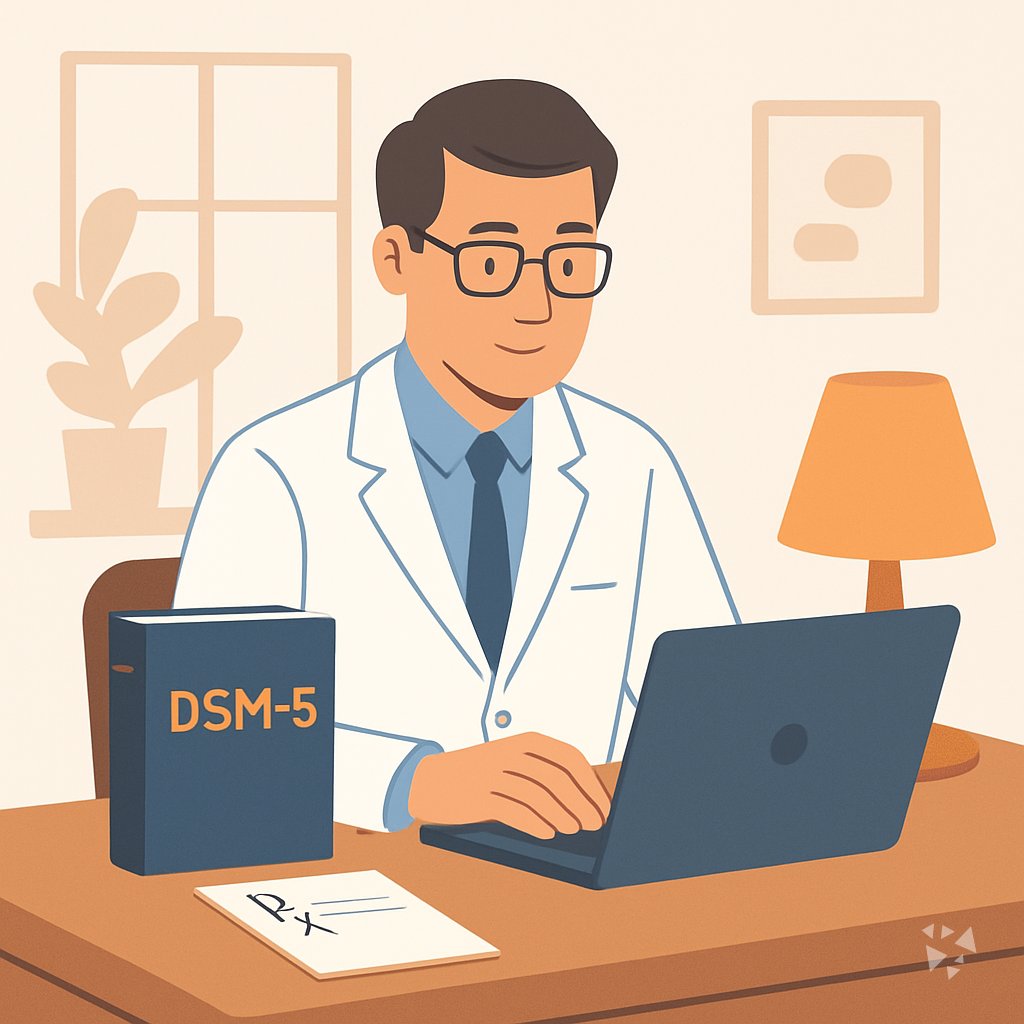
Your path
Everything in the Psychiatrist AI kit, in the order that makes sense. Members tick off each step and see their progress.
Set up your AI
We guide you through each click.
Let skills do your everyday tasks
Connect your apps and pick your AI apps
Hand whole tasks to AI agents
Build your own tools
Everything for psychiatrists
All the courses, certifications, AI tools, MCP servers and apps for psychiatrists, most relevant first. Open any list to see more.
Take the prompt courses
A short framework course to learn how to ask, then 9 lessons with ready-to-use prompts for psychiatrists.
Start with this framework: how to talk to AI
The CARE framework fits psychiatry because one complete case example, such as a depression treatment plan, guides consistent care.
Then your prompt course for psychiatrists- 1Draft Clinical Notes and Evaluations3 prompts
- 2Explain Diagnoses and Medications3 prompts
- 3Prepare Therapy and Psychoeducation Materials3 prompts
- 4Review and Summarize Patient History3 prompts
- 5Support Medication Management3 prompts
- 6Monitor Treatment and Adjust Plans3 prompts
- 7Coordinate Care with Therapists2 prompts
- 8Handle Insurance and Practice Paperwork2 prompts
- 9Advanced Complex Case Formulation2 prompts
Watch the video courses or add them to your Favorites for later
79 video courses our AI picked for psychiatrists, most useful first. Save the ones you want to watch later with the heart.
Favorites are saved to your account: sign in or get your AI kit first.
Show all 79 video courses
Get certified, or add certifications to your Favorites
Every course ends in an exam and a certificate you can add to LinkedIn. Save the certifications you are aiming for with the heart.
Favorites are saved to your account: sign in or get your AI kit first.
More certifications for psychiatristsShow all 24 certifications
Try the AI tools for psychiatrists
24 AI tools our AI matched to the work of psychiatrists, best fit first. Each review shows what it does, its alternatives and the jobs it suits.
Favorites are saved to your account: sign in or get your AI kit first.
Show all 24 AI tools
Connect your AI to the apps psychiatrists use
MCP servers let ChatGPT, Claude or Copilot look things up and get work done in other apps, like your email, calendar or bookkeeping software. These 12 fit the work of psychiatrists best, well-known apps first.

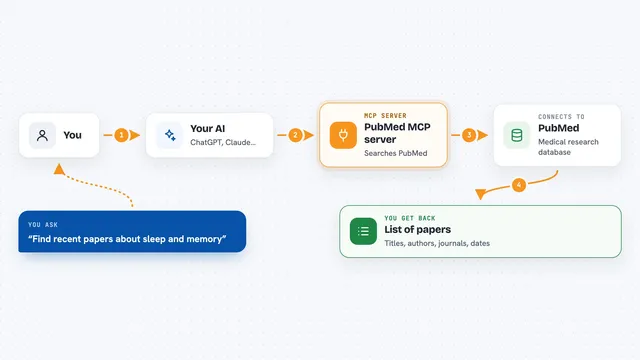
PubMed Search MCP Server
by pubsproLet your AI search medical research papers on PubMed and give you plain-English summaries.
PubMed MCP server
by andybrandtLets your AI search medical and life sciences papers on PubMed and read their abstracts and full text.

NCBI PubMed MCP server
by vitorpavinatoSearch PubMed's millions of research articles and get summaries, authors, and related papers through your AI.

Practice Fusion MCP server
by kushaimLets your AI look up patients, visits, medications and lab results in a Practice Fusion health record.

Taiwan NHI billing MCP server
by tatsujuLets your AI look up Taiwan NHI rejection codes, drug rules, fee points and audit notes for you.
ResearchNo install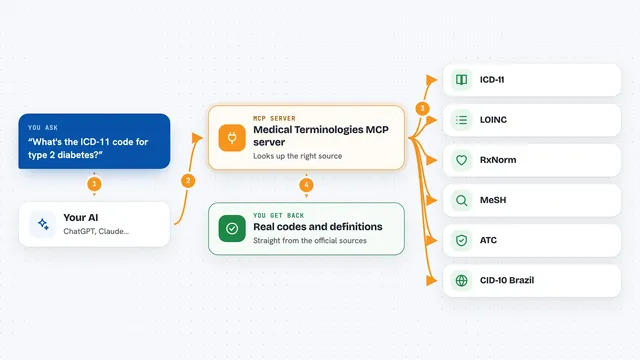
Medical Terminologies MCP server
by SidneyBissoliLook up real medical codes and terms from ICD-11, LOINC, RxNorm, MeSH, ATC and Brazil's CID-10 right inside your AI chat.
ResearchNo installShow all 12 MCP servers

Medical MCP server
by JamesANZLets your AI look up drugs, health stats, and medical studies from trusted public sources.
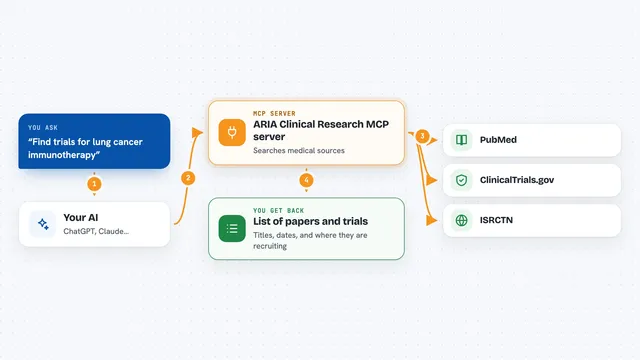
ARIA Clinical Research MCP server
by pkotecha-engLets your AI search medical papers on PubMed and find clinical trials on ClinicalTrials.gov and ISRCTN.

Scholar MCP server
by Liyux3Your AI can search academic papers, read them, map citations, and save them into a personal library.

Noodle Biomedical Literature MCP server
by helena-bioinformaticsLets your AI search biomedical papers and follow their citation and topic links.
ResearchNo install
Temporal Cortex MCP server
by temporal-cortexLet your AI check calendars, find free slots, and book meetings without double-booking.
ProductivityMeetingsNo install
Lucairn privacy gateway MCP server
by DecladeLets your AI clean personal data out of your prompts before they reach the model, and hand you a signed proof of what was removed.
Build your own AI apps for psychiatrists
Apps you build yourself with your own AI, no coding needed and no monthly fee. Our AI picked the 4 that fit the work of psychiatrists.
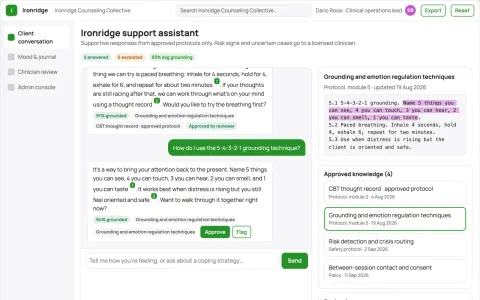
Source-linked mental health support assistant and administrator console
Extend provider-approved support between sessions while keeping every conversation source-linked and reviewable.
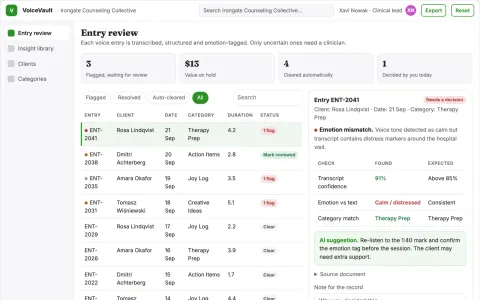
Voice journal to structured health insight library
Turn spoken reflections into an organized, searchable library while keeping the client in control of their data.
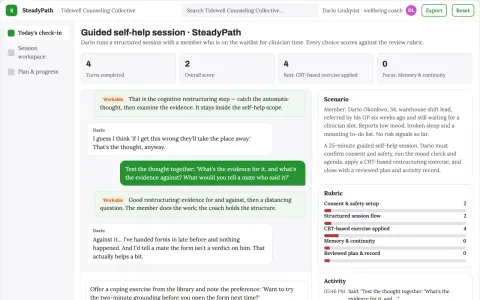
Guided self-help and daily planning companion
Give one owned, reviewable place for guided self-help sessions, coping exercises and daily planning.
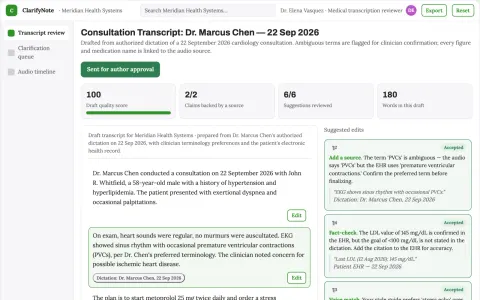
Medical transcription review service
Ambiguities are surfaced for confirmation rather than silently resolved.
















































































About this learning path
6 topicsAI for Psychiatrists: A Practical Learning Path
You already carry a lot: patient care, notes, prescriptions, insurance forms, and coordination with other providers. This path shows you how to use AI tools like ChatGPT, Claude, or Gemini to take some of that weight off your desk without giving up your clinical judgment.
You do not need to be technical. The path starts with simple setup questions, helps you connect your AI tool, and then walks you through the exact prompts that fit a psychiatrist's day. Each step is short and practical.
Why AI matters for psychiatry now
Mental health care is in high demand, and the paperwork around it keeps growing. AI can help you draft notes, explain medications, and prepare therapy materials faster, so you can spend more of your attention on the person in front of you.
It is not about replacing your expertise. It is about using a tool that handles the first draft, the summary, or the checklist, while you make the final call.
What the path includes
The path has five parts. First, a few setup questions to get your AI tool ready. Second, a short guide to connecting your AI. Third, skills for the job inside your AI, like how to ask for a clinical note or a patient handout. Fourth, this prompt course, which walks through nine lessons built for psychiatrists. Fifth, video courses picked for your role, along with the certifications you earn when you finish them.
Everything is designed to fit into small pockets of your day. You can do one lesson between patients or on a quiet afternoon.
How the path saves you time
The prompts in this path are written to handle the repetitive writing that fills a psychiatrist's day. Drafting notes, writing insurance letters, summarizing charts, and creating handouts can all start with a prompt instead of a blank page.
You still review and edit everything. But starting from a draft is faster than starting from nothing, and that saved time adds up across a week.
How the path protects your career
AI is becoming part of clinical practice, and knowing how to use it well is a professional skill. This path teaches you to keep patient information safe, to check every output, and to stay in charge of every decision.
You will learn what to share and what to leave out, how to spot errors, and how to document your use of AI in a way that fits your professional standards.
How to start the path
Begin with the setup questions. They help you choose an AI tool and get it ready for clinical work. Then connect your AI and try the first prompt course lesson on clinical notes.
You can move at your own pace. Most people finish the path in a few weeks, a little at a time. The goal is to build a habit, not to rush.
Frequently asked questions
Do I need to be technical to use this path?
No. The path is written for working psychiatrists, not programmers. If you can write an email, you can use these prompts. Everything is explained in plain language.Is it safe to use AI with patient information?
You should never put identifying details into a public AI tool. The course shows you how to de-identify information, what to leave out, and how to follow your workplace rules. Your clinical judgment and privacy obligations always come first.How long does the path take?
Most people work through it over a few weeks, in short sessions between patients or on a quiet day. There is no deadline. You can repeat lessons whenever you like.Will AI replace my clinical judgment?
No. AI helps with drafting, summarizing, and organizing. You still diagnose, prescribe, and decide. The path teaches you to use AI as an assistant, not as a replacement.