AI agent for backend developers
API Breaking Change Check Agent
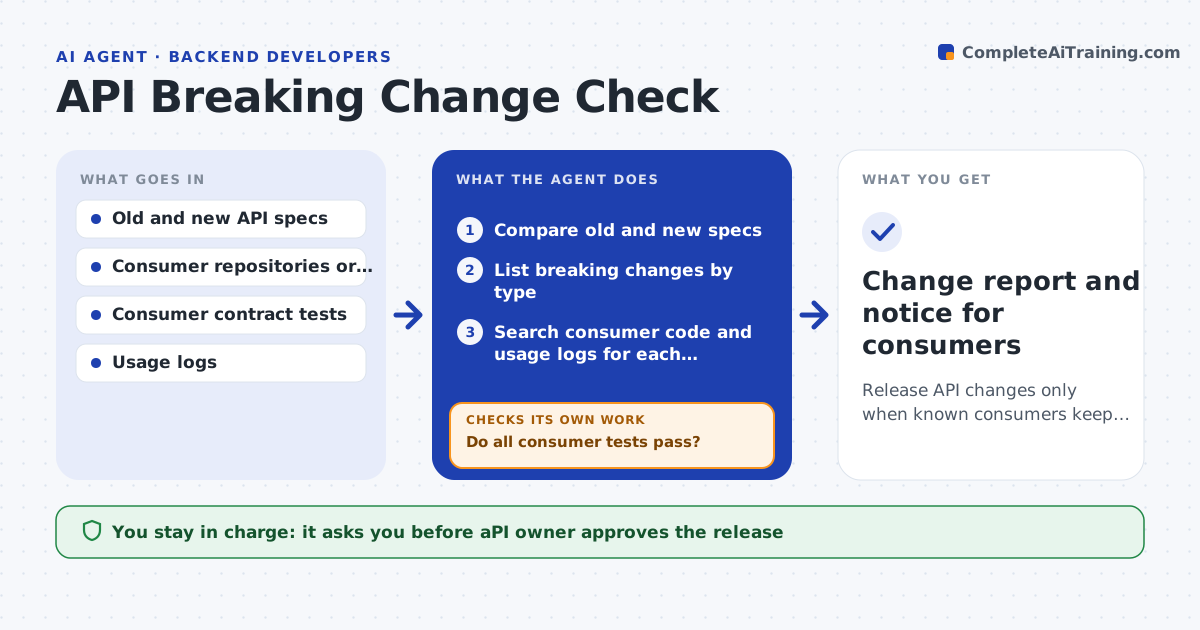
Release API changes only when known consumers keep working or are warned
What it does
A developer renames a field in a shared API, and three apps fail the next morning. This agent compares the API specification between versions and finds breaking changes: removed or renamed fields, new required inputs, changed types, tightened validation and new error codes. For each breaking change it searches the code of known consumers for uses of that field or endpoint and counts them. It runs the consumers' contract tests against the new version. It then proposes either a new version number or a compatibility shim and retests with the shim. The API owner approves the release. Edge case: a field is removed but only used by an app that was retired, so the agent confirms with usage logs before it dismisses the finding.
How it works
Follow the arrows from top to bottom. The orange dashed arrow is the loop: when a check fails, the agent goes back and tries again.
Read the steps as a list
- API spec change proposed
- Compare old and new specs
- List breaking changes by type
- Search consumer code and usage logs for each affected field or endpoint
- Run the consumers' contract tests against the new version
- Do all consumer tests pass?If not: propose a compatibility shim or a version bump for the failing cases. Back to step 3.
- Apply the proposal in a branch
- Rerun the consumer tests with the shim or new version
- Do the tests now pass with no new differences?If not: revise the shim and test again. Back to step 6.
- API owner approves the release and consumer noticeThe agent waits here for your OK.
- Change report and notice for consumers
How it decides
It marks a change as breaking when an existing valid request or response would fail, and confirms impact by searching consumers and running their contract tests.
- Treat removed fields, new required inputs and type changes as breaking
- Confirm retired consumers with usage logs
- Prefer a compatibility shim for changes affecting 3 or more consumers
- Require a deprecation notice period of 90 days for removals
Make it yours
Every agent is a starting point. You choose these settings for your own situation.
- Consumer list
- Deprecation period (default 90 days)
- Spec format (OpenAPI, GraphQL)
- Contract test location
- Who receives the notice
What keeps you in control
It always asks you first
- API owner approves the release
- API owner approves the consumer notice
Hard limits
- Never merge or release the change itself
- Never contact consumers without the API owner's approval
It stops when
- Done: consumers pass or are notified with a transition plan
- Stop: a consumer cannot be updated in time and the change is held
Set it up
We guide you through the set-up, step by step
Members get the full set-up guide for this agent. No technical skills needed: you copy, paste and upload.
- One set of instructions to paste into your AI, with the clicks for ChatGPT, Claude, Microsoft 365 Copilot, Gemini and Grok
- The agent then walks you through connecting your own data, one source at a time
- A downloadable copy with the flow chart, the rules and the full guide