AI agent for insurance agents
Art Insurance and Valuation Renewal Agent
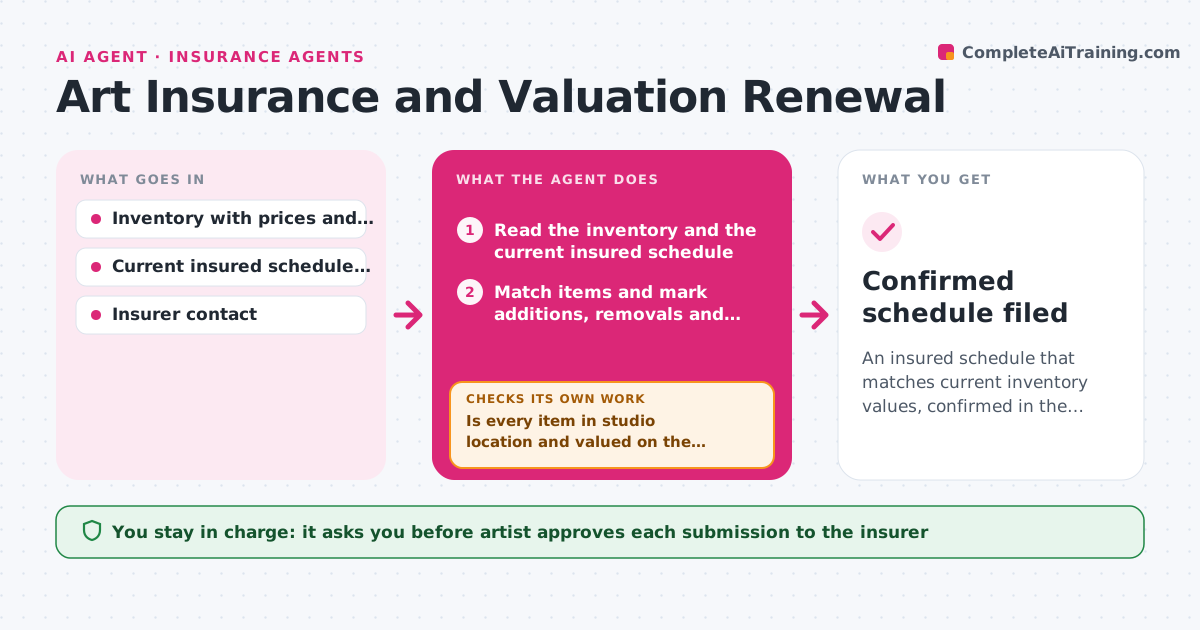
An insured schedule that matches current inventory values, confirmed in the insurer's policy summary
What it does
The insurance policy lists last year's stock, including works that sold in spring and nothing from the new series. If a fire happens, the claim will not match. Before each renewal, this agent compares the inventory with the insured schedule and finds items that are underinsured, newly added or no longer held. It calculates the new total value using current prices and the policy's valuation basis, such as retail or cost, then drafts the update for the insurer with a clear list of additions and removals. After the insurer replies, it rechecks the policy summary to confirm that every change was applied and the totals match. If something is missing, it loops back with a correction request. The artist approves submission. Edge case: a work on consignment is listed as held by the gallery and excluded from studio cover.
How it works
Follow the arrows from top to bottom. The orange dashed arrow is the loop: when a check fails, the agent goes back and tries again.
Read the steps as a list
- Renewal approaches or large change in stock
- Read the inventory and the current insured schedule
- Match items and mark additions, removals and value gaps
- Is every item in studio location and valued on the policy basis?If not: Ask the artist to confirm location or valuation and update the match. Back to step 3.
- Calculate the new total insured value
- Draft the update request for the insurer
- Artist approves submissionThe agent waits here for your OK.
- Read the insurer's reply and the new policy summary
- Does the policy summary reflect every change and the new total?If not: Draft a correction request that lists the missing changes. Back to step 6.
- Confirmed schedule filed
How it decides
It values each item on the policy's basis, compares with the schedule and flags items off by more than 10 percent or missing in either list.
- Flag items whose insured value differs from inventory by more than 10 percent
- Exclude works held by galleries or on loan
- Use the policy's valuation basis, not the asking price, unless the policy says otherwise
- Run the first check 60 days before renewal
Make it yours
Every agent is a starting point. You choose these settings for your own situation.
- Valuation basis
- Value gap threshold (default 10 percent)
- Lead time before renewal (default 60 days)
- Items excluded from cover
- Insurer contact details
What keeps you in control
It always asks you first
- Artist approves each submission to the insurer
Hard limits
- Never submit anything to the insurer without approval
- Never state coverage advice, only compare records
It stops when
- Done: The policy summary matches the approved schedule
- Stop: Valuation rules are unclear, so the agent asks the artist to check with the insurer
Set it up
We guide you through the set-up, step by step
Members get the full set-up guide for this agent. No technical skills needed: you copy, paste and upload.
- One set of instructions to paste into your AI, with the clicks for ChatGPT, Claude, Microsoft 365 Copilot, Gemini and Grok
- The agent then walks you through connecting your own data, one source at a time
- A downloadable copy with the flow chart, the rules and the full guide