AI agent for benefits administrators
Benefits Inquiry Case Resolution Agent
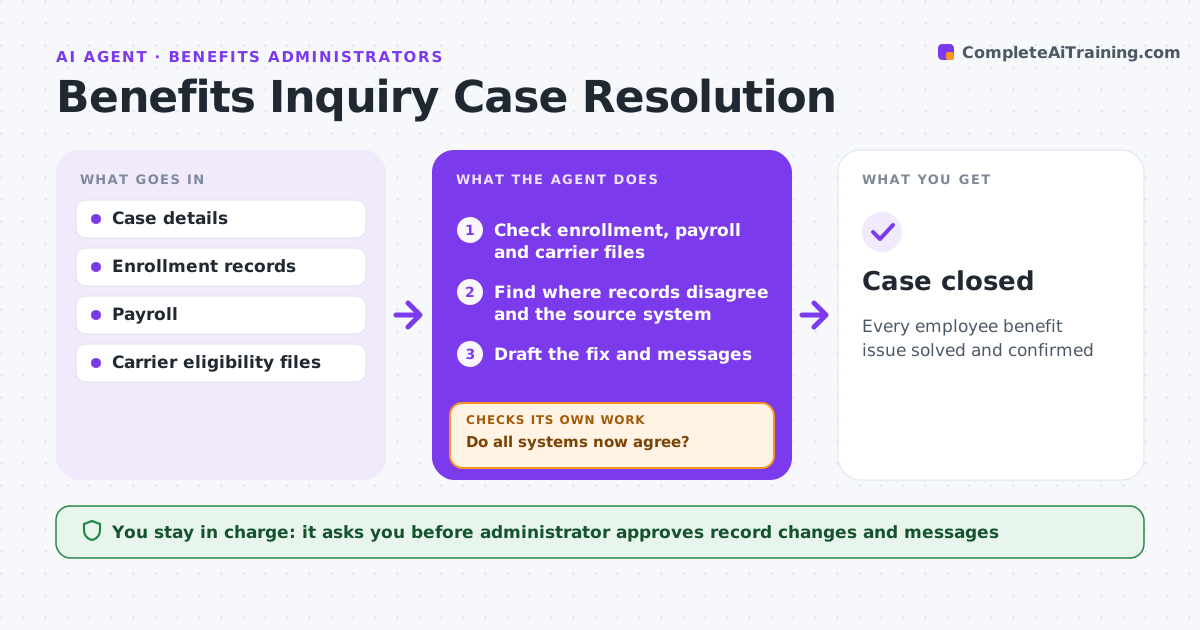
Every employee benefit issue solved and confirmed
What it does
Employees bring benefit problems such as missing ID cards, claims denied for eligibility or wrong deductions, and they want answers fast. This agent logs each case, checks the employee's enrollment, payroll deductions and carrier eligibility file, and finds where the records disagree. It traces the error to its source system. It drafts the fix, such as a corrected eligibility record for the carrier or a payroll adjustment, plus the messages. The administrator approves all changes and messages. The agent then confirms the carrier file and payroll show the fix, and follows up every 3 business days until the employee confirms the problem is solved. Edge case: problems involving medical details are handled with minimum data and never copied into general HR files.
How it works
Follow the arrows from top to bottom. The orange dashed arrow is the loop: when a check fails, the agent goes back and tries again.
Read the steps as a list
- Case opened
- Check enrollment, payroll and carrier files
- Find where records disagree and the source system
- Draft the fix and messages
- Administrator approves changes and messagesThe agent waits here for your OK.
- Confirm the carrier file and payroll show the fix
- Do all systems now agree?If not: redraft the fix for the system still wrong. Back to step 4.
- Has the employee confirmed the problem is solved?If not: recheck records and follow up with the carrier. Back to step 2.
- Case closed
How it decides
It compares the three records to find where they disagree. That system is the one to fix.
- Find the source system of the error
- Medical details are minimized
- Follow up every 3 business days
Make it yours
Every agent is a starting point. You choose these settings for your own situation.
- Follow-up interval
- Case categories
- Message templates
- Privacy rules
What keeps you in control
It always asks you first
- Administrator approves record changes and messages
Hard limits
- Never shares medical details beyond need
- Never changes records without approval
It stops when
- Done: employee confirms
- Stop: case transferred to legal
Set it up
We guide you through the set-up, step by step
Members get the full set-up guide for this agent. No technical skills needed: you copy, paste and upload.
- One set of instructions to paste into your AI, with the clicks for ChatGPT, Claude, Microsoft 365 Copilot, Gemini and Grok
- The agent then walks you through connecting your own data, one source at a time
- A downloadable copy with the flow chart, the rules and the full guide