AI agent for site reliability engineers
Blockchain Event Indexer Health Agent
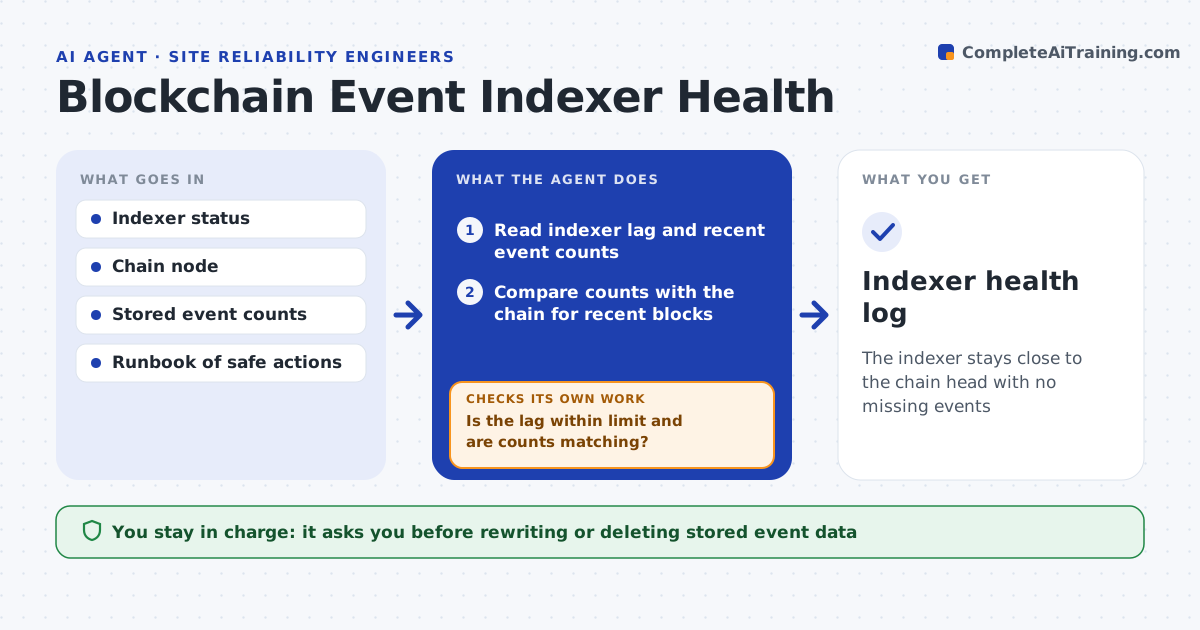
The indexer stays close to the chain head with no missing events
What it does
Apps that show blockchain data rely on an indexer that can lag, miss events during chain reorganizations or crash, and then users see wrong balances. Every few minutes this agent checks how far behind the indexer is, compares its event counts with the chain for recent blocks and looks for gaps. For known safe issues, such as a stalled connection, it applies the runbook action, like reconnecting, and checks whether the lag clears. If events are missing, it triggers a re-index of the affected block range and verifies that counts now match. If they still differ, it raises a ticket with the block range and the counts. You approve anything that changes stored data beyond a re-index. Edge case: a reorganization is handled by re-indexing the rolled-back blocks, never by deleting records blindly.
How it works
Follow the arrows from top to bottom. The orange dashed arrow is the loop: when a check fails, the agent goes back and tries again.
Read the steps as a list
- Scheduled indexer check
- Read indexer lag and recent event counts
- Compare counts with the chain for recent blocks
- Is the lag within limit and are counts matching?If not: apply a runbook action or trigger a re-index of the affected range. Back to step 2.
- Re-verify counts after the action
- Do the counts now match the chain?If not: raise a ticket with the block range and gap. Back to step 4.
- Developer approves actions that rewrite stored dataThe agent waits here for your OK.
- Indexer health log
How it decides
It acts automatically only on runbook items, and confirms health only when the lag is within limit and recent event counts match the chain.
- Warn when lag exceeds the set number of blocks
- Re-index only the affected block range
- Handle reorganizations by re-indexing rolled-back blocks
Make it yours
Every agent is a starting point. You choose these settings for your own situation.
- Lag limit in blocks
- Check frequency
- Runbook actions allowed
- Block ranges or contracts to watch
What keeps you in control
It always asks you first
- Rewriting or deleting stored event data
Hard limits
- No data rewrite without approval
- Read-only by default
It stops when
- Done: indexer healthy and counts match
- Stop: chain node unreachable
Set it up
We guide you through the set-up, step by step
Members get the full set-up guide for this agent. No technical skills needed: you copy, paste and upload.
- One set of instructions to paste into your AI, with the clicks for ChatGPT, Claude, Microsoft 365 Copilot, Gemini and Grok
- The agent then walks you through connecting your own data, one source at a time
- A downloadable copy with the flow chart, the rules and the full guide