AI agent for chief of staffs
Board Pre-read Question Preparation Agent
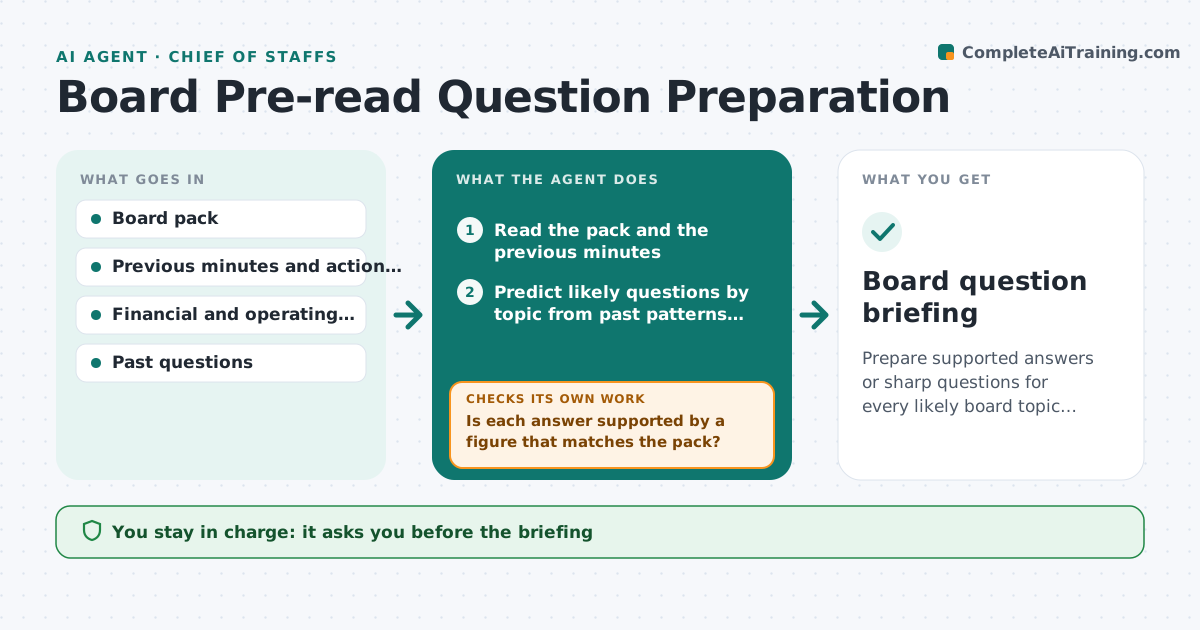
Prepare supported answers or sharp questions for every likely board topic before the meeting.
What it does
Executives walk into board meetings and are surprised by questions about a figure that changed or a topic from three meetings ago. This agent reads the board pack and past minutes and predicts the questions directors are likely to ask by topic. For each question it checks whether the executive's answer is supported by data, flags weak answers, and drafts backup material. If figures or the pack change, it reruns. The executive approves the briefing. Board members can use the same agent in reverse: it reads the pack and lists questions to ask. Edge case: a question about a topic that was left open in the last minutes is moved to the top.
How it works
Follow the arrows from top to bottom. The orange dashed arrow is the loop: when a check fails, the agent goes back and tries again.
Read the steps as a list
- Board pack is issued
- Read the pack and the previous minutes
- Predict likely questions by topic from past patterns and large changes
- Draft an answer for each question
- Check each answer against the data
- Is each answer supported by a figure that matches the pack?If not: Mark it weak, find the correct figure and redraft. Back to step 4.
- Draft backup slides or notes for weak points
- Executive approves the briefingThe agent waits here for your OK.
- Did the pack or data change before the meeting?If not: Rerun the questions affected. Back to step 2.
- Board question briefing
How it decides
Ranks predicted questions by past interest and size of change, and marks an answer as weak when the supporting figure is missing or differs from the pack.
- Open items from past minutes come first
- Questions on changes over 10% are always included
- Answer must match the pack figure
- Weak answers get a backup note
Make it yours
Every agent is a starting point. You choose these settings for your own situation.
- Number of questions per topic (default 5)
- Past meetings to read (default 4)
- Change threshold (default 10%)
- Briefing length
- Topics always covered
What keeps you in control
It always asks you first
- The briefing
- Any answer given on the executive's behalf
- Sharing with other executives
Hard limits
- Never speak for the executive
- Never invent a figure
It stops when
- Done: briefing approved
- Stop: meeting cancelled
- Stop: pack withdrawn
Set it up
We guide you through the set-up, step by step
Members get the full set-up guide for this agent. No technical skills needed: you copy, paste and upload.
- One set of instructions to paste into your AI, with the clicks for ChatGPT, Claude, Microsoft 365 Copilot, Gemini and Grok
- The agent then walks you through connecting your own data, one source at a time
- A downloadable copy with the flow chart, the rules and the full guide