AI agent for erp consultants
Bulk Upload Dry-Run Agent
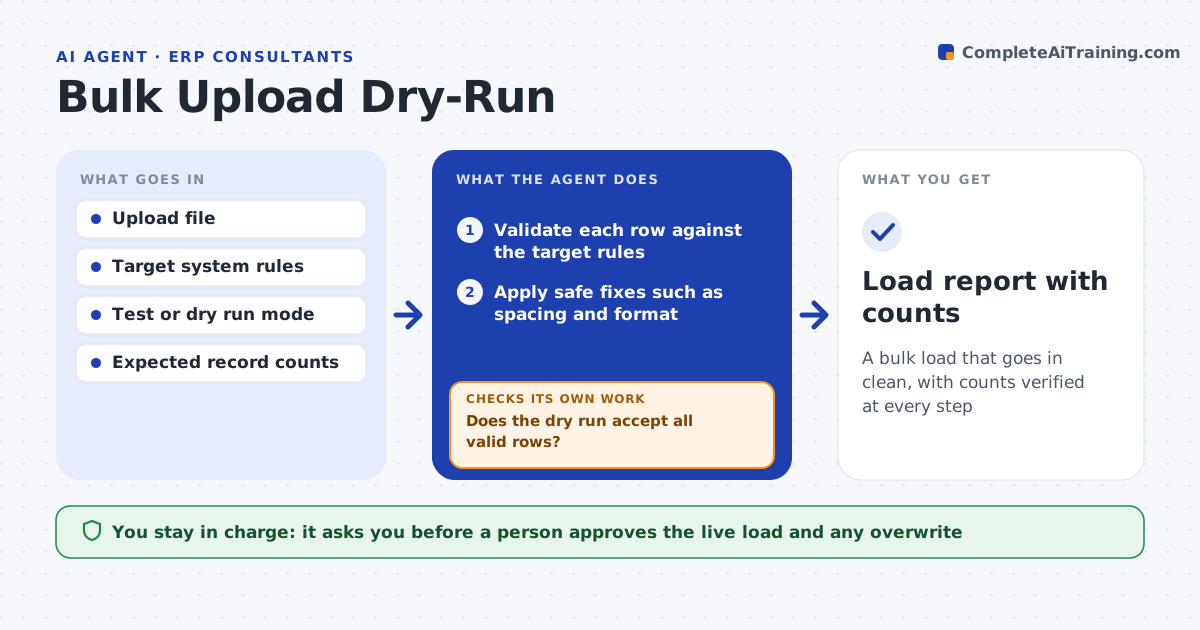
A bulk load that goes in clean, with counts verified at every step
What it does
Bulk uploads fail halfway or load bad data into a live system. This agent validates the file against the target rules, such as required fields, formats and allowed values. It runs a dry run in the system, fixes what it can safely fix, such as trimming spaces, and lists the rest for a person. It then loads in small batches and checks the record counts after each one. If a batch fails the check, it stops. A person approves the live load. Edge case: an ID already exists in the system, so the agent holds those rows as updates and asks whether to overwrite.
How it works
Follow the arrows from top to bottom. The orange dashed arrow is the loop: when a check fails, the agent goes back and tries again.
Read the steps as a list
- Upload file is ready
- Validate each row against the target rules
- Apply safe fixes such as spacing and format
- List rows with problems that need a person
- Run a dry run in the system
- Does the dry run accept all valid rows?If not: correct the cause and validate and dry-run again. Back to step 2.
- A person approves the live loadThe agent waits here for your OK.
- Load in small batches
- Do record counts match the expected counts after each batch?If not: stop loading and report the difference. Back to step 8.
- Load report with counts
How it decides
A row is loadable when it passes all rules. Safe fixes are formatting only. Anything that changes meaning goes to a person.
- Apply only formatting fixes automatically
- Hold duplicate IDs as a question
- Load in batches of a set size
- Stop on any count difference
Make it yours
Every agent is a starting point. You choose these settings for your own situation.
- Batch size (default: 500)
- Safe fix list
- Required fields
- Duplicate handling
What keeps you in control
It always asks you first
- A person approves the live load and any overwrite
Hard limits
- Never loads live data without approval
- Never overwrites existing records without a decision
It stops when
- Done: all rows are loaded and counts match
- Stop: a batch count differs and the load is halted
Set it up
We guide you through the set-up, step by step
Members get the full set-up guide for this agent. No technical skills needed: you copy, paste and upload.
- One set of instructions to paste into your AI, with the clicks for ChatGPT, Claude, Microsoft 365 Copilot, Gemini and Grok
- The agent then walks you through connecting your own data, one source at a time
- A downloadable copy with the flow chart, the rules and the full guide