AI agent for video editors
Caption Accuracy Agent
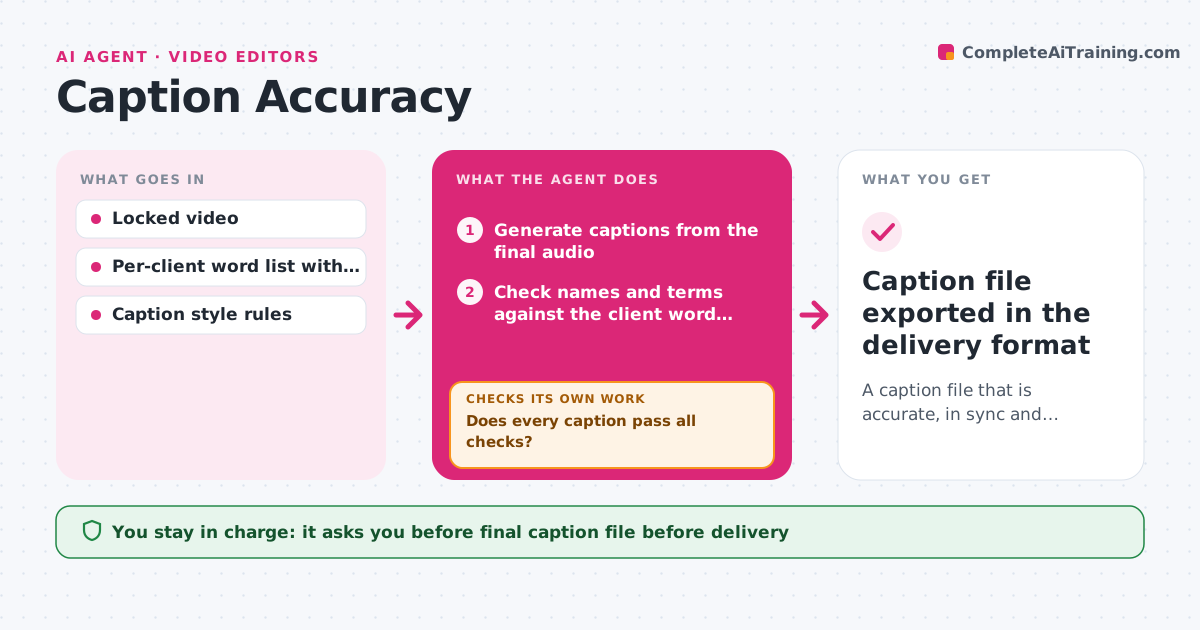
A caption file that is accurate, in sync and within reading speed rules
What it does
Automatic captions save time but are rarely right on the first pass, and errors on names and products look bad to clients. When picture is locked, this agent generates captions from the final audio, then checks every line. It compares names, brands and technical terms against the word list you keep for each client. It checks timing against the audio and measures line length and reading speed against your rules. It fixes what it can, such as correcting spellings, splitting long lines at a natural pause or nudging timing, and rechecks after each round. Anything that needs a human ear goes to the editor. Before export, it checks the file against the delivery format rules. The editor reviews flagged lines and approves the file. Edge case: when two people talk over each other, it marks that section for manual review instead of guessing.
How it works
Follow the arrows from top to bottom. The orange dashed arrow is the loop: when a check fails, the agent goes back and tries again.
Read the steps as a list
- Picture is locked
- Generate captions from the final audio
- Check names and terms against the client word list
- Check timing, line length and reading speed
- Does every caption pass all checks?If not: fix spelling, split lines or shift timing, then mark the rest for manual review. Back to step 3.
- Editor reviews flagged linesThe agent waits here for your OK.
- Does the file meet the delivery format rules?If not: rewrap lines or convert the format. Back to step 5.
- Editor approves the final fileThe agent waits here for your OK.
- Caption file exported in the delivery format
How it decides
A caption passes when the words match the audio, start and end times are within tolerance, and reading speed is under the limit. Overlapping speech always goes to a person.
- Use the client word list as the spelling source
- Split any line over the length limit at a natural pause
- Send overlapping speech to manual review
Make it yours
Every agent is a starting point. You choose these settings for your own situation.
- Reading speed limit (default 17 characters per second)
- Maximum characters per line (default 42)
- Client word lists
- Export formats such as SRT or VTT
What keeps you in control
It always asks you first
- Final caption file before delivery
Hard limits
- Never changes what a speaker said
- Never delivers captions without approval
It stops when
- Done: caption file approved and exported
- Stop: audio too unclear to caption; ask for the script
Set it up
We guide you through the set-up, step by step
Members get the full set-up guide for this agent. No technical skills needed: you copy, paste and upload.
- One set of instructions to paste into your AI, with the clicks for ChatGPT, Claude, Microsoft 365 Copilot, Gemini and Grok
- The agent then walks you through connecting your own data, one source at a time
- A downloadable copy with the flow chart, the rules and the full guide