AI agent for authors
Chronology Consistency Agent
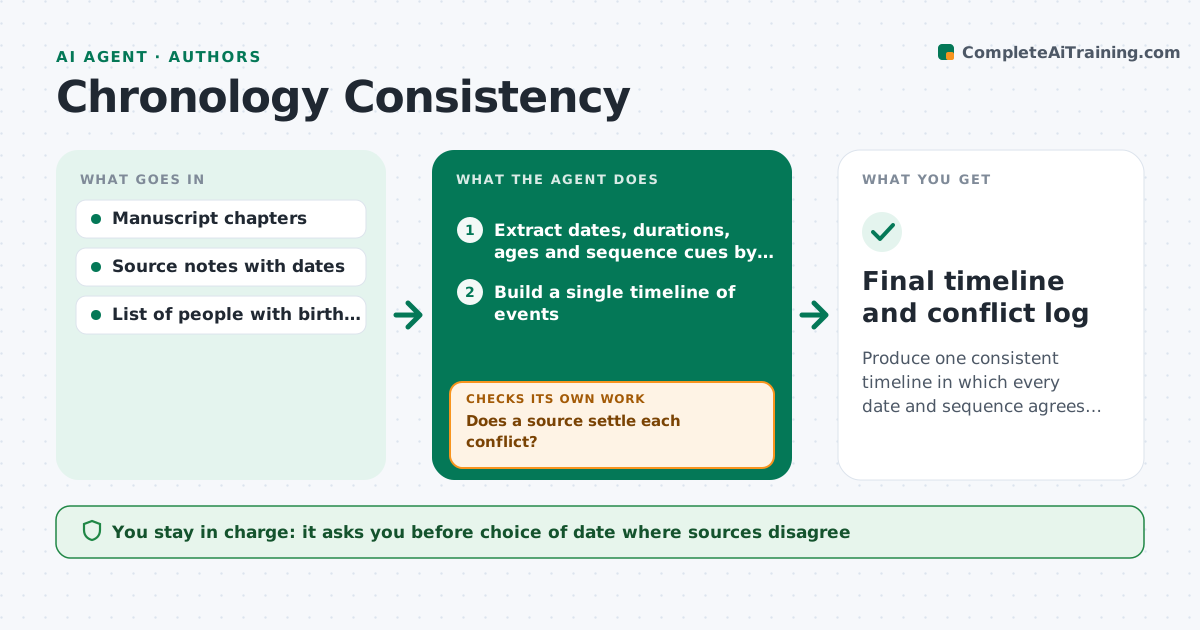
Produce one consistent timeline in which every date and sequence agrees with the text and the sources.
What it does
In a long narrative, a character is in Paris in May in chapter 3 and at sea in chapter 7. Dates for the same event differ by a day, or a person's age does not fit. This agent reads the chapters and pulls out every date, duration, age and sequence cue. It builds one timeline, then checks it for conflicts: events out of order, impossible travel times, wrong weekdays, and ages that do not add up. For each conflict it checks the sources the author lists and says which date they support. After the author edits, it rebuilds the timeline from the new text and checks again. It never fixes text itself. The author approves the corrected timeline. Edge case: when two sources disagree, the agent shows both and asks for a choice.
How it works
Follow the arrows from top to bottom. The orange dashed arrow is the loop: when a check fails, the agent goes back and tries again.
Read the steps as a list
- New draft submitted
- Extract dates, durations, ages and sequence cues by chapter
- Build a single timeline of events
- Flag order conflicts, weekday errors and impossible travel
- Check each conflict against the author's source notes
- Does a source settle each conflict?If not: search the notes again with alternate spellings and ask the author for a decision. Back to step 4.
- Propose a corrected timeline with reasons
- Author approves the corrected timelineThe agent waits here for your OK.
- Rebuild the timeline from the edited chapters
- Do any new conflicts appear after the edits?If not: list the new conflicts and repeat the source check. Back to step 3.
- Final timeline and conflict log
How it decides
It trusts a date more when a primary source supports it. It flags as impossible any sequence that breaks travel time or an age rule, and as unclear any case with no source.
- Flag a weekday mismatch whenever a text gives a date and a weekday
- Flag travel as impossible if time between places is under the period's fastest known route
- Prefer the primary source date over a secondary one
- Ask the author when two sources disagree
Make it yours
Every agent is a starting point. You choose these settings for your own situation.
- Calendar system (default Gregorian)
- Fastest travel speeds for the period
- Source notes location
- Chapters to include
- Strictness on approximate dates
What keeps you in control
It always asks you first
- Choice of date where sources disagree
- The final corrected timeline
Hard limits
- Never change the manuscript
- Show the source behind every proposed date
It stops when
- Done: two consecutive checks show no conflicts
- Stop: remaining conflicts need new research
Set it up
We guide you through the set-up, step by step
Members get the full set-up guide for this agent. No technical skills needed: you copy, paste and upload.
- One set of instructions to paste into your AI, with the clicks for ChatGPT, Claude, Microsoft 365 Copilot, Gemini and Grok
- The agent then walks you through connecting your own data, one source at a time
- A downloadable copy with the flow chart, the rules and the full guide