AI agent for proofreaders
Citation Format Check Agent
Correct citations throughout the document
What it does
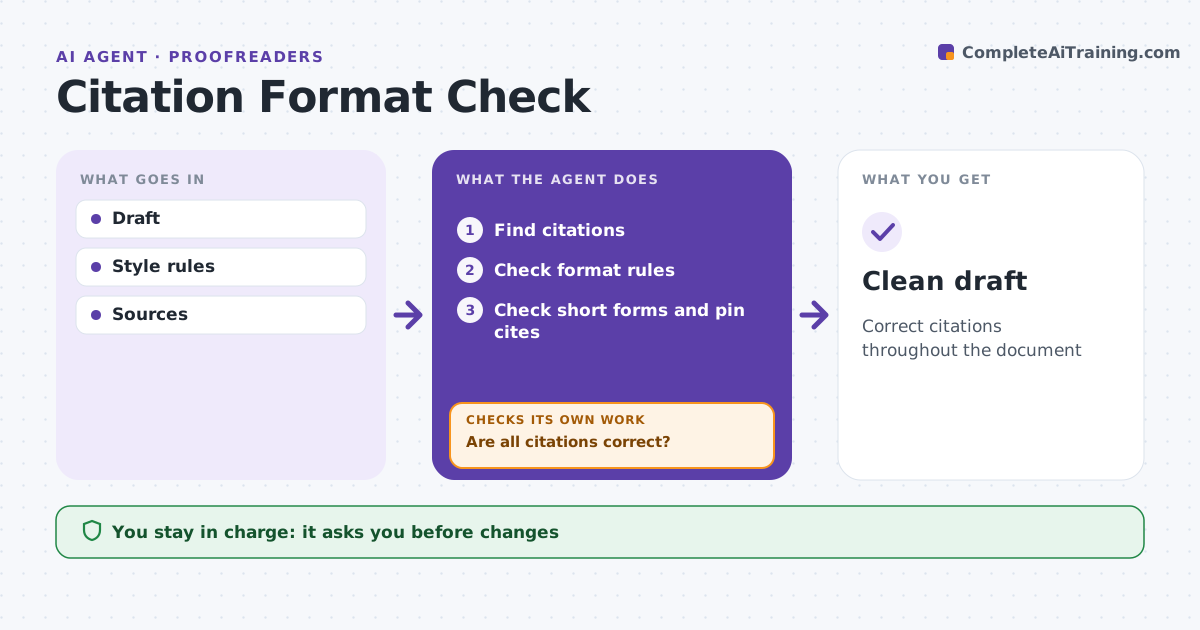
Citation errors cost law students points and credibility, and checking every cite against the style rules by hand is tedious. This agent finds each citation in a paper or memo and checks it against the style rules, such as case names, reporters, pin cites, signals and short forms. It lists each error with the rule it breaks. It checks that short forms point to earlier full cites and that id. is used correctly, never after a footnote with more than one source. Where the source is available, it confirms pin cites fall within its page range. The student fixes the errors, and the agent checks again until every citation passes. The student decides on every change. Edge case: an id. follows a footnote citing two sources, which is incorrect, so the agent flags it.
How it works
Follow the arrows from top to bottom. The orange dashed arrow is the loop: when a check fails, the agent goes back and tries again.
Read the steps as a list
- Draft ready
- Find citations
- Check format rules
- Check short forms and pin cites
- Are all citations correct?If not: list errors and recheck after fixes. Back to step 3.
- Student accepts changesThe agent waits here for your OK.
- Clean draft
How it decides
It compares each citation to the rules and checks references.
- Id. after multiple sources: error
- Short form without full cite: error
- Pin cite outside page range: error
Make it yours
Every agent is a starting point. You choose these settings for your own situation.
- Style rules
- Check depth
- Error display
- Document types
What keeps you in control
It always asks you first
- Changes
Hard limits
- Never changes text without the student
- Follows honor code
It stops when
- Done: clean
- Stop: school rules forbid tool use
Set it up
We guide you through the set-up, step by step
Members get the full set-up guide for this agent. No technical skills needed: you copy, paste and upload.
- One set of instructions to paste into your AI, with the clicks for ChatGPT, Claude, Microsoft 365 Copilot, Gemini and Grok
- The agent then walks you through connecting your own data, one source at a time
- A downloadable copy with the flow chart, the rules and the full guide