AI agent for management consultants
Client Data Request Tracker Agent
All requested client data received complete and usable on time
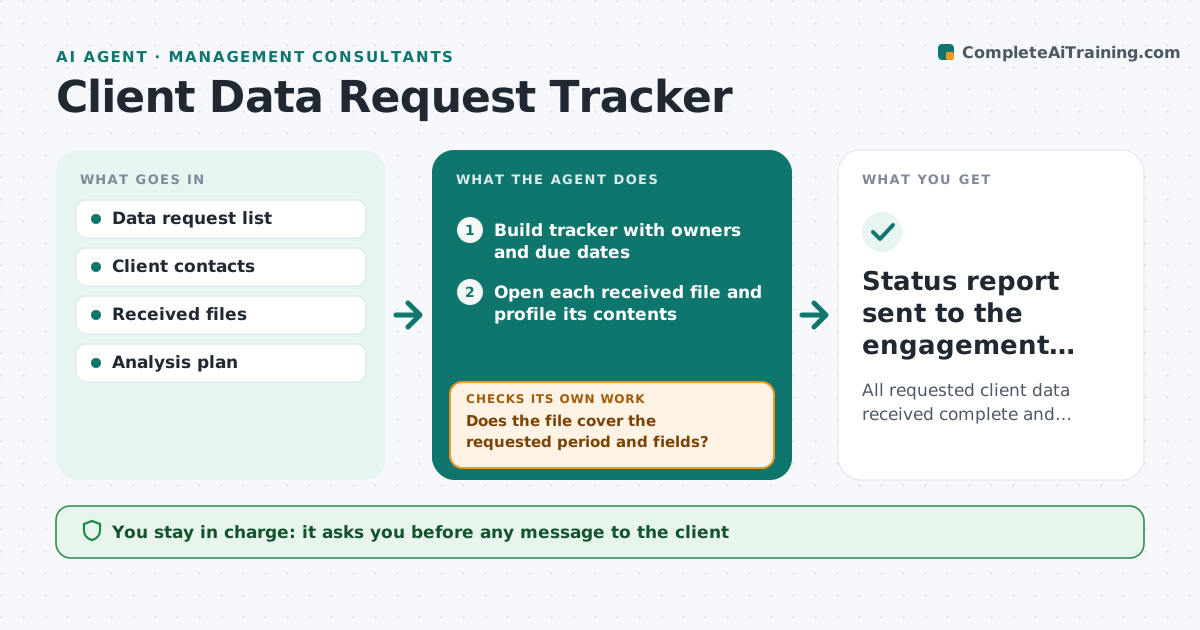
What it does
At the start of an engagement, consultants send a data request list and then spend weeks chasing it. This agent turns the list into a tracker with client owners and due dates. When files arrive, it opens them and checks them against the request: right period, right fields and no large gaps. A file in a different format is checked for the needed fields before asking again. Incomplete files get a specific follow-up naming missing months or blank columns. It links open requests to the analyses they block. Twice a week it sends the engagement manager a status. The manager approves every message to the client.
How it works
Follow the arrows from top to bottom. The orange dashed arrow is the loop: when a check fails, the agent goes back and tries again.
Read the steps as a list
- Data request list is issued
- Build tracker with owners and due dates
- Open each received file and profile its contents
- Does the file cover the requested period and fields?If not: draft a specific follow-up naming missing months or fields. Back to step 3.
- Engagement manager approves follow-ups to the clientThe agent waits here for your OK.
- Did overdue requests get a reply by the new date?If not: draft a second follow-up and flag it to the manager. Back to step 5.
- Link open requests to blocked analyses
- Status report sent to the engagement manager
How it decides
It marks a request complete only when the file covers the requested period and fields with less than the set share of blanks.
- More than 5% blanks in key fields means incomplete
- Overdue items blocking analysis are listed first
- Format differences are accepted if fields are present
Make it yours
Every agent is a starting point. You choose these settings for your own situation.
- Blank threshold (default 5%)
- Status report days
- Tracker tool
- Follow-up tone
What keeps you in control
It always asks you first
- Any message to the client
Hard limits
- Client data stays in the engagement workspace
- Never contacts the client without approval
It stops when
- Done: all requests complete
- Stop: client says data does not exist, record and tell manager
Set it up
We guide you through the set-up, step by step
Members get the full set-up guide for this agent. No technical skills needed: you copy, paste and upload.
- One set of instructions to paste into your AI, with the clicks for ChatGPT, Claude, Microsoft 365 Copilot, Gemini and Grok
- The agent then walks you through connecting your own data, one source at a time
- A downloadable copy with the flow chart, the rules and the full guide