AI agent for health coachs
Client Intake Screening Agent
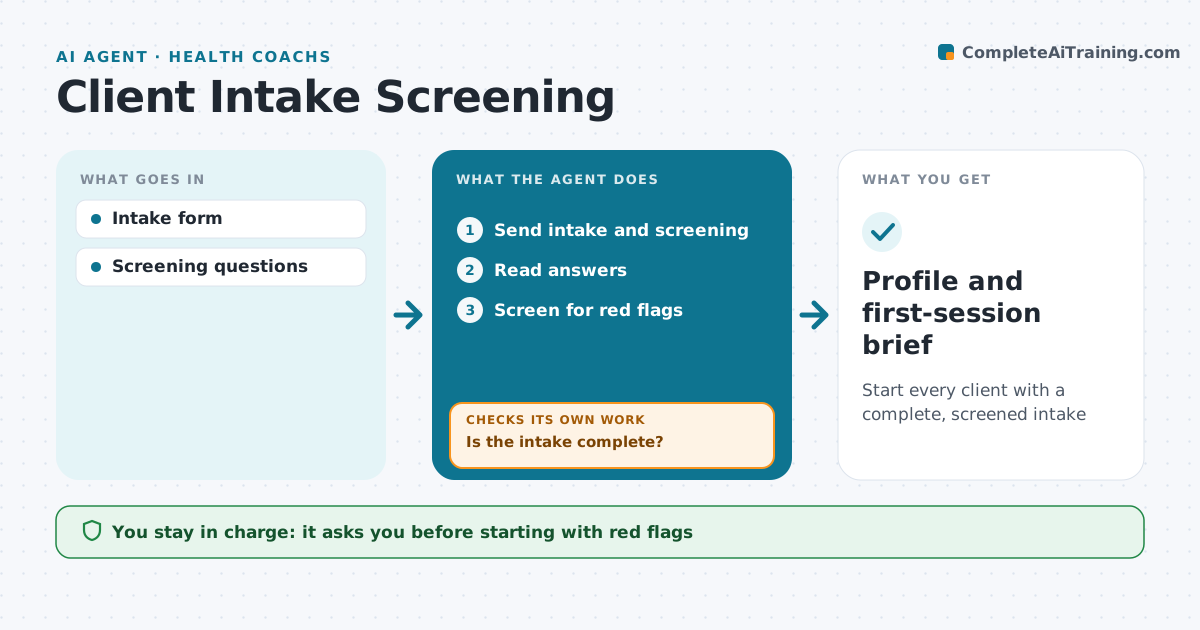
Start every client with a complete, screened intake
What it does
Before working with a new client, coaches, trainers and dietitians need a health history, goals, and a screen for conditions that need medical clearance. This agent sends the intake form and screening questions and reads the answers. It checks for gaps and for red flags, such as chest pain on exertion, recent surgery, pregnancy, eating disorder signs or uncontrolled conditions. If the form is incomplete, it sends follow-up questions and checks again. Red flags pause the start, and the professional decides whether to ask for medical clearance. Clean intakes become a client profile and a first-session brief. The professional approves any start with red flags. Edge case: answers in a free text box that mention a condition not ticked on the checklist are flagged as well.
How it works
Follow the arrows from top to bottom. The orange dashed arrow is the loop: when a check fails, the agent goes back and tries again.
Read the steps as a list
- Client signs up
- Send intake and screening
- Read answers
- Is the intake complete?If not: send follow-up questions. Back to step 3.
- Screen for red flags
- Professional decides on clearanceThe agent waits here for your OK.
- Profile and first-session brief
How it decides
Missing fields trigger follow-up. Red flags pause the start.
- Exertional chest pain needs clearance
- Eating disorder signs refer out
- Free text scanned for conditions
Make it yours
Every agent is a starting point. You choose these settings for your own situation.
- Screening questions
- Red flag list
- Follow-up timing
- Brief format
What keeps you in control
It always asks you first
- Starting with red flags
- Requesting clearance
Hard limits
- No medical advice
- Data kept private
It stops when
- Done: profile ready
- Stop: client needs medical care first
Set it up
We guide you through the set-up, step by step
Members get the full set-up guide for this agent. No technical skills needed: you copy, paste and upload.
- One set of instructions to paste into your AI, with the clicks for ChatGPT, Claude, Microsoft 365 Copilot, Gemini and Grok
- The agent then walks you through connecting your own data, one source at a time
- A downloadable copy with the flow chart, the rules and the full guide