
Learning path
Learning AI as a Chiropractor
Learn how AI can help you handle patient intake, explain care, draft treatment plans, and keep clean notes. This path fits chiropractic work and saves you time without losing your personal touch.
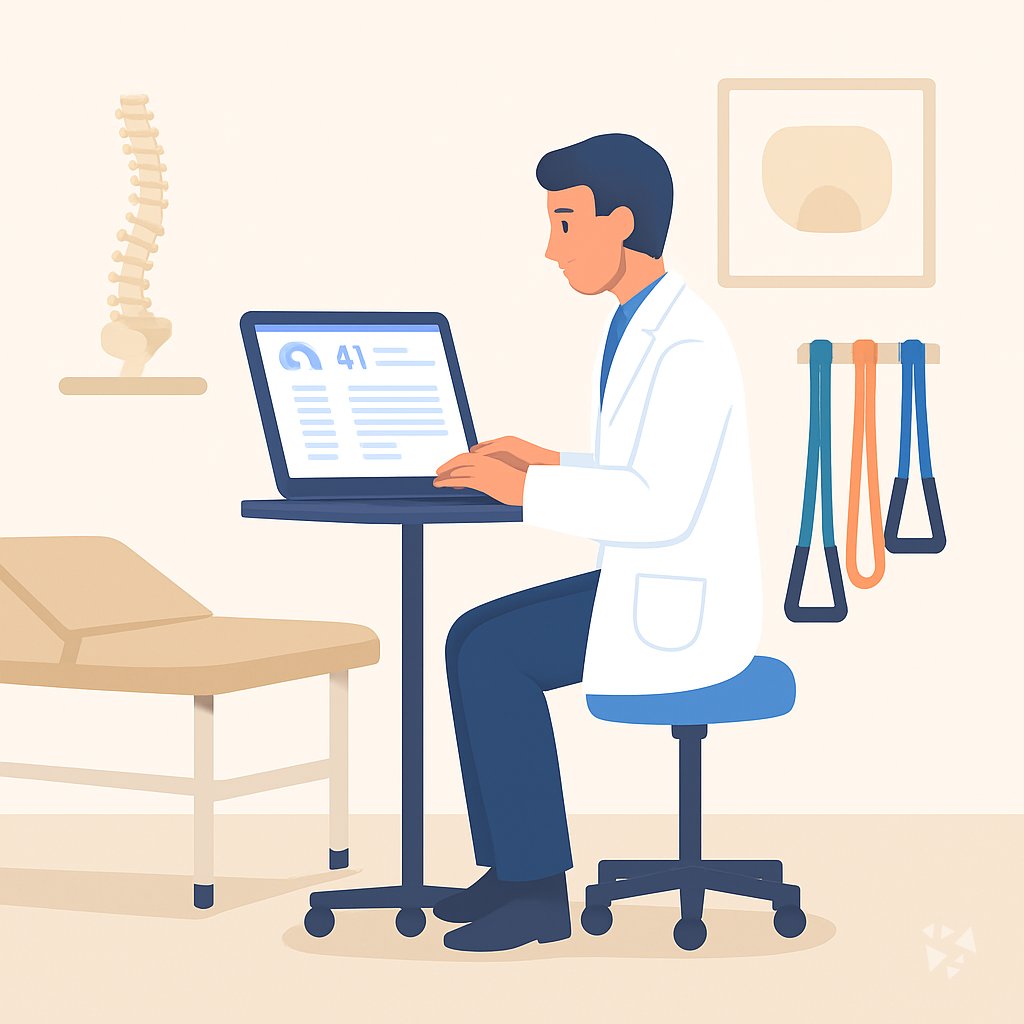
Your path
Everything in the Chiropractor AI kit, in the order that makes sense. Members tick off each step and see their progress.
Set up your AI
We guide you through each click.
Let skills do your everyday tasks
Connect your apps and pick your AI apps
Hand whole tasks to AI agents
Build your own tools
Keep growing
Everything for chiropractors
All the courses, certifications, AI tools, MCP servers and apps for chiropractors, most relevant first. Open any list to see more.
Take the prompt courses
A short framework course to learn how to ask, then 8 lessons with ready-to-use prompts for chiropractors.
Start with this framework: how to talk to AI
CARE fits chiropractic because your low back pain patient needs context, action, result, and one example to guide similar care.
Then your prompt course for chiropractors- 1Patient Intake & History3 prompts
- 2Explaining Care to Patients3 prompts
- 3Treatment Plan Drafting3 prompts
- 4Exercise & Rehab Prescriptions3 prompts
- 5Posture & Ergonomics Coaching3 prompts
- 6Charting & Documentation3 prompts
- 7Referrals & Provider Communication3 prompts
- 8Insurance, Billing & Practice Admin3 prompts
Watch the video courses or add them to your Favorites for later
89 video courses our AI picked for chiropractors, most useful first. Save the ones you want to watch later with the heart.
Favorites are saved to your account: sign in or get your AI kit first.
Show all 89 video courses
Get certified, or add certifications to your Favorites
Every course ends in an exam and a certificate you can add to LinkedIn. Save the certifications you are aiming for with the heart.
Favorites are saved to your account: sign in or get your AI kit first.
More certifications for chiropractorsShow all 24 certifications
Try the AI tools for chiropractors
19 AI tools our AI matched to the work of chiropractors, best fit first. Each review shows what it does, its alternatives and the jobs it suits.
Favorites are saved to your account: sign in or get your AI kit first.
Show all 19 AI tools
Connect your AI to the apps chiropractors use
MCP servers let ChatGPT, Claude or Copilot look things up and get work done in other apps, like your email, calendar or bookkeeping software. These 12 fit the work of chiropractors best, well-known apps first.
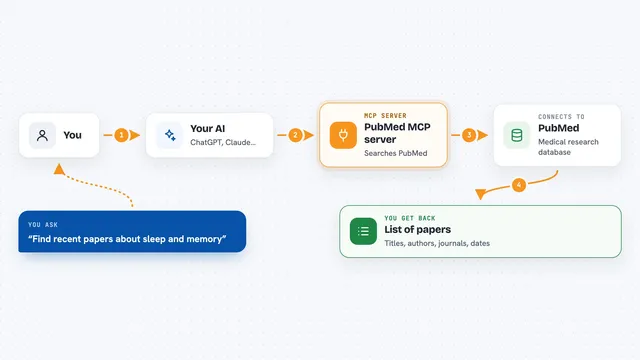
PubMed MCP server
by andybrandtLets your AI search medical and life sciences papers on PubMed and read their abstracts and full text.

CallChatSyn MCP server
by oneappsworldLet your AI answer customer questions from your business FAQs and book appointments for you.
Customer communication Official
SignWell MCP server
by BidsketchSend documents for e-signature, track who signed, and download the signed PDFs, all from your AI chat.
Productivity Official
Google Calendar MCP server
by takumi0706Lets your AI read, create, change, and delete events in your Google Calendar for you.
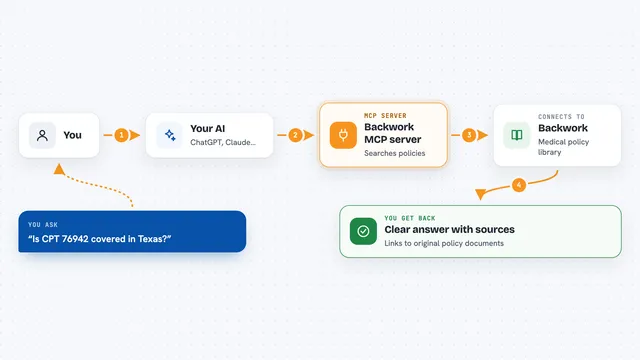
Backwork MCP server
by tylergibbs1Lets your AI look up Medicare and insurance medical policies, check prior authorization, and validate claims with cited sources.
ResearchNo install
Temporal Cortex MCP server
by temporal-cortexLet your AI check calendars, find free slots, and book meetings without double-booking.
ProductivityMeetingsNo installShow all 12 MCP servers

PubMed Search MCP Server
by pubsproLet your AI search medical research papers on PubMed and give you plain-English summaries.

ICDwise MCP server
by qinisolabsYour AI can look up real ICD-10-CM medical codes and get the official description instead of a guess.
ResearchNo install
NCBI PubMed MCP server
by vitorpavinatoSearch PubMed's millions of research articles and get summaries, authors, and related papers through your AI.

Chronary calendar MCP server
by ChronaryLets your AI manage Chronary calendars, events, and meeting times for you in plain chat.
ProductivityMeetings Official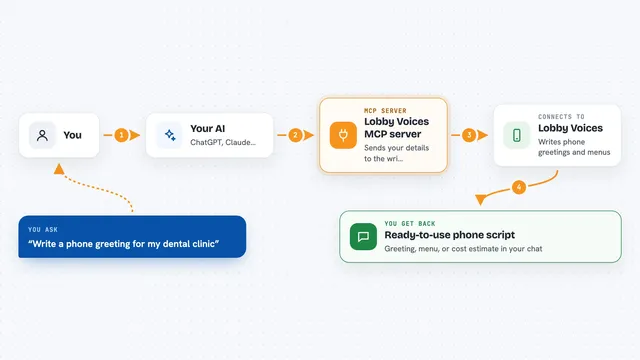
Lobby Voices MCP server
by bodyegyptYour AI writes phone greetings, hold messages and automated phone menus for your business.
Customer communication Official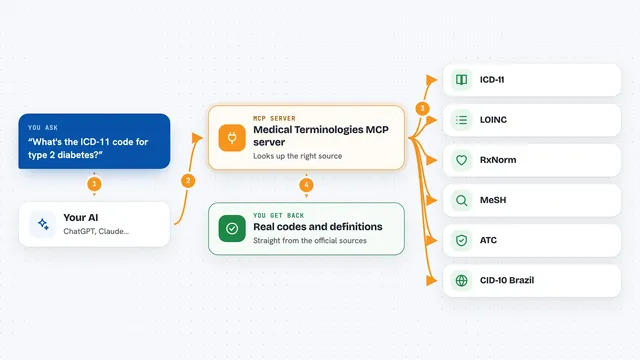
Medical Terminologies MCP server
by SidneyBissoliLook up real medical codes and terms from ICD-11, LOINC, RxNorm, MeSH, ATC and Brazil's CID-10 right inside your AI chat.
ResearchNo install























































































About this learning path
6 topicsAI Skills for Chiropractors: Save Time, Improve Care
Chiropractic care is hands-on, but the paperwork and patient questions can fill your day. AI can help you handle the busywork so you spend more time on adjustments and less on typing.
This learning path is built for chiropractors. It starts with simple setup questions, then shows you how to connect your AI, use job-specific skills, and follow a prompt course with video lessons picked for your work.
Why AI Matters Now
Patients expect clear explanations and quick answers. At the same time, insurance rules and documentation take more time than ever. AI can draft notes, letters, and handouts quickly, so you can focus on care.
What the Path Includes
You start with setup questions to get your AI ready. Then you connect your AI, learn skills for chiropractic work, and take this prompt course. You also get video courses picked for your job and the certifications that come with them.
How It Saves Time
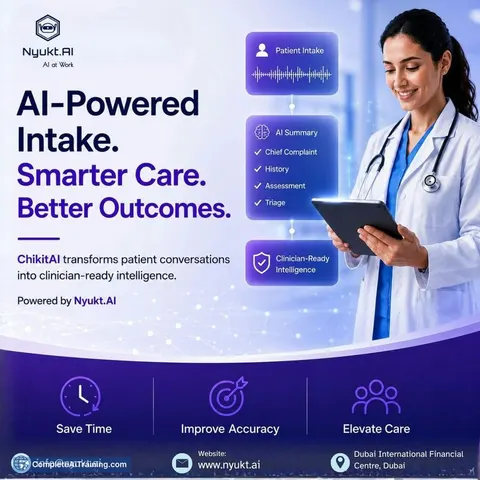
Imagine turning a stack of intake forms into a one-page summary before the patient arrives. Or writing a medical necessity letter in a few minutes instead of an hour. The prompts in this path are made for these tasks.
How It Protects Your Career
Keeping good records and clear communication protects you and your patients. AI helps you stay organized, reduce burnout, and follow privacy rules. You remain the decision-maker, and your license stays safe.
How to Start
Begin with the setup questions and connect your AI. Then try one prompt from the course, like the intake summary or the SOAP note helper. Small steps build confidence.
Frequently asked questions
Do I need to be technical to use this path?
No. The path starts with simple setup questions and uses everyday language. You will not need to write code or learn complex settings.Will AI replace my clinical judgment?
No. AI helps you draft notes, letters, and explanations. You review everything and make all clinical decisions yourself.Is patient data safe when I use AI?
The course teaches you to remove names and identifiers before using AI. You will also learn to use approved tools and follow your clinic's privacy rules.How long does the path take?
The lessons are short and you can do them between patients. Most people finish at their own pace over a few weeks.