AI agent for it consultants
Client Security Quick Assessment Agent
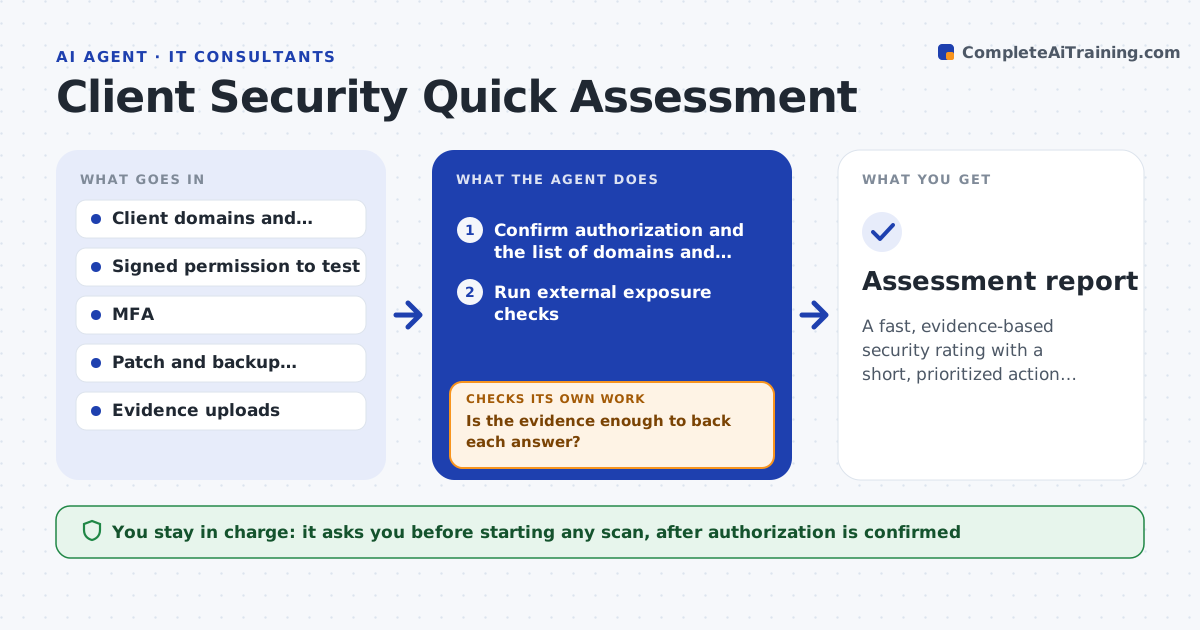
A fast, evidence-based security rating with a short, prioritized action list for the client
What it does
A small business wants to know if it is secure but cannot pay for a full audit. This agent runs external exposure checks on the client's domains and addresses, such as open ports, old software and exposed services. It reviews data the client supplies about multi-factor authentication, patching and backups. It scores each gap by risk and asks for evidence where answers are unclear, for example a screenshot of the backup report. When the evidence arrives, it re-scores. It then drafts a short report with the five most important actions in plain language. The consultant reviews it before delivery. Edge case: an open port that appears critical but belongs to a third-party host outside the client's control is noted and not scored against the client.
How it works
Follow the arrows from top to bottom. The orange dashed arrow is the loop: when a check fails, the agent goes back and tries again.
Read the steps as a list
- Client orders a quick assessment
- Confirm authorization and the list of domains and addresses
- Run external exposure checks
- Read the client's data on MFA, patching and backups
- Score each gap by likelihood and impact
- Is the evidence enough to back each answer?If not: ask the client for the specific evidence and rescore. Back to step 4.
- Does each finding belong to a system the client controls?If not: note it as third-party and remove it from the score. Back to step 3.
- Draft the report with the 5 top actions
- Consultant reviews and approves deliveryThe agent waits here for your OK.
- Assessment report
How it decides
Gaps are scored by likelihood and impact. Unclear answers count as gaps until evidence is provided.
- Count an unsupported answer as a gap
- Score missing MFA on email and admin accounts as high
- Limit the report to the 5 highest risk actions
- Never test outside the signed scope
Make it yours
Every agent is a starting point. You choose these settings for your own situation.
- Checks to run
- Scoring scale and weights
- Number of actions in the report (default 5)
- Evidence required per answer
What keeps you in control
It always asks you first
- Starting any scan, after authorization is confirmed
- Delivering the report
Hard limits
- Tests only systems named in signed permission
- Never runs exploits, only exposure checks
It stops when
- Done: report approved and delivered
- Stop: no signed permission to test
Set it up
We guide you through the set-up, step by step
Members get the full set-up guide for this agent. No technical skills needed: you copy, paste and upload.
- One set of instructions to paste into your AI, with the clicks for ChatGPT, Claude, Microsoft 365 Copilot, Gemini and Grok
- The agent then walks you through connecting your own data, one source at a time
- A downloadable copy with the flow chart, the rules and the full guide