AI agent for cloud architects
Cloud Architecture Design Review Agent
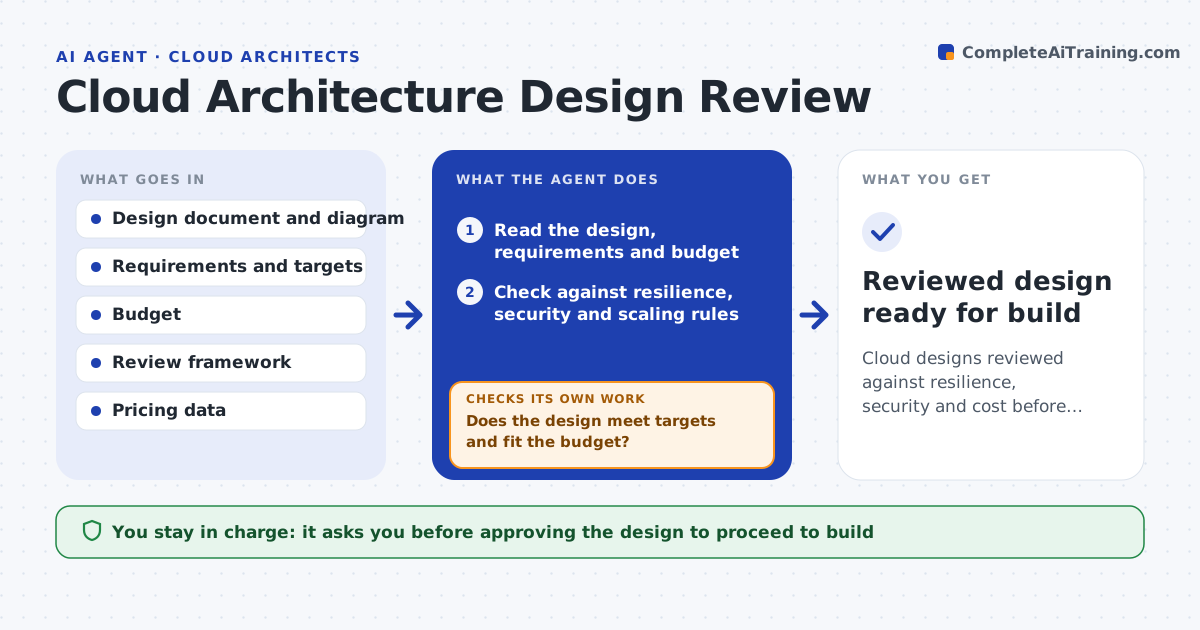
Cloud designs reviewed against resilience, security and cost before build
What it does
A cloud design can look fine in a diagram and still hide single points of failure, open access or runaway cost. This agent reads the proposed design and its requirements and checks it against a review framework: availability across zones, backup and recovery, least-privilege access, encryption, scaling and estimated monthly cost. It compares the cost estimate with the budget and the resilience with the stated targets. Where the design misses a requirement, it describes the gap and a concrete option to close it, then rechecks the revised design against everything, not just the gap. It drafts a review report with findings by severity. You approve the design before build starts. Edge case: a design that meets resilience but blows the budget is returned with cheaper options.
How it works
Follow the arrows from top to bottom. The orange dashed arrow is the loop: when a check fails, the agent goes back and tries again.
Read the steps as a list
- Design submitted for review
- Read the design, requirements and budget
- Check against resilience, security and scaling rules
- Estimate monthly cost against the budget
- Does the design meet targets and fit the budget?If not: describe each gap with an option and recheck the revision. Back to step 3.
- Write the review report by severity
- Architect approves the design to proceedThe agent waits here for your OK.
- Reviewed design ready for build
How it decides
It measures the design against each framework requirement and the budget, and does not pass a design that misses a target or exceeds budget.
- Flag single points of failure against the availability target
- Require least-privilege access and encryption
- Return designs that exceed the budget with cheaper options
Make it yours
Every agent is a starting point. You choose these settings for your own situation.
- Review framework and targets
- Budget
- Preferred reference architectures
- Report severity levels
What keeps you in control
It always asks you first
- Approving the design to proceed to build
Hard limits
- Does not build or change cloud resources
- Uses current pricing for estimates
It stops when
- Done: design meets targets and budget
- Stop: requirements or targets are missing
Set it up
We guide you through the set-up, step by step
Members get the full set-up guide for this agent. No technical skills needed: you copy, paste and upload.
- One set of instructions to paste into your AI, with the clicks for ChatGPT, Claude, Microsoft 365 Copilot, Gemini and Grok
- The agent then walks you through connecting your own data, one source at a time
- A downloadable copy with the flow chart, the rules and the full guide