AI agent for cloud architects
Cloud Resource Tagging and Ownership Agent
Every resource in scope carries the required tags and a confirmed owner, at or above the coverage target
What it does
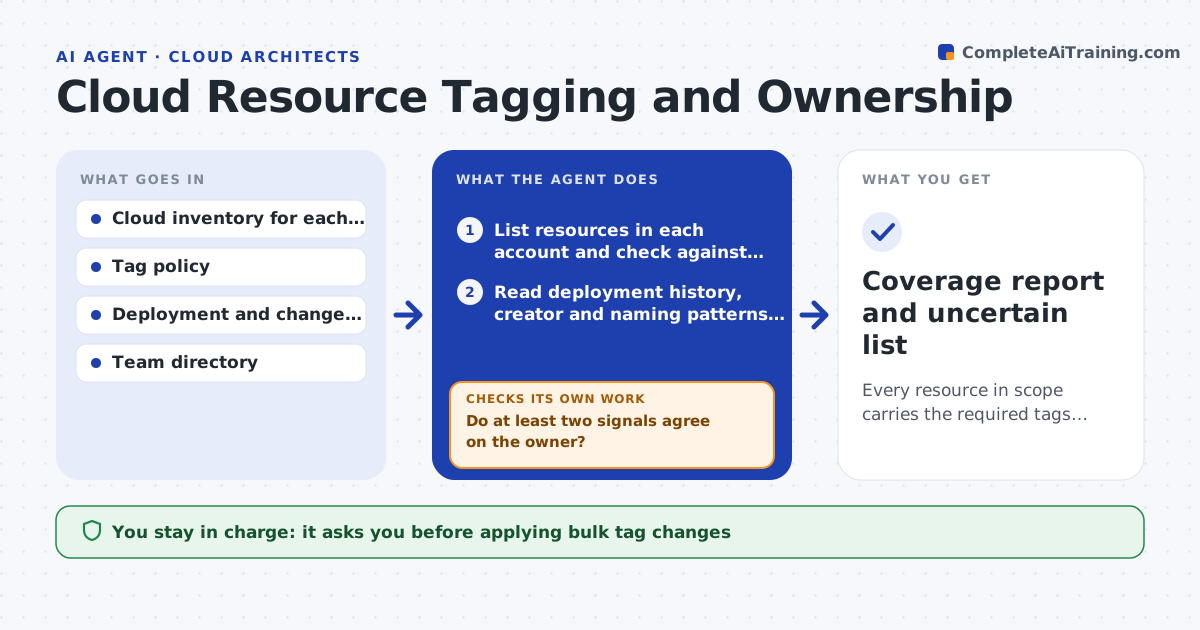
Cost reports are only as good as the tags on the resources, and most accounts have thousands of items with no owner. This agent scans each account for resources missing the required tags, then works out who probably owns each one. It reads deployment history, naming patterns, the creating user and the project the resource sits next to. It drafts the missing tags, asks the likely owner to confirm, and applies nothing until approved. After tags are applied it scans again to confirm they stuck, since some automation strips them. Resources whose owner cannot be found are grouped into a list for the team to decide on. Edge case: a database named like a test system but linked to a production app is flagged as uncertain, not guessed.
How it works
Follow the arrows from top to bottom. The orange dashed arrow is the loop: when a check fails, the agent goes back and tries again.
Read the steps as a list
- Scheduled scan starts
- List resources in each account and check against the tag policy
- Read deployment history, creator and naming patterns for untagged items
- Infer a likely owner and draft the missing tags
- Do at least two signals agree on the owner?If not: look at neighboring resources and the pipeline, otherwise move the item to the uncertain list. Back to step 3.
- Ask each likely owner to confirm or correct
- Platform lead approves the bulk tag changeThe agent waits here for your OK.
- Apply tags after approval
- Did the tags persist on a re-scan?If not: find the automation that removes them and report it, then rescan. Back to step 2.
- Coverage report and uncertain list
How it decides
An owner is proposed only when two independent signals agree, such as the creator and the deployment pipeline. A single weak signal goes to the uncertain list.
- Propose an owner only when 2 or more signals agree
- Skip any resource tagged do-not-touch
- Group resources with no owner after 14 days into a cleanup list
- Report coverage by account so gaps are visible
Make it yours
Every agent is a starting point. You choose these settings for your own situation.
- Required tag keys (default owner, team, environment, cost-center)
- Coverage target (default 95 percent)
- Accounts in scope
- Days to wait for an owner reply (default 14)
What keeps you in control
It always asks you first
- Applying bulk tag changes
- Any proposed shutdown of an ownerless resource
Hard limits
- Never deletes or stops a resource
- Never writes tags outside the approved list
It stops when
- Done: coverage reaches the target and all changes are confirmed
- Stop: the inventory call fails or returns partial data
Set it up
We guide you through the set-up, step by step
Members get the full set-up guide for this agent. No technical skills needed: you copy, paste and upload.
- One set of instructions to paste into your AI, with the clicks for ChatGPT, Claude, Microsoft 365 Copilot, Gemini and Grok
- The agent then walks you through connecting your own data, one source at a time
- A downloadable copy with the flow chart, the rules and the full guide