AI agent for personal trainers
Coaching Package Renewal Agent
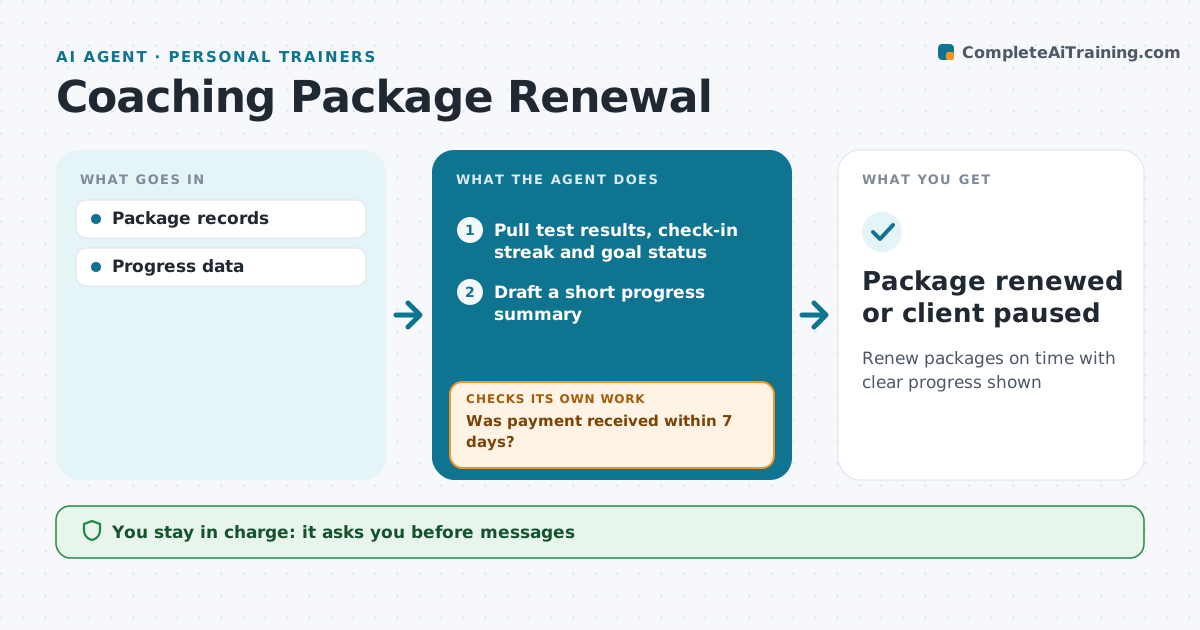
Renew packages on time with clear progress shown
What it does
Clients buy session packages that run out, and renewal talks often happen too late or not at all. This agent tracks sessions used per client. When two sessions remain, it pulls progress data such as test results, check-in streaks and goal status, and drafts a short progress summary with a renewal message. The professional edits and sends it. The agent tracks the reply and sends the payment link once the client agrees. It checks that payment arrived before booking more sessions. If no payment comes within seven days, it drafts one follow-up and tells the professional, then closes the client as not renewing. The professional approves messages and any discount. Edge case: a client who wants to pause rather than stop is set to paused and reminded at the date they chose.
How it works
Follow the arrows from top to bottom. The orange dashed arrow is the loop: when a check fails, the agent goes back and tries again.
Read the steps as a list
- Client has 2 sessions left
- Pull test results, check-in streak and goal status
- Draft a short progress summary
- Draft renewal message with package options and a pause option
- Professional edits and sends the messageThe agent waits here for your OK.
- Was payment received within 7 days?If not: draft one follow-up message, then close as not renewing. Back to step 4.
- Add the new sessions to the calendar
- Package renewed or client paused
How it decides
Sessions remaining triggers summary.
- Progress shown first
- Pause offered
- No booking without payment
Make it yours
Every agent is a starting point. You choose these settings for your own situation.
- Trigger point
- Message
- Payment link
- Pause policy
What keeps you in control
It always asks you first
- Messages
- Discounts
Hard limits
- No auto-charges without consent
It stops when
- Done: renewed
- Stop: client declines
Set it up
We guide you through the set-up, step by step
Members get the full set-up guide for this agent. No technical skills needed: you copy, paste and upload.
- One set of instructions to paste into your AI, with the clicks for ChatGPT, Claude, Microsoft 365 Copilot, Gemini and Grok
- The agent then walks you through connecting your own data, one source at a time
- A downloadable copy with the flow chart, the rules and the full guide