AI agent for electrical engineers
Component Obsolescence Watch Agent
Catch obsolescence early and have a checked alternate or buy plan for each risky part
What it does
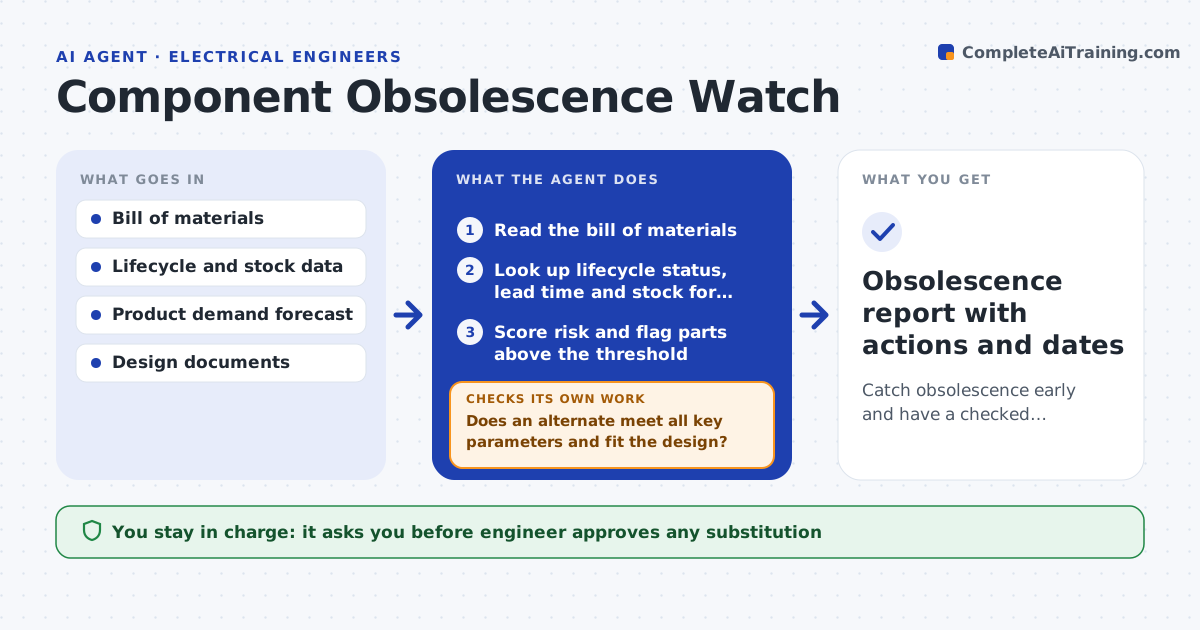
A live product has hundreds of parts, and one end-of-life notice can stop production months later. Each month this agent reads the bill of materials and checks every part against lifecycle status and distributor stock. It flags parts marked not recommended for new designs, last-time-buy dates, long lead times and single-source parts at risk. For each flagged part it searches for alternates and compares their datasheets with the original on the key parameters and footprint. It lists the fit with the design: drop-in, needs a layout change or needs a firmware change. It also estimates a last-time-buy quantity from forecast demand. The engineer approves any substitution or purchase. Edge case: a drop-in alternate has a different thermal pad, so the agent marks it as not drop-in.
How it works
Follow the arrows from top to bottom. The orange dashed arrow is the loop: when a check fails, the agent goes back and tries again.
Read the steps as a list
- Monthly check or vendor notice
- Read the bill of materials
- Look up lifecycle status, lead time and stock for each part
- Score risk and flag parts above the threshold
- Search for alternates and read their datasheets
- Compare key parameters and footprint with the original
- Does an alternate meet all key parameters and fit the design?If not: widen the search to more manufacturers and accept a layout change option. Back to step 5.
- Estimate last-time-buy quantity from the forecast
- Engineer approves substitution or purchaseThe agent waits here for your OK.
- Obsolescence report with actions and dates
How it decides
It scores each part by lifecycle status, stock months and number of sources, and proposes an alternate only if key parameters meet the design's needs.
- Flag parts with under 6 months of stock at forecast demand
- Flag any part with a last-time-buy date within 12 months
- Mark an alternate drop-in only if footprint, pinout and ratings match
- Add a 10% safety margin to last-time-buy quantities
Make it yours
Every agent is a starting point. You choose these settings for your own situation.
- Stock months that trigger a flag (default 6)
- Last-time-buy warning window (default 12 months)
- Data sources for lifecycle and stock
- Safety margin on buys (default 10%)
- Who receives the monthly report
What keeps you in control
It always asks you first
- Engineer approves any substitution
- Purchasing lead approves a last-time buy
Hard limits
- Never place an order, only recommend one
- Never mark an alternate as drop-in without comparing the datasheets
It stops when
- Done: all flagged parts have an approved plan
- Stop: no alternate exists and the product needs redesign
Set it up
We guide you through the set-up, step by step
Members get the full set-up guide for this agent. No technical skills needed: you copy, paste and upload.
- One set of instructions to paste into your AI, with the clicks for ChatGPT, Claude, Microsoft 365 Copilot, Gemini and Grok
- The agent then walks you through connecting your own data, one source at a time
- A downloadable copy with the flow chart, the rules and the full guide