AI agent for electrical engineers
Component Selection and BOM Agent
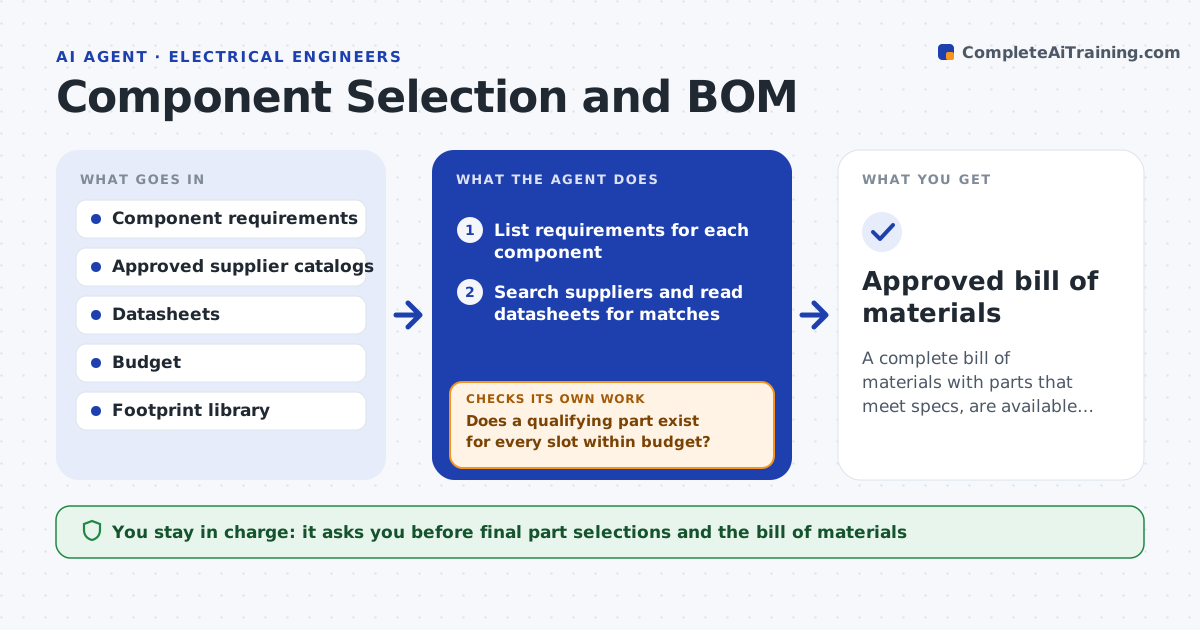
A complete bill of materials with parts that meet specs, are available and fit the budget
What it does
Choosing parts means matching each requirement against datasheets and then checking footprints, stock, lead time, price and lifecycle, which takes hours per board. This agent takes the requirements for each component, searches approved suppliers and distributors, and shortlists parts that meet the electrical and mechanical specs. It checks availability, lifecycle status and price against the budget, then builds the bill of materials. Before finalizing, it rechecks the full list for single-source parts and lead times past your limit. Where no part meets every requirement, it lists the closest options with the trade-offs instead of silently relaxing a spec. You approve the final selections. Edge case: a cheaper part that meets specs but is marked not recommended for new designs is flagged, not chosen on price.
How it works
Follow the arrows from top to bottom. The orange dashed arrow is the loop: when a check fails, the agent goes back and tries again.
Read the steps as a list
- Design needs component selection
- List requirements for each component
- Search suppliers and read datasheets for matches
- Check stock, lifecycle, lead time and price
- Does a qualifying part exist for every slot within budget?If not: list closest options with trade-offs for the engineer to decide. Back to step 3.
- Build the bill of materials and flag supply risks
- Engineer approves the final selectionsThe agent waits here for your OK.
- Approved bill of materials
How it decides
A part qualifies only when it meets every electrical and mechanical spec and is available; it never relaxes a spec without flagging it.
- Qualify a part only if it meets every spec
- Flag single-source and long-lead parts
- Never choose on price alone when lifecycle is at risk
Make it yours
Every agent is a starting point. You choose these settings for your own situation.
- Approved suppliers
- Budget and price limits
- Lead-time limit that flags risk
- Required spec margins
What keeps you in control
It always asks you first
- Final part selections and the bill of materials
Hard limits
- Never places orders
- Does not relax a spec without flagging it
It stops when
- Done: bill of materials complete within budget
- Stop: requirements for a component are undefined
Set it up
We guide you through the set-up, step by step
Members get the full set-up guide for this agent. No technical skills needed: you copy, paste and upload.
- One set of instructions to paste into your AI, with the clicks for ChatGPT, Claude, Microsoft 365 Copilot, Gemini and Grok
- The agent then walks you through connecting your own data, one source at a time
- A downloadable copy with the flow chart, the rules and the full guide