AI agent for structural engineers
Connection and Detail Coordination Agent
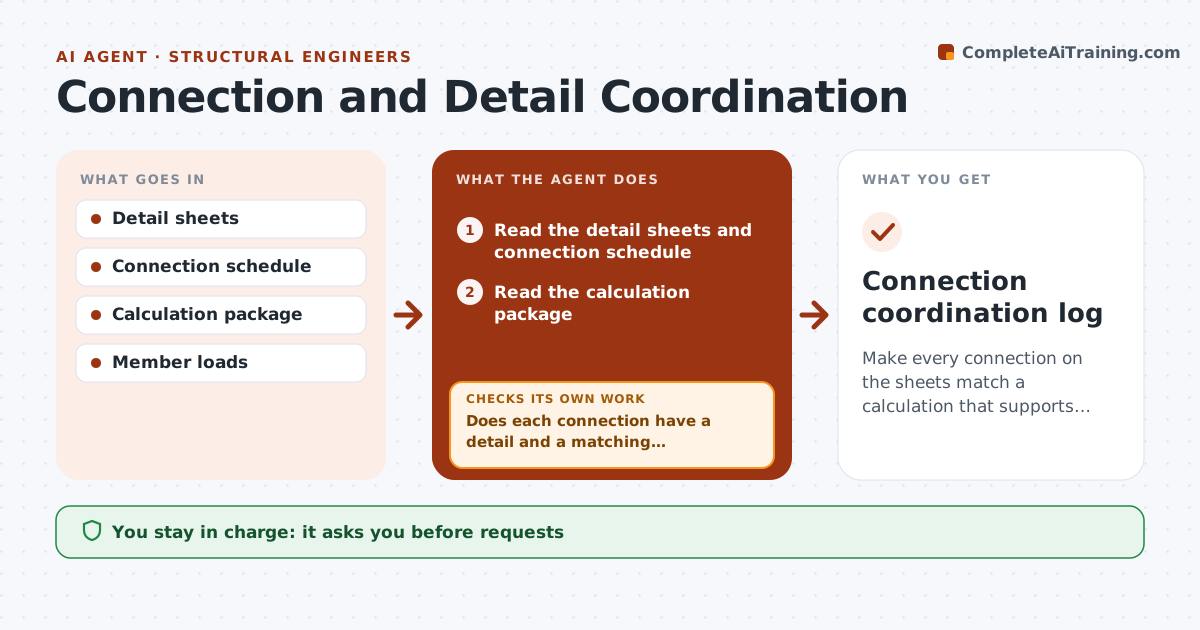
Make every connection on the sheets match a calculation that supports it.
What it does
A connection detail on the sheet shows 4 bolts, and the calculation checked 6. This agent reads the detail sheets and the calculation package and matches each connection to its demand and its check. It flags the ones with a missing check, a different bolt count, a different plate or weld size, or no detail at all. It drafts the requests to the detailer or the calculation author. When revisions arrive, it checks again. You approve the issue. Edge case: a beam splice detail is repeated at 12 locations with different loads, and the agent checks the highest-load case against the detail.
How it works
Follow the arrows from top to bottom. The orange dashed arrow is the loop: when a check fails, the agent goes back and tries again.
Read the steps as a list
- Drawings are near issue
- Read the detail sheets and connection schedule
- Read the calculation package
- Match each connection to its detail and calculation and compare demand with capacity
- Does each connection have a detail and a matching calculation?If not: List the missing or mismatched items. Back to step 4.
- Draft requests to the detailer or calculation author
- Engineer approves the requestsThe agent waits here for your OK.
- Send the requests and recheck the revised sheets and calculations
- Are all connections now matched?If not: Keep open items and repeat the requests. Back to step 6.
- Engineer approves issueThe agent waits here for your OK.
- Connection coordination log
How it decides
It matches each connection by mark, then compares its demand to the capacity shown. A connection with no calc or no detail is a failure.
- Check the highest-load case for repeated details
- Demand above capacity is a failure
- Connection marks must match between sheets and calcs
- Do not issue with open items
Make it yours
Every agent is a starting point. You choose these settings for your own situation.
- Connection marks used
- Rule for repeated details
- Load source
- Request template
- Issue rule
What keeps you in control
It always asks you first
- Requests
- Issue of the drawings
Hard limits
- Never changes details
- Never assumes a calc covers a different connection
- Keeps the log
It stops when
- Done: every connection matches
- Stop: design change needed; engineer decides
Set it up
We guide you through the set-up, step by step
Members get the full set-up guide for this agent. No technical skills needed: you copy, paste and upload.
- One set of instructions to paste into your AI, with the clicks for ChatGPT, Claude, Microsoft 365 Copilot, Gemini and Grok
- The agent then walks you through connecting your own data, one source at a time
- A downloadable copy with the flow chart, the rules and the full guide