AI agent for content creators
Content Idea Backlog Scoring Agent
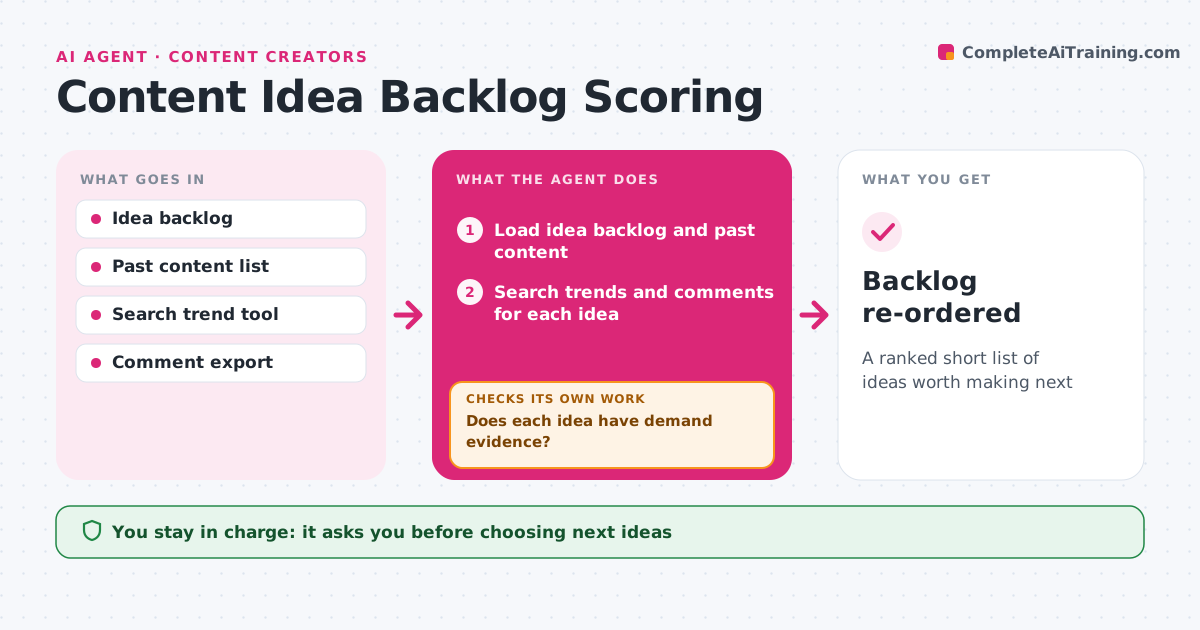
A ranked short list of ideas worth making next
What it does
An idea backlog grows faster than anyone can make videos, and the best ideas get buried. Each week this agent reviews the backlog. For each idea it searches for audience interest, such as search trends and questions in comments, checks whether the creator already covered it, and looks at how crowded similar content is. It scores each idea on demand, fit with the channel, effort and timeliness. Before scoring, it checks its sources. If search data is missing for an idea, it uses comment and community questions instead. Ideas that duplicate earlier videos are merged into update ideas. The top five go to the creator with a reason each, and the creator picks. Edge case: a timely topic with a deadline, like a product launch, is marked urgent even if its overall score is lower.
How it works
Follow the arrows from top to bottom. The orange dashed arrow is the loop: when a check fails, the agent goes back and tries again.
Read the steps as a list
- Weekly planning
- Load idea backlog and past content
- Search trends and comments for each idea
- Does each idea have demand evidence?If not: search community questions and competitor content instead. Back to step 3.
- Score demand, fit, effort and timeliness
- Remove ideas already covered
- Creator picks from the top fiveThe agent waits here for your OK.
- Backlog re-ordered
How it decides
It scores ideas on demand, fit, effort and timeliness, and marks deadline-bound ideas urgent.
- Ideas already covered in the last year are merged into an update idea
- Deadline-bound topics are marked urgent
- Ideas with no demand evidence go to the bottom
Make it yours
Every agent is a starting point. You choose these settings for your own situation.
- Scoring weights
- Ideas shown each week
- Sources used for demand
- Planning day
What keeps you in control
It always asks you first
- Choosing next ideas
Hard limits
- Never deletes ideas
- Does not publish anything
It stops when
- Done: backlog ranked
- Stop: backlog empty
Set it up
We guide you through the set-up, step by step
Members get the full set-up guide for this agent. No technical skills needed: you copy, paste and upload.
- One set of instructions to paste into your AI, with the clicks for ChatGPT, Claude, Microsoft 365 Copilot, Gemini and Grok
- The agent then walks you through connecting your own data, one source at a time
- A downloadable copy with the flow chart, the rules and the full guide