AI agent for secondary school teachers
Course Pacing Recovery Agent
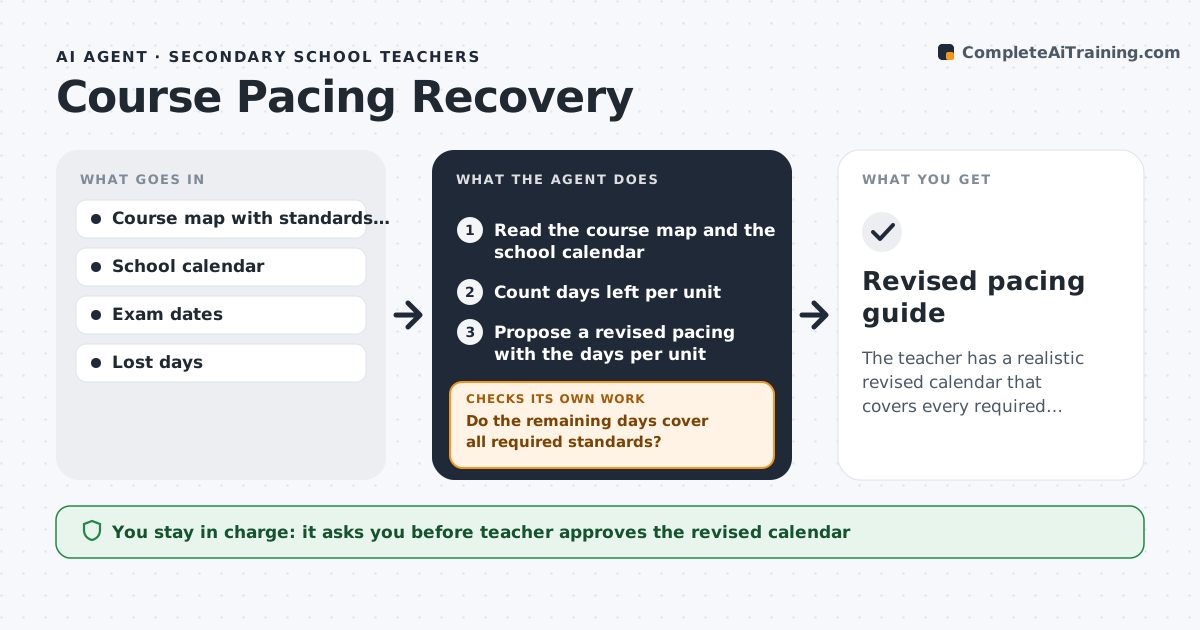
The teacher has a realistic revised calendar that covers every required standard before the exam date.
What it does
Snow days, assemblies and testing weeks push a course off its calendar, and the end of the year is crammed. The agent reads the course map and the school calendar, recalculates days left per unit, and finds where to compress or merge lessons without dropping required standards. It rechecks the new plan against exam dates and holidays, and reruns whenever another day is lost, so the plan never drifts again. If a unit still does not fit, it says exactly how many days are missing and which lessons could move. It never decides what to cut on its own. The teacher approves the revised calendar. Edge case: a unit that needs a lab day that cannot be shortened, so the agent compresses a different unit.
How it works
Follow the arrows from top to bottom. The orange dashed arrow is the loop: when a check fails, the agent goes back and tries again.
Read the steps as a list
- Day lost or monthly review
- Read the course map and the school calendar
- Count days left per unit
- Do the remaining days cover all required standards?If not: Find lessons to merge, compress or move. Back to step 3.
- Propose a revised pacing with the days per unit
- Keep lab days and key assessments
- Check against exam dates and holidays
- Does every unit finish before its assessment?If not: Compress a flexible lesson and recheck. Back to step 2.
- Teacher approves the revised calendarThe agent waits here for your OK.
- Update the plan and share with students if needed
- Revised pacing guide
How it decides
It keeps required standards and the lab days first, then compresses reviews and extension lessons before cutting core content.
- Keep all required standards
- Protect lab and assessment days
- Cut review and enrichment lessons first
- Leave a buffer of 3 days before the exam
Make it yours
Every agent is a starting point. You choose these settings for your own situation.
- Buffer days before exam (default 3)
- Lessons that may be merged
- Protected lesson types
- Calendar source
What keeps you in control
It always asks you first
- Teacher approves the revised calendar
Hard limits
- Never drop a required standard
- Do not change the school calendar
It stops when
- Done: revised calendar approved with all standards covered
- Stop: the days left cannot cover the standards and the teacher must discuss with the department
Set it up
We guide you through the set-up, step by step
Members get the full set-up guide for this agent. No technical skills needed: you copy, paste and upload.
- One set of instructions to paste into your AI, with the clicks for ChatGPT, Claude, Microsoft 365 Copilot, Gemini and Grok
- The agent then walks you through connecting your own data, one source at a time
- A downloadable copy with the flow chart, the rules and the full guide