AI agent for customer service representatives
Coverage Inquiry Answer Agent
Accurate coverage answers tied to the customer's policy wording
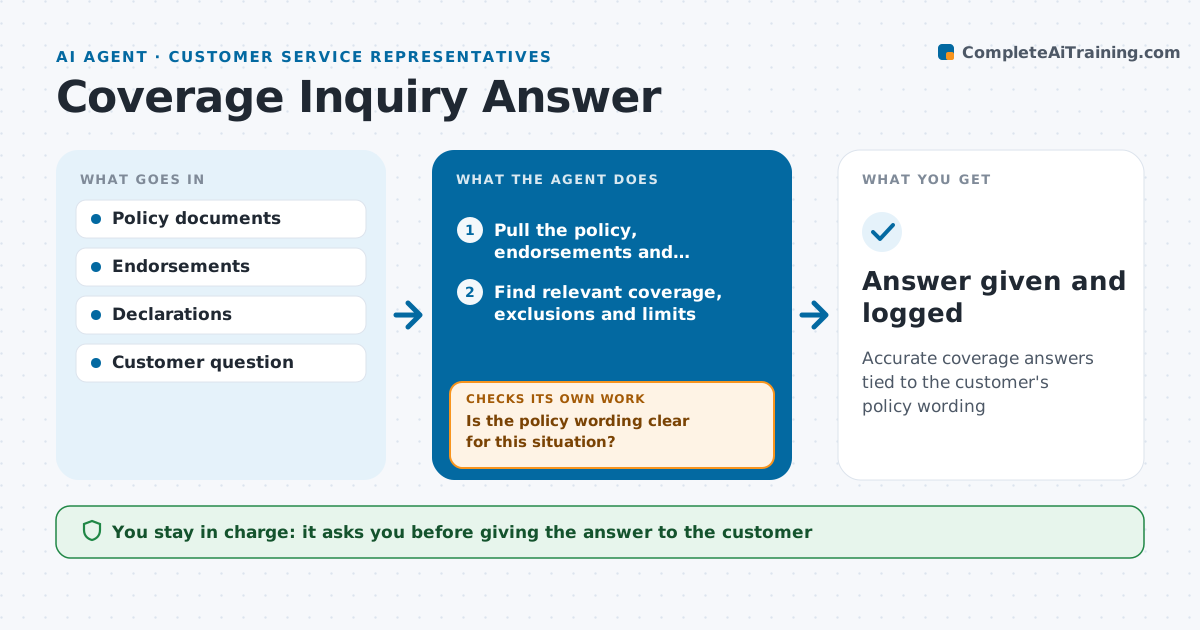
What it does
Customers ask whether something is covered, and a wrong answer can lead to a complaint or a denied claim later. When a coverage question comes in, this agent finds the customer's actual policy, including endorsements and declarations. It reads the relevant coverage section, exclusions and limits, and drafts a plain answer that quotes the policy sections. Then it checks the answer against the declarations page for the right limits and deductible, and checks the effective date of every endorsement. If the wording is unclear or the situation is unusual, it marks the question for an underwriter or claims colleague rather than guessing. The representative reviews every answer before giving it. Edge case: an endorsement added mid-term can change the answer, so the agent always checks effective dates.
How it works
Follow the arrows from top to bottom. The orange dashed arrow is the loop: when a check fails, the agent goes back and tries again.
Read the steps as a list
- Coverage question received
- Pull the policy, endorsements and declarations
- Find relevant coverage, exclusions and limits
- Is the policy wording clear for this situation?If not: mark the question for an underwriter or claims colleague. Back to step 3.
- Draft plain answer with quoted sections
- Do limits, deductible and endorsement dates match the declarations?If not: correct the answer using the current declarations. Back to step 5.
- Representative reviews before answeringThe agent waits here for your OK.
- Answer given and logged
How it decides
It answers only from the customer's own policy wording and sends unclear cases to an expert.
- Unclear wording goes to an expert
- Endorsement effective dates are always checked
- Answers say 'depends on claim review' where it does
Make it yours
Every agent is a starting point. You choose these settings for your own situation.
- Channels covered
- Expert review routes
- Answer length
- Disclaimer wording
What keeps you in control
It always asks you first
- Giving the answer to the customer
Hard limits
- Never promises claim payment
- Never changes policies
It stops when
- Done: question answered
- Stop: question is really a claim, start claim intake
Set it up
We guide you through the set-up, step by step
Members get the full set-up guide for this agent. No technical skills needed: you copy, paste and upload.
- One set of instructions to paste into your AI, with the clicks for ChatGPT, Claude, Microsoft 365 Copilot, Gemini and Grok
- The agent then walks you through connecting your own data, one source at a time
- A downloadable copy with the flow chart, the rules and the full guide