AI agent for creative directors
Creative Team Workload Balancing Agent
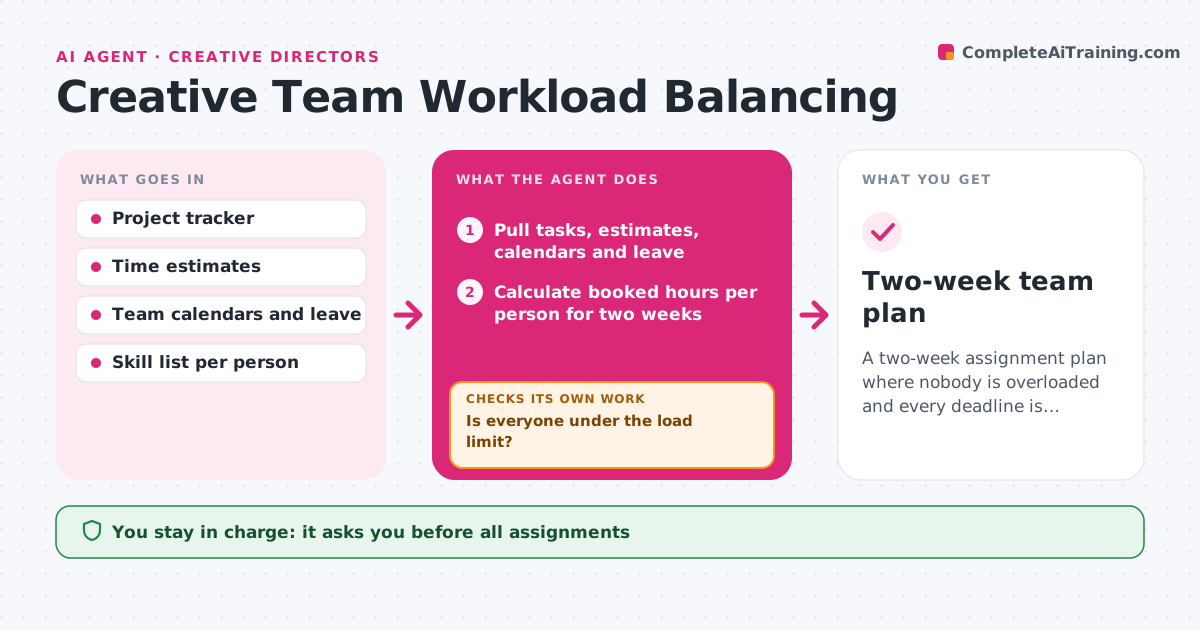
A two-week assignment plan where nobody is overloaded and every deadline is covered
What it does
Each week a creative director decides who works on what, often without a clear view of everyone's load. This agent reads the project tracker, time estimates and team calendars, and works out hours booked per person for the next two weeks. It matches open briefs to people by skill, client history and availability. It proposes assignments, then checks that nobody goes over the load limit and that every deadline has someone with enough hours before it. If a check fails, it tries swapping tasks or splitting work, and if that fails, it flags which deadline needs to move or which freelancer to bring in. It never assigns work or tells people anything; the director decides. Edge case: someone on leave next week still shows tasks due, so the agent reads leave first.
How it works
Follow the arrows from top to bottom. The orange dashed arrow is the loop: when a check fails, the agent goes back and tries again.
Read the steps as a list
- Friday planning or new brief approved
- Pull tasks, estimates, calendars and leave
- Calculate booked hours per person for two weeks
- Match open briefs to people by skill, history and free hours
- Is everyone under the load limit?If not: swap or split tasks between people with the same skill. Back to step 4.
- Does every deadline have enough assigned hours before it?If not: mark the deadline at risk and suggest a date move or a freelancer. Back to step 4.
- Write the plan with reasons for each assignment
- Creative director approves assignmentsThe agent waits here for your OK.
- Update tracker with approved assignments
- Two-week team plan
How it decides
Assignments go to the person with the right skill and the most free hours before the deadline, preferring people who worked on that client before.
- Load limit is 85% of available hours per person
- Prefer the person who last worked on the client when free hours are within 4 hours of the best option
- Flag a deadline at risk when assigned hours are less than the estimate
- Never assign work to someone on leave
Make it yours
Every agent is a starting point. You choose these settings for your own situation.
- Load limit (default 85%)
- Planning window (default 2 weeks)
- Skills list per person
- Planning day and time
What keeps you in control
It always asks you first
- All assignments
- Bringing in a freelancer
Hard limits
- Never notify team members directly
- Never change deadlines in the tracker
It stops when
- Done: plan approved and tracker updated
- Stop: missing estimates on more than three tasks, asks project leads
Set it up
We guide you through the set-up, step by step
Members get the full set-up guide for this agent. No technical skills needed: you copy, paste and upload.
- One set of instructions to paste into your AI, with the clicks for ChatGPT, Claude, Microsoft 365 Copilot, Gemini and Grok
- The agent then walks you through connecting your own data, one source at a time
- A downloadable copy with the flow chart, the rules and the full guide