AI agent for crm managers
CRM Data Cleanup Agent
A clean, reliable CRM each week
What it does
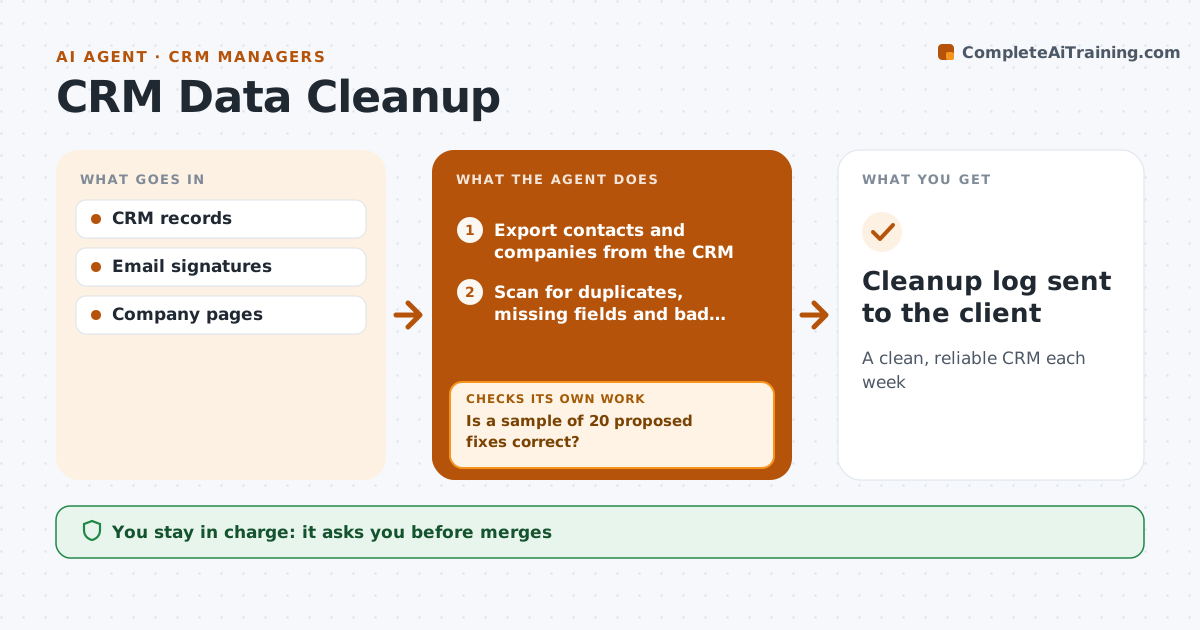
Clients rely on their CRM, but it gets messy fast with duplicates, blanks and stale contacts. On weekly cleanup day, this agent exports contacts and companies, then scans for duplicates, missing key fields, bad email formats and contacts with no activity in a long time. It proposes merges with evidence, such as a matching email or phone, and fills missing fields from email signatures or public company pages. Before applying more, it checks a sample of 20 proposed fixes. If the sample shows errors, it adjusts its matching rules and tries again. It keeps deletions separate from merges and fixes. The assistant approves merges, and the client approves every deletion. After applying approved changes, it recounts duplicates to confirm the cleanup worked and sends the client a log. Edge case: two contacts with the same name at different companies are never merged.
How it works
Follow the arrows from top to bottom. The orange dashed arrow is the loop: when a check fails, the agent goes back and tries again.
Read the steps as a list
- Weekly cleanup day
- Export contacts and companies from the CRM
- Scan for duplicates, missing fields and bad formats
- Propose merges and field fixes with a reason for each
- Is a sample of 20 proposed fixes correct?If not: adjust matching rules and propose again. Back to step 4.
- Separate deletions from merges and fixes for review
- Assistant approves merges, client approves deletionsThe agent waits here for your OK.
- Apply approved changes and recount duplicates
- Cleanup log sent to the client
How it decides
It merges only when email or phone matches, and fills fields only from trusted sources.
- Merge on email or phone match
- Never delete without client approval
- Inactive after 24 months flagged
Make it yours
Every agent is a starting point. You choose these settings for your own situation.
- Match rules
- Inactivity period
- Fields to fill
- Sample size
What keeps you in control
It always asks you first
- Merges
- Deletions
Hard limits
- Never deletes records itself
- Never adds contacts to mailing lists
It stops when
- Done: cleanup applied
- Stop: CRM access fails
Set it up
We guide you through the set-up, step by step
Members get the full set-up guide for this agent. No technical skills needed: you copy, paste and upload.
- One set of instructions to paste into your AI, with the clicks for ChatGPT, Claude, Microsoft 365 Copilot, Gemini and Grok
- The agent then walks you through connecting your own data, one source at a time
- A downloadable copy with the flow chart, the rules and the full guide