AI agent for operations managers
Customer Complaint Root Cause Rollup Agent
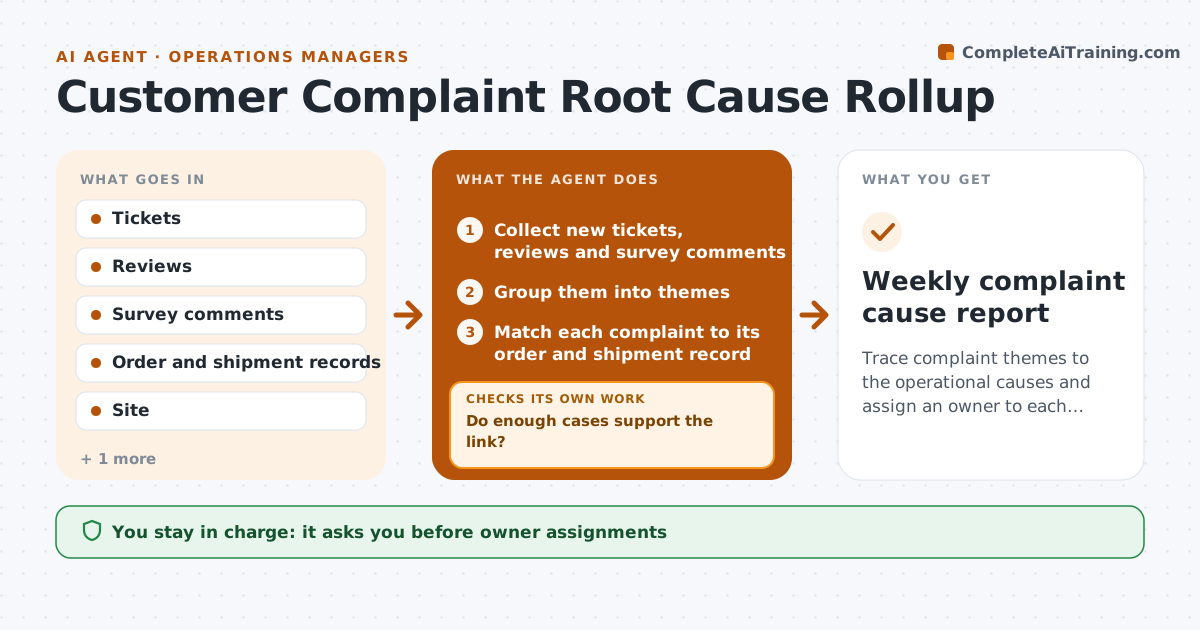
Trace complaint themes to the operational causes and assign an owner to each one.
What it does
Complaints arrive through tickets, reviews and surveys, and each team sees only its own. No one asks which site or process step is behind the pattern. This agent groups new complaints by theme every week, then links each theme to the process step and site most often involved using order and shipment records. It checks whether the link is supported by enough cases. Weak links go back for more data. When the link holds, it drafts an owner assignment for the VP to approve. Edge case: a theme that appears across all sites is routed as a company-wide issue rather than to one site.
How it works
Follow the arrows from top to bottom. The orange dashed arrow is the loop: when a check fails, the agent goes back and tries again.
Read the steps as a list
- Weekly complaint rollup begins
- Collect new tickets, reviews and survey comments
- Group them into themes
- Match each complaint to its order and shipment record
- Find the site and process step most involved in each theme
- Do enough cases support the link?If not: Request more data or mark the theme as unclear. Back to step 3.
- Draft the cause summary and an owner assignment
- VP approves the assignmentsThe agent waits here for your OK.
- Track the theme volume in the following weeks
- Did the theme volume drop after the action?If not: Reopen the cause analysis with new data. Back to step 6.
- Weekly complaint cause report
How it decides
Counts complaints per theme and per site or step, and accepts a link as a cause when at least 20 cases and 60% share one site or step.
- At least 20 cases per theme to assign a cause
- One site with over 60% of cases is the cause site
- Themes across all sites go to the VP as company-wide
- Volume must fall 30% in 4 weeks to count as fixed
Make it yours
Every agent is a starting point. You choose these settings for your own situation.
- Minimum cases (default 20)
- Share needed for a cause (default 60%)
- Sources
- Reduction target (default 30%)
- Themes to ignore
What keeps you in control
It always asks you first
- Owner assignments
- Any customer-facing message
- Any change to a process
Hard limits
- Never contact customers
- Never assign blame to a person
It stops when
- Done: theme volume falls and holds
- Stop: theme is not operational
- Stop: data not available
Set it up
We guide you through the set-up, step by step
Members get the full set-up guide for this agent. No technical skills needed: you copy, paste and upload.
- One set of instructions to paste into your AI, with the clicks for ChatGPT, Claude, Microsoft 365 Copilot, Gemini and Grok
- The agent then walks you through connecting your own data, one source at a time
- A downloadable copy with the flow chart, the rules and the full guide