AI agent for chief revenue officers
Customer Concentration and Revenue Risk Agent
Quantify revenue concentration risk and keep a plan against each major exposure
What it does
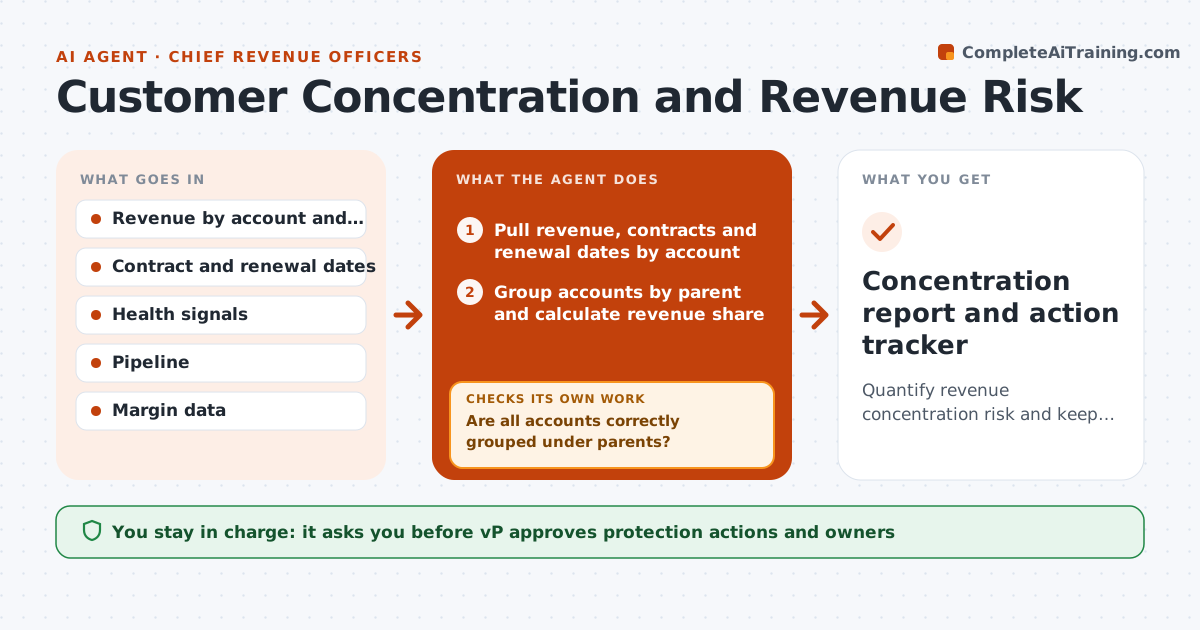
A company has 400 customers but 40 percent of revenue comes from five, and nobody has modeled what happens if one leaves. This agent builds the risk picture. It calculates revenue share by account, models loss scenarios such as the largest customer leaving or two renewing at lower prices, checks renewal dates and health signals like usage drop, open escalations and contact changes, and proposes protection actions such as exec outreach, multi-year deals or growing other segments. It reruns monthly and when a major event occurs. The VP approves actions. Edge case: two accounts belong to the same parent. The agent groups them for the concentration measure.
How it works
Follow the arrows from top to bottom. The orange dashed arrow is the loop: when a check fails, the agent goes back and tries again.
Read the steps as a list
- Monthly concentration review
- Pull revenue, contracts and renewal dates by account
- Group accounts by parent and calculate revenue share
- Are all accounts correctly grouped under parents?If not: Fix the grouping with the account data and recalculate. Back to step 3.
- Pull health signals: usage, escalations and contact changes
- Model loss scenarios and the effect on revenue and margin
- Rank exposures and propose protection actions
- VP approves the actionsThe agent waits here for your OK.
- Assign actions to owners with dates
- Did risk indicators improve after the actions?If not: Propose additional actions and escalate the account. Back to step 6.
- Concentration report and action tracker
How it decides
It groups accounts by parent and ranks by revenue share. Risk rises with a near renewal, a drop in usage or weak relationships. It models loss on revenue and on margin.
- Any account group over 10 percent of revenue is high exposure
- Renewal within 6 months with a health signal is high risk
- Model loss of the top account and of the top 3 together
- Margin loss is reported alongside revenue loss
Make it yours
Every agent is a starting point. You choose these settings for your own situation.
- Exposure threshold (default 10 percent)
- Scenarios to model
- Health signals used
- Review frequency
- Who receives the report
What keeps you in control
It always asks you first
- VP approves protection actions and owners
Hard limits
- Never contacts customers
- Marks scenarios as models, not predictions
It stops when
- Done: exposures ranked with active actions
- Stop: data is inconsistent between finance and CRM, ask finance to reconcile
Set it up
We guide you through the set-up, step by step
Members get the full set-up guide for this agent. No technical skills needed: you copy, paste and upload.
- One set of instructions to paste into your AI, with the clicks for ChatGPT, Claude, Microsoft 365 Copilot, Gemini and Grok
- The agent then walks you through connecting your own data, one source at a time
- A downloadable copy with the flow chart, the rules and the full guide